

Top 10 Reasons Kansas Businesses Are Switching to Managed Service Providers

As the business landscape in Kansas becomes more competitive and digitally driven, organizations, especially small and medium-sized enterprises are seeking reliable solutions to manage their IT infrastructure effectively. Enter the Managed Service Provider in Kansas. Managed IT support services are not just a trend, they are a strategic move that provides businesses with secure, scalable, and cost-effective technology solutions.

10 Reasons to Choose a Managed Service Provider in Kansas

In this blog, we’ll explore the top 10 reasons why Kansas businesses are making the switch to Managed IT Service Providers and how it’s transforming their operations.

1. Cost-Effective IT Management Services

Managing an in-house IT team can be expensive. Salaries, training, software, hardware, and infrastructure maintenance all add up. By partnering with a Managed Service Provider in Kansas, businesses eliminate the burden of maintaining a full-time team while still getting expert-level IT support.

You pay a predictable monthly fee for a comprehensive suite of services. This cost-effective IT management service model is ideal for small businesses in Kansas that need reliable tech without breaking the bank.

2. 24/7 Managed IT Support Services

Downtime can cost you more than money—it can damage your reputation. Unlike traditional IT teams that work 9 to 5, managed IT support services are available 24/7. This means any issues, whether it’s midnight ransomware attacks or early morning server glitches, are resolved swiftly. A Managed IT Service Provider in Kansas offers continuous monitoring and proactive support, reducing the risk of major IT failures.

3. Access to Latest Technology & Expertise

One of the greatest benefits of working with a Managed Service Provider is access to cutting-edge technology and industry-certified experts. Whether it’s cloud solutions, VoIP, data backups, or cybersecurity tools, IT management services provided by MSPs ensure your business is always ahead of the curve—without the headache of constant upgrades and certifications.

4. Robust Cybersecurity & Compliance

Cybersecurity threats are on the rise, and Kansas businesses are no exception. Data breaches, phishing attacks, and ransomware are becoming increasingly sophisticated. A Managed IT Service Provider in Kansas implements multilayered cybersecurity protocols including firewalls, antivirus, encryption, and employee training. Moreover, they ensure you stay compliant with industry regulations—whether it’s HIPAA, PCI-DSS, or others—so you avoid legal and financial penalties.

5. Scalability and Flexibility for Growth

As your business grows, so do your IT needs. With a Managed Service Provider in Kansas, you have the flexibility to scale your services up or down based on your current requirements. This is especially beneficial for small businesses in Kansas looking to expand without investing heavily in infrastructure or personnel. Whether you’re adding employees, launching new products, or opening a new location, your MSP grows with you.

6. Proactive IT Monitoring and Maintenance

Why wait for something to break when it can be prevented in the first place? Unlike the reactive nature of break-fix services, managed IT support services offer proactive monitoring. This means potential issues are detected and resolved before they escalate, minimizing downtime and increasing productivity. Managed Service Providers use advanced tools to monitor servers, networks, and applications round the clock—ensuring your IT runs smoothly every day.

7. Focus on Core Business Objectives

Business owners and internal teams should focus on what they do best—serving customers and growing the business—not troubleshooting IT issues. By outsourcing to a Managed IT Service Provider in Kansas, you free up valuable time and resources. Your team can focus on strategic initiatives while your MSP handles all your IT management services behind the scenes.

8. Disaster Recovery and Data Backup Solutions

Data is the lifeblood of any modern business. What happens if it’s lost due to hardware failure, human error, or a cyberattack? Managed IT services for small businesses in Kansas often include robust disaster recovery and data backup plans. MSPs ensure that your data is automatically backed up and can be restored quickly in case of emergencies—giving you peace of mind and business continuity.

9. Improved Productivity and Efficiency

With managed IT support, your systems are optimized for performance. Regular software updates, hardware health checks, and security patches are handled seamlessly. Employees no longer waste time waiting for slow computers or calling IT for help. Everything just works, boosting overall efficiency. A reliable Managed Service Provider in Kansas ensures that your team has the tools and support they need to perform at their best.

10. Strategic IT Consulting and Planning

A good MSP doesn’t just fix problems—they help you plan for the future. Many Managed IT Service Providers in Kansas offer strategic consulting to align your IT with business goals. They analyze your existing infrastructure, suggest upgrades, and design a long-term IT roadmap tailored to your growth. This advisory role makes them more of a partner than a vendor.

Final Thoughts

Switching to a Managed Service Provider in Kansas is no longer just an option—it’s becoming a necessity. From cost-effective IT management services to 24/7 support, cybersecurity, and disaster recovery, the advantages are too significant to ignore.

If you’re a small business in Kansas or a growing enterprise looking for reliable tech solutions, Managed IT support services offer a future-proof way to stay competitive, secure, and scalable.

Why Choose Us?

At TakeControl IT, we specialize in delivering top-tier Managed IT services for small businesses in Kansas. With years of experience serving local businesses, we understand the unique IT challenges you face. Our team provides:

  • 24/7 monitoring & support
  • Customized cybersecurity solutions
  • Scalable plans tailored to your business
  • Reliable data backup and recovery
  • Strategic IT consulting

Whether you’re a startup or a growing company, we help you focus on business while we manage your tech.

Let’s talk! Partner with the most trusted Managed IT Service Provider in Kansas today.

Managed IT Services in Kansas: What Every Small Business Needs to Know

Running a small business in Kansas comes with both opportunities and challenges. From managing day-to-day operations to ensuring seamless customer service, technology plays a critical role in every aspect of business. Yet, with growing cyber threats, system failures, and the increasing demand for remote work solutions, small businesses often struggle to manage their IT needs effectively.

This is where Managed IT Services in Kansas step in—helping businesses stay secure, productive, and competitive. At TakeControl IT, we specialize in delivering reliable IT management services, customized to support small and mid-sized businesses across Kansas City and beyond.

Why Small Businesses in Kansas Need Managed IT Support Services

In this blog, we’ll cover everything you need to know about Managed IT Services for small businesses in Kansas, why they’re essential, and how to choose the right partner.

What Are Managed IT Services?

Managed IT Services refer to outsourcing your IT operations to a specialized provider that manages, monitors, and maintains your technology infrastructure. Instead of hiring an in-house IT team, you get access to expert support around the clock.

A Managed IT Service Provider in Kansas like TakeControl IT ensures that your systems are secure, your data is backed up, and your business runs smoothly without unexpected tech interruptions.

Key elements include:

Managed IT Support Services in Kansas for Small Businesses 

Kansas small businesses often operate on tight budgets and limited resources. Hiring a full-time IT team can be expensive, but ignoring IT management can lead to data breaches, downtime, and customer dissatisfaction.

Here’s why Managed IT Support Services are a smart investment:

1. Cost Efficiency

A managed IT services company in Kansas offers predictable monthly costs, helping you avoid large expenses for emergency repairs or infrastructure upgrades.

2. Enhanced Security

Cybersecurity is one of the biggest threats to small businesses. With Managed IT services for businesses in Kansas, your company is protected with advanced firewalls, malware detection, and real-time monitoring.

3. Business Continuity

Unexpected events like system crashes or natural disasters can bring operations to a halt. With data backup and disaster recovery services, you can quickly get back to business.

4. Scalability

As your company grows, your IT needs evolve. A Managed IT Service Provider in Kansas scales services to meet your business goals without additional overhead.

5. Expertise on Demand

With TakeControl IT, you get access to certified IT experts who understand the latest technologies, so you don’t have to worry about keeping up with trends.

Key Benefits of IT Management Services

Partnering with a reliable managed IT services company in Kansas gives you a competitive edge. Some benefits include:

  • 24/7 proactive monitoring to prevent downtime.
  • Regular system updates and patches for security.
  • Improved productivity by eliminating tech disruptions.
  • Expert consultation for strategic IT planning.
  • Stronger compliance with industry regulations.

These advantages make IT management services not just a necessity, but a growth enabler for small businesses.

Managed IT Services for Small Businesses in Kansas

Small businesses often think IT services are only for large corporations, but that’s far from the truth. In reality, Managed IT Services for small businesses in Kansas are designed to support companies of all sizes with cost-effective and reliable solutions.

Imagine this: Instead of worrying about cyberattacks or server downtime, you can focus on what matters—serving customers and growing your company. That’s the power of partnering with TakeControl IT.

Our team specializes in:

  • Helping startups with secure IT setups.
  • Supporting local retailers with POS and network management.
  • Assisting law firms and healthcare providers with data compliance.
  • Enabling remote teams with cloud and VOIP solutions.

Why Choose TakeControl IT as Your Managed IT Service Provider in Kansas

Choosing the right managed IT services company in Kansas is crucial. TakeControl IT stands out because of our tailored approach and commitment to client success.

Here’s what sets us apart:

  • Local Expertise: Based in Kansas, we understand the unique challenges small businesses face.
  • Customized Solutions: We don’t believe in one-size-fits-all. Our services are designed to fit your needs.
  • Proactive Support: We anticipate issues before they impact your business.
  • Cybersecurity First: From firewalls to phishing protection, we prioritize keeping your data safe.
  • Proven Track Record: Trusted by Kansas City businesses for years, we’ve built a reputation for reliability.

When you partner with TakeControl IT, you’re not just outsourcing IT—you’re gaining a strategic partner dedicated to your business growth.

Managed IT Services in Kansas City – A Growing Demand

The demand for Managed IT Services in Kansas City is rapidly increasing as more businesses realize the cost and security benefits. Kansas City’s competitive market requires companies to operate at peak efficiency, and reliable IT management is no longer optional—it’s essential.

From manufacturing companies to healthcare providers and retail businesses, more organizations are turning to providers like TakeControl IT to secure operations and stay ahead of technological disruptions.

How to Get Started with Managed IT Support Services

Ready to take control of your IT infrastructure? Here’s how you can begin:

  1. Assess Your Current IT Needs – Identify pain points such as frequent downtime or security gaps.
  2. Schedule a Consultation with TakeControl IT – We’ll evaluate your IT environment and suggest the right solutions.
  3. Choose a Tailored Plan – Whether you’re a startup or an established business, we offer plans that fit your needs and budget.
  4. Enjoy Peace of Mind – With our team monitoring and managing your IT, you can focus on growth.
Final Thoughts

In today’s fast-paced business world, small businesses cannot afford to ignore IT management. Partnering with a Managed IT Service Provider in Kansas like TakeControl IT means fewer disruptions, stronger security, and a reliable partner invested in your success.

If you’re a business owner searching for Managed IT services for businesses in Kansas or specifically looking for Managed IT Services in Kansas City, TakeControl IT is your trusted partner.

With expert IT management services and round-the-clock managed IT support services, we help Kansas businesses thrive in a digital-first world.

Affordable Managed IT Support & Services in Shawnee, Kansas – What to Expect

In today’s digital era, reliable IT systems are the backbone of every successful business. Whether you’re running a small startup or a growing enterprise in Shawnee, Kansas, keeping your technology running efficiently can make or break productivity. That’s where Managed IT Support in Shawnee steps in—offering businesses the expertise, monitoring, and support they need without the high cost of maintaining an in-house IT department.

At TakeControl IT, we specialize in providing affordable managed IT support and services in Shawnee, Kansas, tailored to meet your business needs. From 24/7 monitoring to data security and network management, we ensure your systems run smoothly so you can focus on what matters most—growing your business.

What Is Managed IT Support & Services in Shawnee?

Managed IT Support in Shawnee refers to outsourcing your IT management and technical needs to a professional Managed Service Provider in Kansas, like TakeControl IT. Instead of waiting for something to go wrong, managed IT support takes a proactive approach—monitoring your systems around the clock, detecting potential issues early, and fixing them before they disrupt your operations.

These services include:

  • Network monitoring and management

  • Cybersecurity and data protection

  • Cloud solutions and storage management

  • Data backup and recovery

  • VoIP and communication systems

  • IT consulting and strategy planning

By partnering with a trusted IT provider, Shawnee businesses can benefit from enterprise-level support at a fraction of the cost.

Why Businesses in Shawnee Need Managed IT Services

Technology evolves rapidly, and businesses that don’t keep up risk falling behind. Whether you’re facing frequent downtime, slow networks, or security threats, partnering with a Managed IT Service in Shawnee helps you stay one step ahead.

Here are some key reasons why Shawnee businesses are switching to managed IT services:

1. Cost-Effective IT Management

Hiring full-time IT staff can be expensive. Managed IT services allow you to access a team of experts for a predictable monthly fee—no surprise costs or hiring headaches.

2. 24/7 Monitoring & Support

Downtime can be costly. With 24/7 system monitoring, potential threats are detected and resolved before they affect your business operations.

3. Enhanced Cybersecurity

Cyber threats are increasing every year. Managed IT providers implement strong cybersecurity measures, including firewalls, antivirus protection, and employee training.

4. Scalability & Flexibility

As your business grows, your IT needs change. Managed IT support services easily scale with your business—ensuring your infrastructure supports your success.

5. Focus on Your Core Business

Outsourcing IT management allows your internal team to focus on strategic goals rather than troubleshooting technical issues.

What to Expect from a Reliable Managed Service Provider in Kansas

Choosing the right Managed Service Provider in Kansas can make all the difference. A trusted provider like TakeControl IT offers more than just technical assistance—they become your technology partner, helping you plan, protect, and optimize your digital environment.

Here’s what you can expect when you choose us as your IT partner:

1. Proactive IT Management

We don’t wait for problems to happen—we prevent them. Our proactive approach includes continuous system monitoring, software updates, and regular performance checks.

2. Customized IT Solutions

Every business is unique. We assess your current infrastructure, identify gaps, and design solutions that align with your goals and budget.

3. Data Backup & Disaster Recovery

Data is the lifeline of your business. We implement secure cloud backup solutions and disaster recovery plans to ensure your information is safe and quickly restorable.

4. Advanced Cybersecurity Protection

Our cybersecurity experts deploy multi-layered protection to defend your business from viruses, ransomware, phishing attacks, and other threats.

5. Local, Responsive Support

As a locally based Managed IT Service in Shawnee, we’re available when you need us. Whether it’s remote troubleshooting or on-site support, we respond quickly and effectively.

6. Cloud & Network Optimization

We streamline your operations by optimizing your cloud environment and managing your network for maximum uptime and performance.

Benefits of Partnering with TakeControl IT

When you partner with TakeControl IT, you gain more than a service—you gain a strategic technology ally. Our mission is to deliver affordable, reliable, and future-ready IT management services that empower Shawnee businesses to succeed.

1. Local Expertise, Global Standards

We understand the challenges faced by Kansas-based businesses. Our local expertise combined with industry-leading tools ensures your business gets top-tier service at an affordable rate.

2. Comprehensive IT Management Services

From cybersecurity and network support to VoIP and data recovery, we offer a full spectrum of IT management solutions under one roof.

3. Predictable Pricing & Transparent Contracts

No hidden fees, no surprise costs—just simple, scalable plans that fit your business needs and budget.

4. Dedicated IT Professionals

Our certified technicians are passionate about technology and dedicated to helping your business thrive.

5. Proven Results

With a growing list of satisfied clients across Kansas, TakeControl IT has built a reputation for reliability, trust, and excellence.

How Managed IT Support in Shawnee Empowers Local Businesses

For Shawnee’s small and medium-sized businesses, embracing managed IT support is more than a convenience—it’s a competitive advantage. Here’s how it drives business growth:

  • Reduced Downtime: Real-time system monitoring ensures your operations stay up and running.

  • Improved Productivity: Employees spend less time fixing IT issues and more time focusing on revenue-generating tasks.

  • Better Security Compliance: Stay compliant with data security standards relevant to your industry.

  • Future-Ready IT Infrastructure: Managed services prepare your systems for scalability and technological advancement.

By partnering with TakeControl IT, you gain a proactive, professional, and affordable IT partner invested in your success.

Why Choose TakeControl IT?

Choosing the right Managed IT Support in Shawnee can feel overwhelming—but TakeControl IT makes it simple.

We combine advanced tools, local support, and a customer-first approach to provide top-quality Managed IT Services in Shawnee. Our goal is to help your business stay secure, efficient, and technologically ahead.

When you choose us, you get:

  1. 24/7 IT monitoring and support
  2. Expert cybersecurity protection
  3. Reliable network and cloud management
  4. Strategic IT consulting for business growth
  5. Fast, friendly, and local assistance

Get Started with Affordable Managed IT Services in Shawnee

Don’t let IT issues slow your business down. Take control of your technology with TakeControl IT, your trusted Managed Service Provider in Kansas.

We’re here to help your business achieve reliable uptime, robust security, and smooth operations—all at an affordable cost. Whether you need end-to-end IT management or specific support services, our experts are ready to tailor a solution that fits your business perfectly.

TakeControl IT – Reliable. Secure. Affordable.
Your Partner for Managed IT Support in Shawnee and across Kansas.

IT Consulting Firm in Kansas: What to Look For Before You Hire

Technology plays a major role in how modern businesses operate. From cybersecurity to cloud systems, companies rely on strong IT support to stay productive and secure. Choosing the right IT consulting firm in Kansas can help your business reduce downtime, improve efficiency, and protect critical data. 

Whether you run a small business or a growing company, working with an experienced IT consulting firm in Kansas gives you access to expert guidance, proactive support, and scalable technology solutions. However, not every provider offers the same level of service.

Before hiring an IT consulting firm in Kansas, it is important to understand what separates a reliable technology partner from a basic support provider. This guide explains the key factors businesses should evaluate before making a decision.

IT Consulting Firm in Kansas Services That Support Business Growth 

A professional IT consulting firm in Kansas should provide more than occasional troubleshooting. Modern businesses need strategic technology support that aligns with daily operations and long-term goals.

Core services often include:

  • Managed IT services
  • Network monitoring and maintenance
  • Cybersecurity protection
  • Cloud computing solutions
  • Data backup and disaster recovery
  • Microsoft 365 support
  • IT infrastructure planning
  • Help desk support

An experienced IT consulting company in Kansas helps businesses improve system performance while reducing technical disruptions. Instead of reacting to issues after they happen, the right provider focuses on prevention and long-term stability.

Businesses across Kansas also benefit from scalable solutions that adapt as operations grow. A trusted IT consultancy Kansas provider understands how to support expansion without unnecessary complexity.

IT Consulting Firm in Kansas Experience and Industry Knowledge 

Industry experience matters when selecting an IT consulting firm in Kansas. Different industries face different compliance requirements, security concerns, and operational challenges.

For example:

  • Healthcare organizations require strong data security and HIPAA awareness.
  • Law firms need secure document management.
  • Manufacturers depend on reliable network uptime.
  • Financial businesses need advanced cybersecurity protection.

A qualified IT consulting company in Kansas should understand the technology needs specific to your industry. This helps reduce risks and improve operational efficiency.

Before hiring, review:

  • Years of experience
  • Certifications and partnerships
  • Client testimonials
  • Response times
  • Technology expertise

An established IT consultancy Kansas provider should also demonstrate a proactive approach to problem-solving rather than simply fixing issues when they occur.

Cybersecurity Standards From an IT Consulting Firm in Kansas

Cyber threats continue to increase for businesses of all sizes. Ransomware, phishing attacks, and data breaches can disrupt operations and damage customer trust.

A reliable IT consulting firm in Kansas should prioritize cybersecurity at every level. Businesses should ask about:

Network Security Monitoring: Continuous monitoring helps identify suspicious activity before it becomes a major problem.

Multi-Factor Authentication: Strong access controls protect sensitive company data from unauthorized access.

Employee Security Training: Human error remains one of the leading causes of cyber incidents. Security awareness training helps reduce risks.

Backup and Disaster Recovery: A dependable IT consulting company in Kansas should provide secure backups and recovery planning to minimize downtime after unexpected incidents.

Businesses working with a trusted IT consultancy Kansas provider often gain stronger protection through proactive security management instead of reactive solutions.

IT Consulting Company in Kansas, Communication and Support Quality

Strong communication is one of the most important qualities of a dependable IT partner. Businesses should never struggle to reach technical support during critical situations.

A professional IT consulting firm in Kansas should offer:

  • Clear communication
  • Fast response times
  • Regular reporting
  • Transparent recommendations
  • Dedicated support channels

Good communication also helps business owners understand technology decisions without confusing technical jargon.

Many companies choose an IT consulting company in Kansas because they want a local provider that understands regional business needs and offers personalized support.

Working with a responsive IT consultancy Kansas team helps businesses maintain productivity and reduce frustration during technical issues.

IT Consultancy Kansas Solutions for Long-Term Technology Planning 

Technology should support future growth, not create limitations. An experienced IT consulting firm in Kansas helps businesses build long-term strategies that improve scalability and operational efficiency.

Strategic planning may include:

  • Hardware lifecycle management
  • Cloud migration planning
  • Infrastructure upgrades
  • Remote workforce support
  • Cybersecurity roadmaps
  • Business continuity planning

A trusted IT consulting company in Kansas also helps businesses avoid outdated systems that can slow productivity and increase security risks.

Instead of making random technology decisions, businesses benefit from structured planning with an experienced IT consultancy Kansas provider.

Take Control IT Delivers Reliable IT Consulting Support 

Take Control IT helps businesses improve operational efficiency with professional technology support and proactive IT solutions. As an experienced IT consulting firm in Kansas, the company focuses on helping organizations strengthen cybersecurity, optimize infrastructure, and reduce downtime.

Businesses looking for dependable guidance often choose Take Control IT for:

  • Managed IT support
  • Business cybersecurity solutions
  • Cloud services
  • Network management
  • Strategic IT consulting
  • Responsive technical support

With a proactive approach to technology management, the company helps Kansas businesses stay secure, productive, and prepared for future growth.

Choose the Right IT Consulting Firm in Kansas for Better Business Performance 

Selecting the right IT consulting firm in Kansas is an important decision for any business. Technology impacts productivity, security, customer experience, and long-term growth.

The best providers focus on:

  • Proactive support
  • Cybersecurity protection
  • Strategic planning
  • Reliable communication
  • Industry expertise
  • Scalable technology solutions

A trusted IT consulting company in Kansas becomes a long-term technology partner rather than just a support vendor.

Businesses that invest in professional IT consultancy Kansas services often experience improved efficiency, reduced downtime, and stronger protection against evolving cyber threats. 

Contact Take Control IT for Trusted IT Consulting Services 

Looking for a reliable IT consulting firm in Kansas that understands your business needs?

Take Control IT provides proactive technology solutions designed to improve security, productivity, and long-term business performance. Connect with their team today to build a smarter and more secure IT strategy for your organization.

Conclusion

Choosing the right IT consulting firm in Kansas can directly impact your company’s security, productivity, and long-term growth. Businesses today need more than basic technical support. They need strategic guidance, proactive cybersecurity, reliable communication, and scalable technology solutions that align with their goals.

Working with an experienced IT consultancy Kansas provider like Take Control IT gives businesses access to reliable IT support designed to keep operations secure, efficient, and growth-focused. Before making a decision, evaluate experience, service quality, responsiveness, and strategic capabilities to ensure your business chooses the right technology partner.

Frequently Asked Questions

How does an IT consulting firm in Kansas help businesses?

An IT consulting firm in Kansas helps businesses improve cybersecurity, manage technology systems, reduce downtime, and create long-term IT strategies that support operational growth.

Why should businesses hire a local IT consulting company in Kansas?

A local IT consulting company in Kansas provides faster support, understands regional business challenges, and offers personalized service customized to company needs.

What services does an IT consultancy Kansas provider offer?

An IT consultancy Kansas provider typically offers managed IT services, cybersecurity, cloud solutions, network support, disaster recovery, and strategic technology planning.

How do businesses choose the best IT consulting firm in Kansas?

Businesses should evaluate experience, cybersecurity expertise, support quality, industry knowledge, response times, and long-term technology planning capabilities before hiring.

Can an IT consulting company in Kansas improve cybersecurity?

Yes. A professional IT consulting company in Kansas helps businesses strengthen cybersecurity through monitoring, employee training, backup systems, and proactive threat management.

Why is proactive IT support important for Kansas businesses?

Proactive support from an IT consultancy Kansas provider helps businesses prevent downtime, improve productivity, and reduce the risks associated with cyber threats and outdated systems.

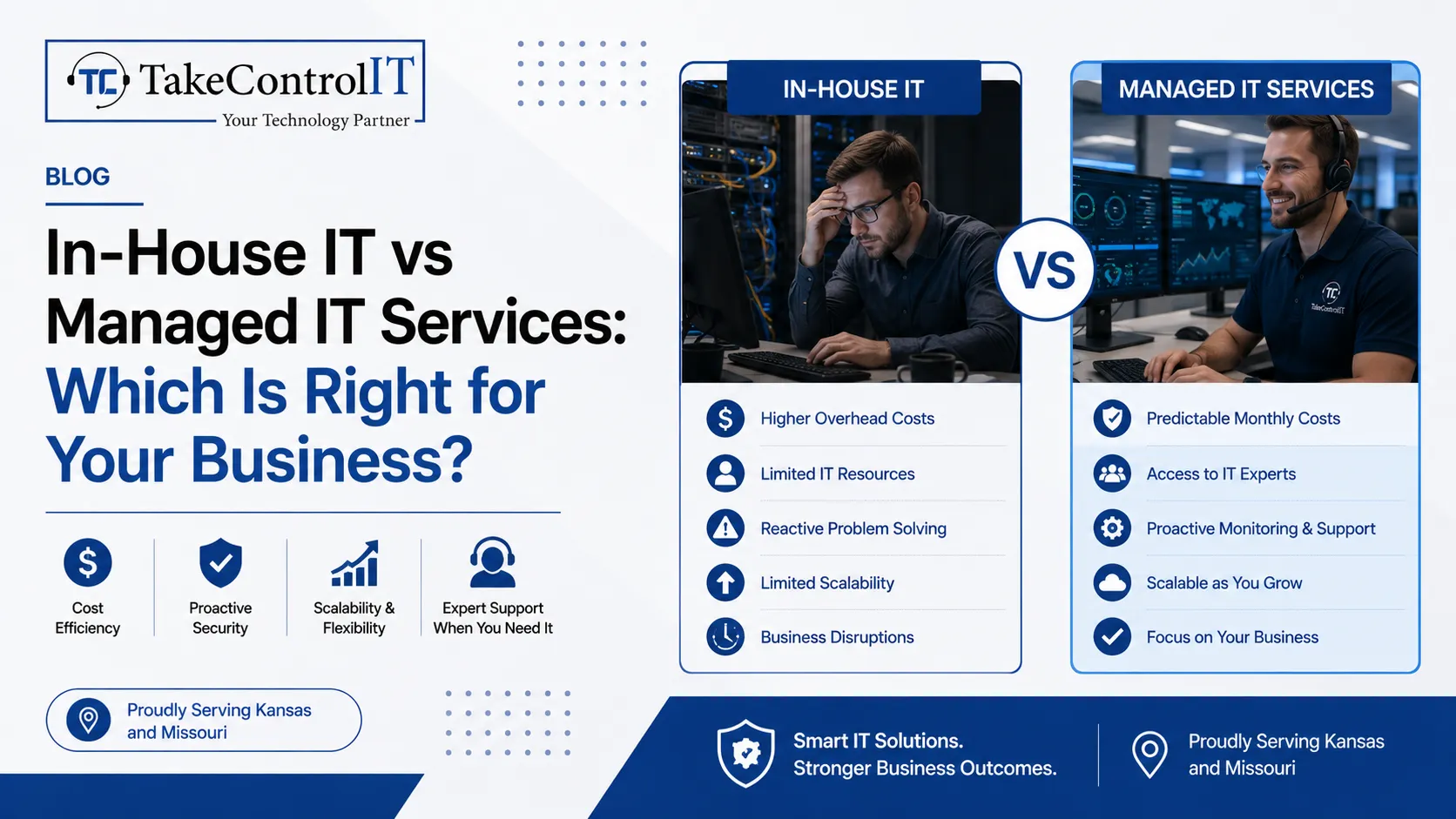
In-House IT vs Managed IT Services: Which Is Right for Your Business?

Technology plays a major role in modern business operations. From cybersecurity to cloud systems, companies depend on reliable IT support every day. Because of this, many businesses compare in-house teams with a professional Managed IT service provider before making long-term technology decisions.

Some companies prefer internal IT staff. Others choose outsourced support through IT services managed services providers. Both options have benefits, but the right choice depends on business size, budget, growth plans, and technical needs.

A trusted Managed IT provider can help businesses improve efficiency, reduce downtime, and strengthen cybersecurity. However, some organizations still prefer direct in-house management for daily operations.

Understanding the differences between these two models can help businesses choose the right technology strategy.

Managed IT Service Solutions Support Business Growth 

A professional Managed IT service provider delivers ongoing IT support, monitoring, and technology management for businesses. Instead of handling everything internally, companies outsource IT responsibilities to experienced professionals.

Most IT services managed services providers offer:

  • Network monitoring
  • Help desk support
  • Cybersecurity management
  • Cloud support
  • Data backup solutions
  • Software updates
  • Disaster recovery planning

This approach allows businesses to focus more on operations instead of technical problems. In addition, a reliable Managed IT provider often offers proactive support. This means problems are identified and fixed before they create serious downtime. For growing businesses, this model provides flexibility without needing a large internal IT department.

Managed IT Service Benefits Compared to In-House IT 

In-house IT teams can work well for larger companies with complex internal systems. However, maintaining a full internal department often requires significant time and resources.

A professional Managed IT service model offers several advantages for small and mid-sized businesses.

1. Broader Technical Expertise

Most Managed IT provider teams include specialists in cybersecurity, cloud systems, networking, and business continuity.

2. Proactive System Monitoring

Professional monitoring helps businesses reduce downtime and respond to issues quickly.

3. Better Scalability

Businesses can adjust support levels as operations grow without hiring additional full-time staff.

4. Improved Cybersecurity Support

Many IT services managed services providers include advanced cybersecurity protection and threat monitoring.

In addition, businesses often gain access to newer technologies and industry best practices through experienced providers.

Managed IT Service Costs and Operational Efficiency 

Many businesses compare internal staffing costs with outsourced IT support before making decisions.

An in-house department may require:

  • Hiring technical staff
  • Ongoing training
  • Employee benefits
  • Hardware investments
  • Software management
  • Security tools

A professional Managed IT service provider often combines these services into one support model. This structure can help businesses simplify IT management while improving operational efficiency. In addition, a trusted Managed IT provider helps companies avoid costly downtime through proactive maintenance and monitoring. Businesses also benefit from predictable technology support without constantly managing internal technical challenges.

In-House IT Teams Support Direct Internal Management 

Some businesses prefer in-house IT because they want direct control over internal systems and daily support operations.

Internal teams may work well for companies with:

  • Large enterprise environments
  • Complex internal software
  • High-volume infrastructure
  • Specialized compliance requirements

An internal department can also provide immediate on-site support during technical emergencies. However, maintaining a full team may become difficult for smaller organizations with limited IT budgets. This is why many businesses combine internal support with external IT services managed services solutions for additional expertise and monitoring. A dependable Managed IT provider can often support internal teams with cybersecurity, cloud management, and disaster recovery planning.

Managed IT Service Solutions Improve Cybersecurity Protection 

Cybersecurity has become a major concern for businesses across every industry. Ransomware, phishing attacks, and data breaches continue to increase each year.

A professional Managed IT service provider helps businesses strengthen protection through proactive security management.

Security services often include:

  • Firewall management
  • Endpoint protection
  • Threat monitoring
  • Employee security training
  • Multi-factor authentication
  • Backup management

In addition, many IT services managed services providers monitor systems around the clock to identify suspicious activity quickly.

A trusted Managed IT provider also helps businesses stay updated with security patches and compliance requirements.

Take Control IT Delivers Reliable Managed IT Support 

Take Control IT helps businesses improve operational efficiency through dependable technology solutions and proactive support.

The company provides professional Managed IT service in Kansas city designed to help organizations reduce downtime, strengthen cybersecurity, and improve business continuity.

Businesses choose Take Control IT for:

  • Managed IT support
  • Cybersecurity solutions
  • Cloud services
  • Network monitoring
  • Backup management
  • Help desk support

As a trusted Managed IT provider, the company helps businesses maintain secure and stable technology environments. Their IT services managed services approach focuses on long-term reliability, proactive monitoring, and business growth support.

Book Your Appointment With Take Control IT for Professional IT Support Today

Looking for dependable Managed IT service support for your business?

Take Control IT provides proactive IT solutions designed to improve security, reduce downtime, and support long-term business growth. Contact their team today to build a stronger and more reliable technology strategy.

Conclusion

Choosing between internal IT staff and a professional Managed IT service depends on your business goals, technical requirements, and operational needs.

In-house teams may work well for larger organizations with specialized infrastructure. However, many small and mid-sized businesses benefit from the flexibility and expertise offered by professional IT services managed services providers.

A trusted Managed IT provider helps businesses improve cybersecurity, reduce downtime, and simplify technology management through proactive support and monitoring.

With the right IT strategy, businesses can improve productivity, strengthen security, and support long-term growth more effectively.

Frequently Asked Questions

How does a Managed IT service help businesses?

A professional Managed IT service helps businesses improve cybersecurity, reduce downtime, monitor systems, and manage technology more efficiently.

What is the difference between in-house IT and IT services managed services?

In-house IT uses internal employees, while IT services managed services providers deliver outsourced technical support and proactive system management.

Why do businesses choose a Managed IT provider?

A trusted Managed IT provider offers expert support, proactive monitoring, stronger cybersecurity, and scalable technology solutions for growing businesses.

Is a Managed IT service better for small businesses?

Many small businesses benefit from a professional Managed IT service because it provides expert support without maintaining a large internal IT department.

Can businesses combine internal IT with managed services?

Yes. Many companies combine internal staff with IT services managed services providers for additional expertise and cybersecurity support.

Does a Managed IT provider improve cybersecurity?

Yes. A professional Managed IT provider helps businesses strengthen cybersecurity through monitoring, security updates, backup management, and threat protection.

Kansas Managed IT Services for Dental Practices: HIPAA, Imaging & Uptime

A dental practice runs on more than chairs and instruments. Digital x-rays, intraoral scanners, cloud-based scheduling, and patient records all depend on a network that cannot go down. This is why Managed IT Services for Dental Practices Kansas has become essential for practice owners across Overland Park, Olathe, and the greater Kansas City metro. 

A single server crash can freeze imaging in every operation and push back a full day of appointments. Add HIPAA obligations around patient data, and dental offices face a technology burden that general handyman IT support was never built to handle.

The Case for Managed IT Services for Dental Practices Kansas

Most solo and small dental offices patch together IT support from whoever is available: a friend, a part-time contractor, or the practice manager’s spare time. That approach handles simple break-fix problems but leaves gaps in security, backup, and compliance documentation. Dental technology has grown far more complex, with 3D printing, digital sensors, and cloud practice-management platforms now standard in most offices. 

Managed IT Services for Dental Practices in Kansas brings structured monitoring, patching, and support so technology issues get caught before they interrupt patient care. Practices that invest in this model early avoid the scramble that comes when a server fails mid-appointment.

IT Support for Dentists: Keeping Imaging and Software Running

Modern dentistry depends on software that has to work every time a patient sits in the chair. Practice-management platforms such as Dentrix, Eaglesoft, Open Dental, and CareStack store treatment plans, billing records, and patient histories. Digital imaging systems capture x-rays and scans that clinicians need instantly, not after a slow reboot. Reliable IT Support for Dentists focuses on these specific systems rather than generic office computers. Common priorities include:

  • Keeping imaging sensors and PACS servers connected across every operatory
  • Managing software updates for Dentrix, Eaglesoft, and similar platforms
  • Maintaining fast, stable networks between the front desk and treatment rooms
  • Providing quick help desk response when a workstation or scanner stalls

When these systems are properly supported, clinical staff spend less time troubleshooting and more time with patients.

HIPAA Compliant IT Services: What Kansas Practices Must Have

Every dental practice that stores or transmits patient health information is a covered entity under HIPAA. HIPAA compliant IT services help practices meet the administrative, physical, and technical safeguards the Security Rule requires. At a minimum, practices should maintain:

  • A documented Security Risk Analysis, reviewed at least once a year
  • Signed Business Associate Agreements with every vendor that touches patient data
  • Encryption for patient records both at rest and in transit
  • Unique user logins, automatic log-off, and multi-factor authentication
  • Written policies for incident response and breach notification

Regulators expect this documentation to exist and stay current, not just the technology behind it. A partner experienced in HIPAA compliant IT services helps practices keep evidence ready in case of an audit.

Protecting Digital Imaging Systems and Patient Records

Dental imaging is one of the most sensitive and most vulnerable parts of a practice’s technology stack. X-ray sensors, imaging servers, and scanning software all handle protected health information, and a single unpatched system can become an entry point for attackers. 

Encrypted backups of imaging files and patient charts matter as much as backups of everyday office documents. Role-based access keeps front-desk staff from viewing clinical images they do not need, while giving clinicians fast access during appointments. Regular monitoring of imaging servers catches early signs of hardware failure before a full outage happens during a busy clinic day.

Preventing Downtime With Managed IT Support For Dental Clinic

A single hour of downtime can mean rescheduled patients, delayed treatment plans, and lost production for the day. Managed IT support for dental clinics is designed to prevent that scenario instead of reacting to it after the fact. A managed provider monitors servers, networks, and imaging equipment continuously, so a failing hard drive or unstable connection gets flagged before it causes an outage. 

Patches and software updates run on a predictable schedule rather than during office hours. Fast help desk response keeps small issues, like a printer or scanner error, from turning into a stalled treatment room.

Dental Cybersecurity Risks Every Practice Should Watch

Dental offices are increasingly attractive targets because they store Social Security numbers, insurance details, and medical histories, often with fewer defenses than a hospital system. Dental cybersecurity has to account for risks that are specific to how small practices operate. Watch for:

  • Phishing emails aimed at front-desk staff who handle billing and scheduling
  • Ransomware that targets practice-management databases and imaging files
  • Unsecured remote access used by part-time or traveling staff
  • Weak or shared passwords across scheduling and imaging systems

Addressing these risks with layered security tools and staff training reduces the chance of a disruptive incident during a full patient schedule.

What to Look for in a Dental IT Partner in Kansas

Not every IT provider understands the pace and compliance needs of a dental office. When comparing providers, look for a partner who can demonstrate real experience with your systems, not just general business IT.

  • Familiarity with Dentrix, Eaglesoft, Open Dental, or CareStack
  • A documented backup and disaster recovery process with tested recovery times
  • Clear HIPAA compliance support, including risk assessments and BAAs
  • Local presence for on-site support when remote fixes are not enough
  • Response commitments that account for a full schedule of patients

A provider that checks these boxes removes much of the guesswork from choosing dependable IT support for a growing practice.

Why Kansas Dental Practices Choose Take Control IT

Take Control IT supports small businesses and healthcare-adjacent practices across Overland Park, Olathe, Kansas City, and the surrounding metro. The team focuses on proactive monitoring, clear communication, and technology planning built around how a busy dental office actually runs. 

For practices searching for dependable Managed IT Services for Dental Practices Kansas, Take Control IT offers the local availability and practical guidance that a distant national call center often cannot match, backed by a team that understands what a full patient schedule demands from technology.

Protect Your Practice Before The Next Patient Sits Down

Every day your systems stay unprotected is a day of risk your practice does not need to carry. Take Control IT helps Kansas dental practices build the monitoring, backups, and HIPAA-aligned safeguards needed to keep chairs full and data secure. 

Schedule a call with Take Control IT today and see what dependable Managed IT Services for Dental Practices Kansas can do for your team.

Conclusion

Technology now sits at the center of nearly every part of running a dental practice, from the first phone call to the final x-ray review. Practices that treat IT and compliance as an ongoing responsibility, not a once-a-year task, are the ones that avoid costly interruptions. 

Managed IT Services for Dental Practices Kansas brings together imaging support, HIPAA compliance, and proactive monitoring so technology supports patient care instead of interrupting it. Whether you run a single office or a growing group, building this foundation now means fewer surprises during your busiest weeks.

Frequently Asked Questions:

What is included in managed IT services for dental practices?

Managed IT services for dental practices typically include network monitoring, imaging system support, data backup, HIPAA compliance guidance, cybersecurity protection, and help desk support for practice-management software.

Why do dental practices need HIPAA compliant IT services?

Dental practices store protected health information and must meet HIPAA’s Security Rule. HIPAA compliant IT services provide the encryption, access controls, and documentation needed to stay audit-ready.

How does IT support help with dental imaging systems?

IT Support for Dentists keeps x-ray sensors, imaging servers, and scanning software connected and updated, reducing delays that disrupt patient appointments and clinical workflows.

What causes downtime in a dental office network?

Downtime often stems from failing hardware, unpatched software, weak internet connections, or cyberattacks. Managed IT support for dental clinics monitors systems continuously to catch these issues early.

How often should a dental practice complete a HIPAA risk assessment?

Dental practices should complete a documented Security Risk Analysis at least once a year, and again whenever new software, equipment, or locations are added.

What makes dental cybersecurity different from general business security?

Dental cybersecurity must protect imaging systems, practice-management databases, and patient records, which hold more sensitive data and carry stricter compliance requirements than typical office networks.

How Small Accounting Firms Can Secure Client Data and Prevent Downtime During Tax Season

Tax season pushes every accounting firm to its limit. Deadlines pile up, client portals stay busy around the clock, and a single system crash can delay dozens of returns. This is exactly why reliable IT support for accounting firms has become a non-negotiable part of running a CPA practice in Kansas. 

Small firms handle Social Security numbers, bank account details, and years of financial history for every client they serve. Without the right technology partner, that data, and your firm’s reputation, stays exposed to risks that grow heavier every filing season.

The Growing Need For IT Support For Accounting Firms in Kansas

Small and mid-sized accounting practices often assume cybercriminals only target large firms. In reality, small teams are attractive targets because they hold valuable financial data but typically run on thinner security budgets. Attackers know that a rushed tax season staffer is more likely to click a fake IRS email or approve a fraudulent wire request. Strong cybersecurity for accounting firms is no longer optional; regulators, insurers, and clients expect it. 

Firms that invest in proactive IT support for accounting firms early avoid the scramble that follows a breach, when downtime, client notifications, and lost trust can stall an entire season’s revenue. 

Cybersecurity Risks That Spike During Tax Season

During the first months of the year, accounting firms see far more attempted intrusions than any other stretch of the calendar. Client portals stay open longer, staff download and upload sensitive files daily, and seasonal preparers may not know your firm’s security habits yet. Proactive cybersecurity for accounting firms starts with recognizing these patterns early, before they turn into an outage. Common risks include:

  • Phishing emails impersonating the IRS or state tax boards
  • Business email compromise targeting wire transfers and W-2 requests
  • Ransomware aimed at document management systems and tax software
  • Overloaded servers and VPNs when seasonal staff log in remotely
  • Weak or reused passwords on client portals

Reliable tax season IT support keeps monitoring active around the clock, so warning signs get caught before they become full incidents.

Core Elements of Strong Data Security for Accounting Firms

Protecting client records takes more than antivirus software. A layered approach to data security for accounting firms should include:

  • Multi-factor authentication on email, tax software, and client portals
  • Encrypted backups stored offsite with tested recovery procedures
  • Role-based access so staff only see the files their work requires
  • Continuous network monitoring to flag unusual login activity
  • Documented security policies aligned with IRS Publication 4557 guidance

Each layer works together. Encryption protects data if a device is lost. Access controls limit damage if a password is compromised. Monitoring catches what slips through. Firms that combine these measures build the kind of accounting firm cybersecurity posture that regulators and cyber insurance carriers expect to see.

How Managed IT Services for Accounting Firms Reduce Downtime 

Downtime during tax season is costly in ways that go beyond a repair bill. A frozen server on a filing deadline means missed submissions, frustrated clients, and staff working late to catch up. Managed IT services for accounting firms in Kansas are built to prevent that scenario rather than react to it. A managed provider monitors servers, workstations, and cloud applications continuously, so failing hardware or suspicious activity gets flagged before it causes an outage. Patches and updates run on a schedule instead of being postponed during busy weeks. 

Help desk support responds quickly when a staff member is locked out or a portal stops syncing, keeping billable work moving. This proactive model is a core reason many Kansas firms move away from break-fix IT support for accounting firms and toward a managed relationship.

Meeting Compliance Requirements Under FTC and IRS Rules

The FTC Safeguards Rule, part of the Gramm-Leach-Bliley Act, classifies tax preparers and accounting firms as financial institutions. That means firms are expected to maintain a Written Information Security Plan, use multi-factor authentication, encrypt client data, and designate someone accountable for the security program. 

IRS Publication 4557 supports these requirements with practical guidance built for tax professionals, covering everything from spotting data theft to reporting a breach. Falling short of these standards can trigger regulatory review and put a firm’s Electronic Filing Identification Number at risk. Working with a partner who understands data security for accounting firms means these requirements get built into daily operations, instead of being addressed once a year right before an audit.

What to Look for in IT Services for CPA Firms

Not every provider understands the pace of a CPA practice. When evaluating IT services for CPA firms, look for a partner who can show, not just tell, how they handle your industry.

  • Experience supporting tax software such as QuickBooks, Drake, or Lacerte
  • A documented incident response plan and tested backup recovery
  • Faster response commitments during January through April
  • Familiarity with IRS Publication 4557 and the FTC Safeguards Rule
  • Local presence for on-site support when remote fixes fall short

A provider that checks these boxes removes the guesswork of choosing IT support for accounting firms and gives your partners one less thing to worry about heading into the deadline season. 

Tax Season Readiness Checklist for Small Firm 

A little preparation before January saves hours of stress later. Before the rush begins, confirm that:

  • Backups are tested, not just scheduled
  • Multi-factor authentication is active on every account
  • Seasonal staff have completed security awareness training
  • Software licenses and renewals are current
  • Your written security plan reflects this year’s tools and vendors

Firms that work through this checklist with the help of dependable tax season IT support tend to spend the busy months focused on client work instead of firefighting technology problems.

Why Kansas Accounting Firms Choose Take Control IT

Take Control IT works with small businesses and professional service firms across Overland Park, Olathe, Kansas City, and the surrounding metro. The team focuses on proactive monitoring, straightforward communication, and technology planning built around how accounting firms actually operate during filing season. 

For firms searching for dependable IT support for accounting firms in Kansas, Take Control IT offers the local presence and industry awareness that generic national providers often lack, backed by a team that answers the phone when tax season gets tense.

Secure Your Firm Before The Next Filing Deadline

Tax season will not wait for your systems to catch up. Take Control IT helps Kansas accounting firms build the monitoring, backups, and compliance support needed to stay open and secure through the busiest months of the year. Schedule a call with Take Control IT today and find out what proactive IT support for accounting firms can do for your next filing season.

Conclusion

Data security cannot be a once-a-year project handled right before deadlines hit. The firms that come through tax season with the fewest disruptions are the ones that treat cybersecurity as an ongoing practice, not a checklist. Strong IT support for accounting firms brings together monitoring, compliance guidance, and fast response, so client data stays protected and systems stay online when it matters most. 

Whether you are a solo CPA or a growing practice, building accounting firm cybersecurity into daily operations now means fewer surprises when the next filing season arrives.

Frequently Asked Questions

What does IT support for accounting firms typically include?

IT support for accounting firms typically includes help desk services, network monitoring, cybersecurity protection, data backup, cloud hosting, and compliance guidance for tax software and client portals.

Why is cybersecurity important for accounting firms during tax season?

Tax season increases phishing attempts and data traffic, making cybersecurity for accounting firms essential to protect Social Security numbers, bank details, and client tax records from theft.

What is the FTC Safeguards Rule for accounting firms?

The FTC Safeguards Rule requires accounting firms to maintain a written information security plan, use multi-factor authentication, encrypt client data, and monitor systems for unauthorized access.

How can managed IT services reduce downtime for CPA firms?

Managed IT services for accounting firms use proactive monitoring, scheduled updates, and fast help desk response to catch problems early, keeping systems running during filing deadlines.

Do small accounting firms need a Written Information Security Plan?

Yes. IRS Publication 4557 and the FTC Safeguards Rule require every firm handling taxpayer data, regardless of size, to maintain a documented Written Information Security Plan.

How often should accounting firms update cybersecurity training?

Accounting firms should provide cybersecurity training at least annually, with refreshers before tax season and immediate onboarding for seasonal preparers who access client data.

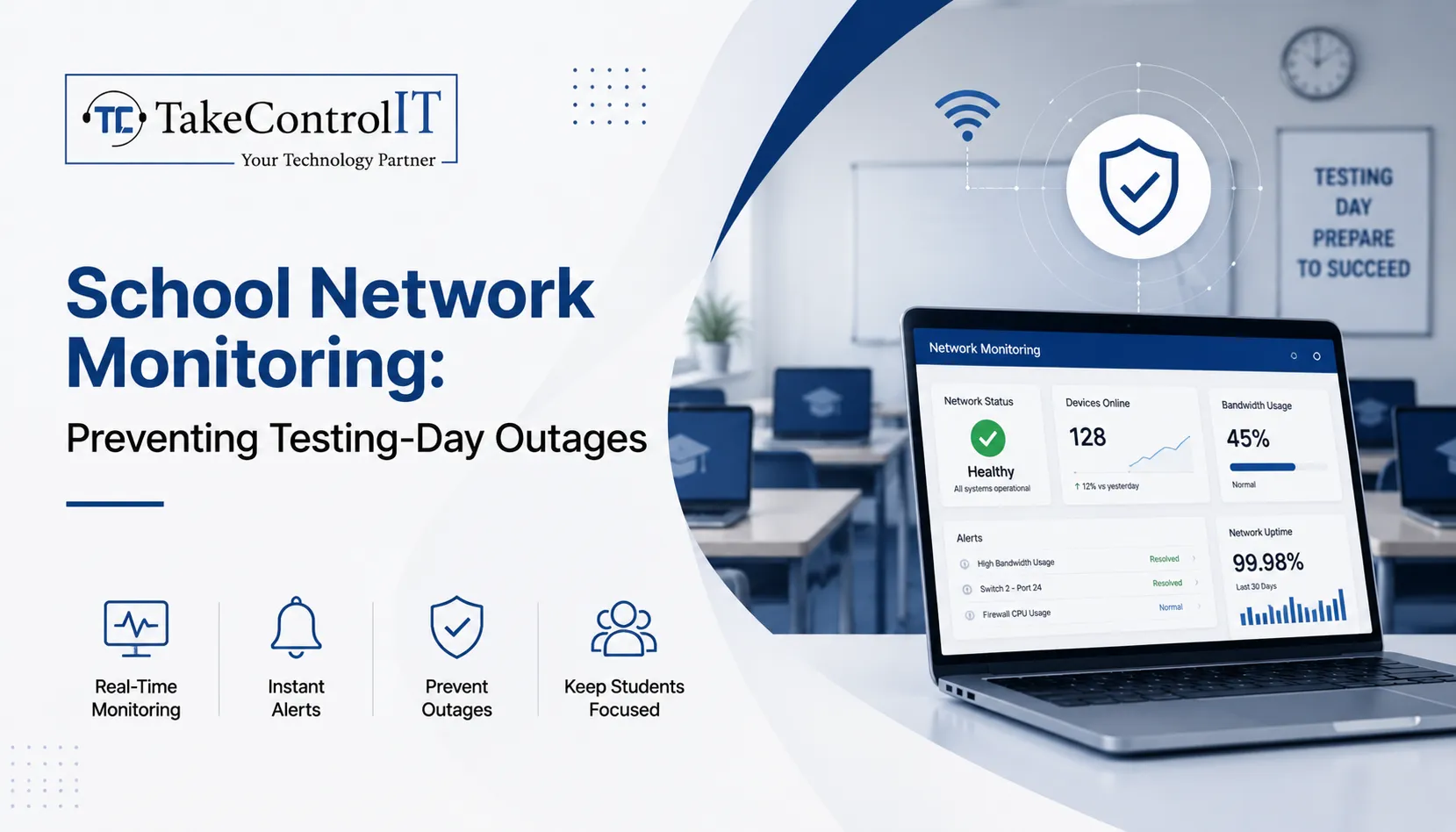
School Network Monitoring: Preventing Testing-Day Outages

Statewide assessment days bring intense pressure to K-12 school districts across Kansas. When hundreds of students log into digital assessment portals simultaneously, unmonitored infrastructure faces severe strain. Bandwidth bottlenecks, sudden server drops, or unauthorized streaming can stall examinations instantly. Implementing proactive school network monitoring eliminates these high-stakes digital failures, allowing educators to focus entirely on academic success.

Modern classrooms rely heavily on continuous digital connectivity. Without specialized school IT support, administrators face unexpected downtime that disrupts district testing schedules. Partnering with local experts like Take Control IT gives Kansas schools robust oversight, keeping access points stable during critical assessment windows.

Technical Obstacles Facing School Network Monitoring During Assessment Windows

High-stakes testing days generate unique traffic spikes that differ from regular classroom usage. Without automated school network monitoring, IT personnel remain unaware of emerging bottlenecks until connection drops occur.

Primary technical causes for testing-day system crashes include:

  • Unmanaged Bandwidth Consumption: Non-essential background downloads, system updates, and guest Wi-Fi streaming drain available throughput.
  • Insufficient Access Point Load Balancing: Concentrating hundreds of testing devices on single wireless access points triggers packet loss and disconnection.
  • Undetected Network Anomaly Spikes: Rogue applications or infected hardware consume critical network resources without immediate administrator alert notifications.

Core Pillars of Effective School Network Monitoring

Comprehensive visibility across school infrastructure requires continuous oversight rather than basic reactive troubleshooting. Professional managed IT services for schools establish continuous guardrails around assessment traffic.

Real-Time Bandwidth Management and Traffic Prioritization

Quality-of-service rules prioritize testing portal domains above standard internet traffic. Dedicated school network monitoring tools flag unusual bandwidth usage instantly, allowing technicians to throttle background streaming or pause non-critical administrative updates during active testing hours.

Proactive Hardware and Wireless Infrastructure Health Audits

Switches, routers, and access points require real-time telemetry tracking. Monitoring tools track device temperatures, memory utilization, and signal strength across all school buildings, preventing hardware failure during peak utilization.

Integrated Threat Detection and School Cybersecurity Services

Testing days present targets for internal and external digital disruptions. Layering modern school cybersecurity services alongside network tracking stops unauthorized intrusions, man-in-the-middle exploits, and distributed denial-of-service attempts before they crash testing sessions.

Proactive K-12 Network Monitoring Model 
Operational Layer  Protective Action 
Bandwidth Oversight  Restricts non-testing web traffic 
Device Telemetry  Identifies overloaded wireless nodes 
Threat Defense  Blocks malicious network incursions 

Strategic Advantages of Managed IT Services for Schools

Maintaining an internal technology team capable of round-the-clock infrastructure oversight places heavy budget strain on Kansas districts. Working with Take Control IT provides specialized district oversight without increasing administrative overhead.

Key benefits of specialized school IT support include:

  • Preventative Outage Mitigation: Proactive alerts resolve network latency issues before testing begins.
  • CIPA-Compliant Content Filtering: Automated web filtering blocks unauthorized domains while keeping testing connections clear.
  • Rapid On-Site and Remote Incident Response: Local Kansas technicians supply immediate troubleshooting support during high-stakes state examinations.
  • Scalable Infrastructure Upgrades: Customized network architecture plans ensure long-term stability across growing student populations.

Kansas District Testing-Day Network Readiness Checklist 

Preparing K-12 infrastructure for state testing demands systematic validation well ahead of testing schedules. 

1.Conduct Pre-Assessment Stress Tests: Execute 14 days prior to testing.

Simulate full student login capacity across all testing environments to identify latent bandwidth bottlenecks and access point limits.

2.Isolate and Secure Testing Subnets: Execute 7 days prior to testing.

Configure virtual local area networks to separate testing devices from student guest networks and administrative hardware.

3.Implement Strict Content and Port Restrictions: Execute 3 days prior to testing.

Apply strict firewall rules to block non-essential ports, media streaming services, and background update servers.

4.Deploy Live School Network Monitoring Dashboards: Execute 24 hours prior to testing.

Activate real-time telemetry dashboards to track active device connections, latency rates, and threat notifications throughout examination hours.

Secure Your District Testing Environment with Take Control IT

Avoid letting unexpected connectivity failures disrupt student performance on critical testing days. Take Control IT delivers customized managed IT services for schools, keeping Kansas classrooms connected, secure, and fully operational when it matters most.

Contact Take Control IT today to schedule a comprehensive district network assessment and safeguard your upcoming testing season.

Conclusion

Proactive school network monitoring transforms high-stakes testing days from chaotic, high-stress events into seamless academic achievements. By pairing real-time bandwidth prioritization with comprehensive school cybersecurity services, Kansas districts eliminate latency bottlenecks, protect student data, and preserve network uptime. Partnering with dedicated experts like Take Control IT ensures your digital infrastructure remains resilient, secure, and fully prepared for every assessment window—empowering educators and students to focus entirely on success. 

Frequently Asked Questions

How does continuous school network monitoring prevent testing crashes?

Continuous school network monitoring identifies bandwidth spikes, hardware overload, and rogue traffic early, allowing technicians to resolve latency issues before student examinations begin.

Why are dedicated school cybersecurity services critical during testing?

Dedicated school cybersecurity services block external intrusions, isolate testing subnets, and prevent internal network abuse that could compromise student data or disrupt active testing sessions.

What traffic should school IT support restrict during state assessments?

Professional school IT support restricts video streaming, non-essential background updates, guest Wi-Fi access, and file-sharing applications to preserve full bandwidth for testing portals.

How do managed IT services for schools support district staff?

Delivering proactive oversight, managed IT services for schools relieve internal staff from constant troubleshooting, ensuring immediate expert intervention during network disruptions.

Can existing K-12 networks integrate advanced school network monitoring tools?

Modern school network monitoring solutions integrate smoothly into existing K-12 routers, switches, and firewalls without requiring complete hardware replacement.

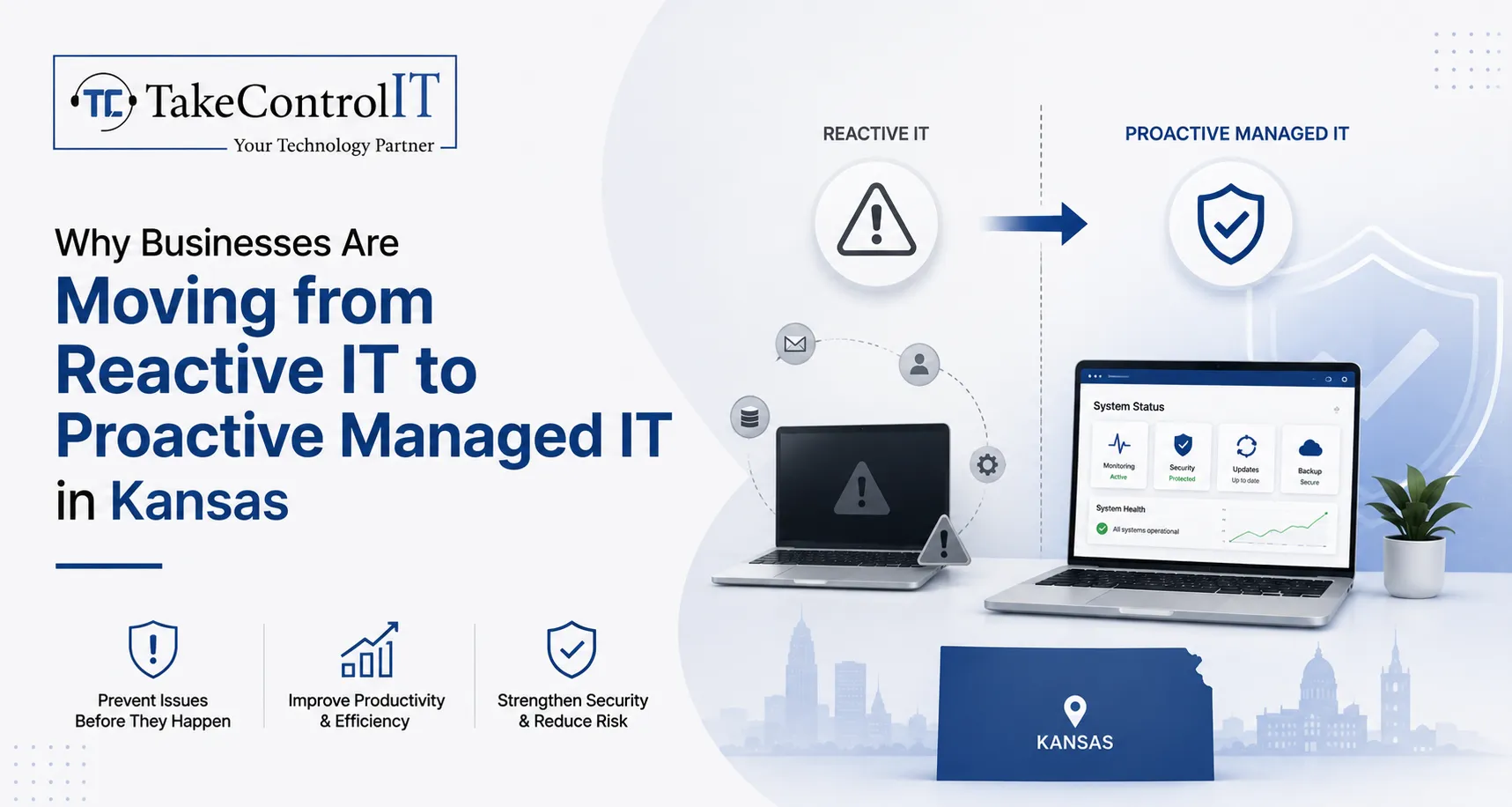
Why Businesses Are Moving from Reactive IT to Proactive Managed IT in Kansas

Recently, many of the Kansas based IT companies are rethinking the strategies to handle the technologies effectively. For years, the standard approach was simple: wait until something breaks, then call for help. That model is losing ground fast. Business owners across Overland Park, Shawnee, Prairie Village, Mission, and the greater Kansas City metro are discovering that Managed IT Services in Kansas offer a steadier, smarter way to run daily operations. 

Instead of waiting for a server crash or a security incident to force action, companies are choosing ongoing monitoring, maintenance, and support built around prevention. This shift is not just a passing trend. It reflects a real change in how Kansas businesses think about risk, cost, and long-term growth.

The Real Difference Between Reactive IT and Managed IT Services in Kansas

For decades, the break-fix model was the default for small and mid-sized companies. Under this approach, a business only calls its IT vendor once a computer freezes, a network goes down, or an employee cannot log in. The provider then shows up, diagnoses the issue, and charges for the visit.

This reactive pattern has real costs. Every outage means lost productivity while staff wait for a fix. Every repeat problem often signals a deeper issue that was never addressed.

Managed IT Services in Kansas work differently. A managed provider monitors systems around the clock, applies updates before vulnerabilities are exploited, and flags warning signs long before they become full outages. The goal is prevention, not repair.

Reactive IT tends to include:

  • Support only after something fails
  • Unpredictable, per-incident billing
  • Little to no ongoing monitoring
  • Limited insight into overall network health

Proactive managed support tends to include:

  • Continuous monitoring and maintenance
  • Flat, predictable monthly costs
  • Scheduled patching and updates
  • A documented view of system performance over time

Signs Your Kansas Business Has Outgrown Reactive IT

Many companies do not realize they have outgrown break-fix support until the damage is already done. A few common warning signs include:

  • Repeated slowdowns or crashes that never seem to get permanently resolved
  • Employees losing hours to tech issues instead of billable or productive work
  • No clear picture of when software was last updated or patched
  • Growing concern about ransomware, phishing, or data breaches
  • Difficulty meeting industry compliance requirements, especially in healthcare, finance, or legal services
  • No documented plan for backup and disaster recovery

If any of these sound familiar, it may be time to explore Managed IT Support in Kansas rather than continuing to patch problems one at a time.

Core Elements of Proactive IT Support in Kansas

Proactive IT Support in Kansas is built on a few consistent practices that separate it from the old break-fix model. Most established managed providers build their service around the following:

  • 24/7 network monitoring to catch unusual activity early
  • Scheduled patch management so software vulnerabilities get closed quickly
  • Regular data backups with periodic recovery testing, not just backup logs
  • Layered cybersecurity, including endpoint protection, email filtering, and staff awareness training
  • A help desk that resolves everyday issues quickly and tracks recurring trends
  • Strategic technology planning, sometimes called vCIO support, to align IT with business goals

Together, these practices are what set Proactive IT Support in Kansas apart from simple break-fix repair. Instead of reacting to a crisis, teams can focus on their actual work.

Business Benefits of Managed IT Support in Kansas

Choosing Managed IT Support in Kansas brings measurable advantages beyond simply avoiding downtime.

Predictable budgeting stands out first. Flat monthly plans make it easier to forecast technology spending instead of absorbing surprise repair bills. Reduced downtime follows closely behind, since monitored systems catch problems before they interrupt operations.

A stronger security posture matters just as much. Continuous patching and monitoring close gaps that attackers commonly exploit. This is especially important for Kansas businesses in regulated industries that must meet compliance standards.

Additional benefits include:

  • Scalable support that grows alongside the business
  • Improved employee productivity with fewer tech interruptions
  • Access to broader expertise than a single in-house IT hire could provide
  • Peace of mind knowing systems are actively managed, not just occasionally checked

The Value of Local IT Services in Kansas for Growing Companies

Working with IT Services in Kansas from a local, regional provider offers advantages that a national call center often cannot match. Local teams understand regional compliance considerations, respond faster when on-site help is genuinely needed, and build long-term relationships with the businesses they serve.

Kansas has a diverse business landscape, from healthcare practices and financial firms to manufacturers and professional offices. Each industry carries its own technology and compliance needs. A local provider that already understands these patterns can implement solutions faster and with fewer missteps than a distant, one-size-fits-all vendor. For companies weighing their options, dependable IT Services in Kansas from a nearby team often make the difference between a quick fix and a long, frustrating wait.

Take Control IT’s Approach to Proactive Technology Management

Take Control IT works with businesses across Kansas and the surrounding region to move away from reactive, break-fix habits. The team evaluates existing infrastructure, identifies gaps in security and performance, and builds a technology roadmap suited to each client’s goals.

Rather than treating every client the same, Take Control IT tailors its approach for startups, established mid-sized firms, and organizations with strict compliance requirements. This includes secure infrastructure management, layered cybersecurity, business continuity planning, and ongoing strategic guidance. For companies ready to stop firefighting and start planning, Take Control IT offers a practical path forward.

Take the Next Step Toward Proactive IT

Reactive IT habits are hard to break on your own, especially while running a business. A trusted partner makes the shift much easier.

Take Control IT helps Kansas businesses move from constant troubleshooting to dependable, well-managed technology. Reach out today to schedule a consultation and see how Managed IT Services in Kansas can strengthen your security, stabilize your budget, and free up your team to focus on real growth.

Conclusion

The shift from reactive to proactive technology management is not just a passing preference. It reflects how Kansas businesses are adapting to rising cyber threats, tighter compliance expectations, and the simple need for dependable systems. Companies that continue relying on break-fix support often face higher long-term costs, more downtime, and greater security risk.

Managed IT Services in Kansas give business owners a steadier alternative. With continuous monitoring, planned maintenance, and a dedicated technology partner, companies can spend less time worrying about IT and more time growing their business. Take Control IT stands ready to help Kansas businesses make that transition with confidence.

Frequently Asked Questions

What is the difference between reactive and proactive IT support?

Reactive IT fixes problems after they happen. Proactive Managed IT Services in Kansas monitor systems continuously, applying updates and catching issues before they cause downtime or data loss.

How much do managed IT services cost in Kansas?

Pricing depends on business size, industry, and support needs. Most Managed IT Support in Kansas providers offer flat monthly plans, which make budgeting more predictable than per-incident repair billing.

Which industries benefit most from managed IT services?

Healthcare, finance, legal, and professional service firms benefit greatly, since these industries face strict compliance requirements and handle sensitive data that demands consistent, proactive IT Services in Kansas.

How quickly can a business switch to managed IT support?

Most transitions take a few weeks. A provider first audits existing infrastructure, then gradually implements monitoring, security tools, and documented processes with minimal disruption to daily operations.

Is managed IT support suitable for small businesses?

Yes. Small businesses often benefit the most, since Managed IT Services in Kansas provide enterprise-level monitoring and cybersecurity without the cost of a full in-house IT department.

What should a business look for in an IT services provider?

Look for proven local experience, 24/7 monitoring, transparent pricing, strong cybersecurity practices, and positive client testimonials before choosing Managed IT Support in Kansas.

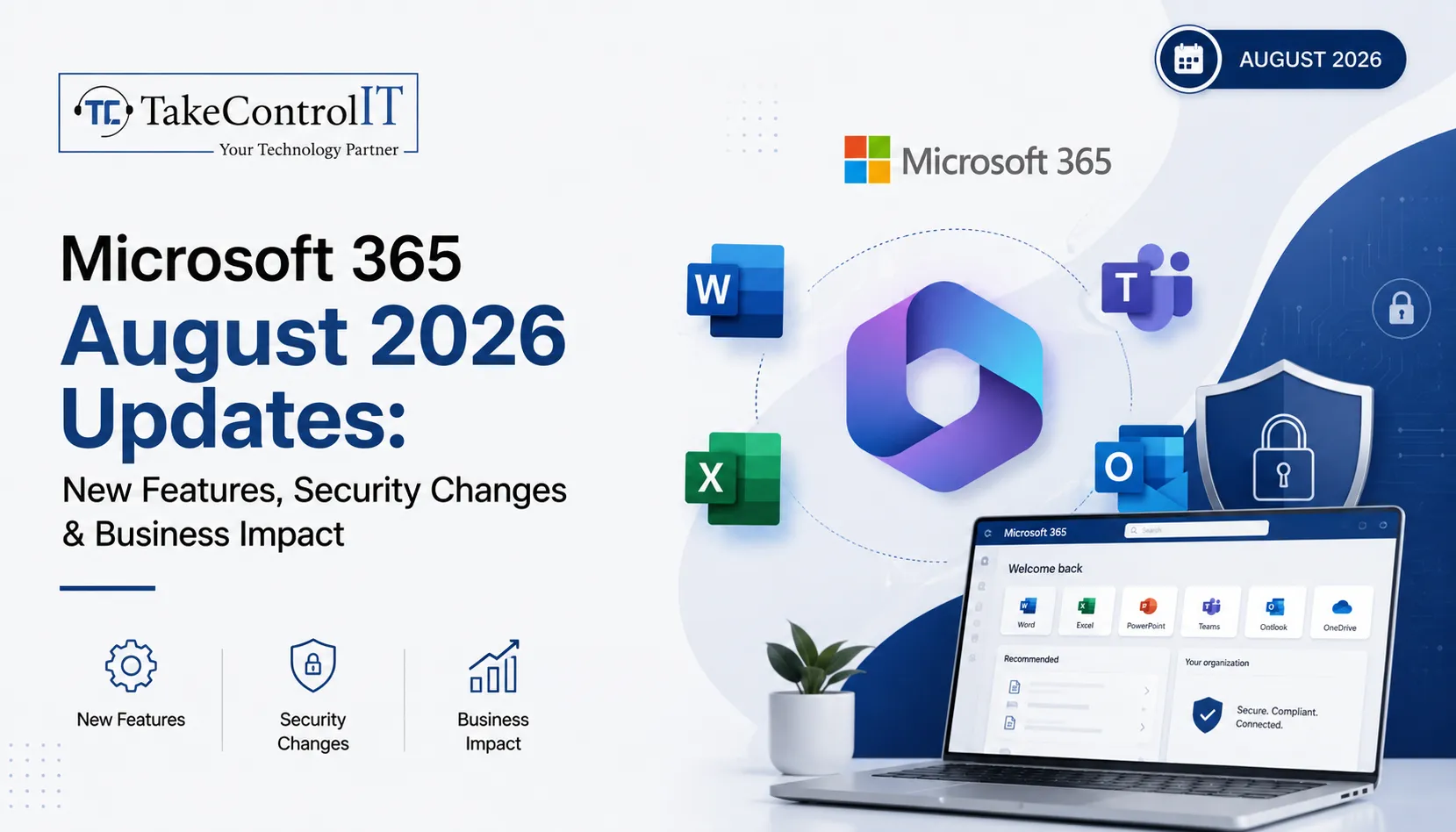
Microsoft 365 August 2026 Updates: New Features, Security Changes & Business Impact

The Microsoft 365 August 2026 updates bring some of the most significant identity, security, and licensing changes Microsoft has shipped this year, and Kansas businesses running on the platform need to pay attention. From the retirement of SMS-based multi-factor authentication to Microsoft 365 new features like AI meeting tools and expanded license bundles, this month’s changes touch nearly every part of the platform your team relies on daily. 

Understanding these Microsoft 365 updates and why they matter helps you avoid disruption, close security gaps, and get more value from the subscription you already pay for. Here is what changed and what to do next.

Microsoft 365 August 2026 Updates at a Glance

This round of Microsoft 365 August 2026 updates falls into three categories: identity and security, new productivity features, and licensing changes to what your organization already owns. Microsoft rolled many of these changes out gradually between June and July 2026, with tenant timelines appearing in the Message Center about 30 days before each change goes live.

  • Passkeys become the default sign-in method as SMS and voice MFA retire
  • Cross-tenant message recall arrives in Exchange Online
  • Teams gains stricter external access controls and smarter meeting AI
  • Business, E3, and E5 plans all gain new bundled capabilities
  • Defender for Cloud Apps file policies begin their retirement path

Microsoft 365 New Features Rolling Out This Month

Several Microsoft 365 new features arrived as part of the Microsoft 365 August 2026 updates, focused on productivity and collaboration for hybrid teams across Kansas offices and remote staff alike.

Expanded Copilot Chat Across Every Plan

These Microsoft 365 new features start with Copilot Chat: Business, E3, E5, and Frontline plans all gain enhanced Copilot Chat with admin controls and usage analytics. Business plans also pick up 50 GB of extra mailbox storage, and Basic and Standard add URL time-of-click protection, which scans links in Outlook and Office apps the moment someone clicks rather than only when the message arrives.

Smarter Meetings with Facilitator

Microsoft Facilitator, the AI meeting assistant in Teams, now detects when participants seem to lack context on a topic and surfaces relevant background information in real time, aiming for fewer follow-up emails, though suggestions are visible to everyone in the room.

  • Review Facilitator admin settings to confirm whether it is enabled
  • Consider the impact on sensitive or confidential meetings
  • Update AI governance guidance for staff

Cross-Tenant Message Recall in Exchange Online

Exchange Online users can now attempt to recall messages sent to external recipients, not just internal ones. Recall only succeeds if the receiving tenant has opted in, so legal and compliance teams should understand its limits.

Microsoft 365 Security Updates Kansas Businesses Should Prioritize

Security is where these Microsoft 365 security updates carry the most immediate risk if ignored, especially for regulated industries common across Kansas, including healthcare, finance, and legal services.

Passkeys Replace SMS and Voice MFA

Microsoft is making passkeys, meaning FIDO2 and device-bound credentials, the default sign-in method in Entra while retiring SMS and voice call MFA outright. This is one of the more consequential identity changes in recent memory because it touches every user in a tenant, and once enforced it cannot be reversed. Businesses still relying on text or voice codes need to migrate staff to Microsoft Authenticator, passkeys, or OATH tokens before enforcement.

  • Audit current MFA method distribution across your organization
  • Migrate SMS and voice MFA users to supported methods now
  • Update conditional access policies and helpdesk scripts

Tighter Controls on Teams External Access

Rolling out July through September 2026, admins gain more precise control over federated chats with external organizations. Review existing federation settings so partner collaboration continues while unsolicited external messaging gets closed off.

Defender for Cloud Apps File Policies Are Retiring

File Policies within Microsoft Defender for Cloud Apps are being retired, with Microsoft steering organizations toward Microsoft Purview for the same data loss prevention and compliance monitoring. Retirement lands January 6, 2027, giving teams time to map policies over, though the migration still takes planning and testing.

Microsoft 365 Business Updates and Licensing Changes

Beyond features and security, this round of Microsoft 365 August 2026 updates brings Microsoft 365 business updates that change what many organizations already own, without requiring a new purchase.

What Business, E3, and E5 Plans Now Include

Rollout completes by August 1, 2026, with at least 30 days notice appearing in the Message Center before each tenant receives the change.

  • Business plans: enhanced Copilot Chat plus 50 GB additional mailbox storage
  • Basic and Standard: added URL time-of-click link protection
  • E3 plans: Microsoft Defender for Office 365 Plan 1, Intune Remote Help, Advanced Analytics, and Intune Plan 2
  • E5 plans: everything in E3, plus Security Copilot, Intune Endpoint Privilege Management, Enterprise Application Management, and Cloud PKI
  • Frontline F1 and F3: Copilot Chat enhancements only

These Microsoft 365 business updates apply automatically, with no opt-in required.

Enablement Matters More Than the Announcement

A bundled feature only creates value once someone turns it on. Defender for Office 365 Plan 1 can replace a standalone email security tool once that tool’s contract ends. Security Copilot needs configuration and governance before it becomes genuinely useful.

How These Microsoft 365 August 2026 Updates Affect Kansas Businesses

Many Kansas businesses, including healthcare practices, law firms, and financial firms, operate under compliance rules that make identity and data-governance changes like these especially relevant. Losing SMS-based MFA without a migration plan can lock out staff overnight, and skipping a review of federated chat settings can quietly break partner communication. 

Letting Defender for Cloud Apps policies lapse without a Purview migration can leave data loss prevention with gaps regulators would flag. None of this requires a large IT department, but it does require someone watching the Message Center and turning these Microsoft 365 updates into an action plan.

Staying Ahead of Microsoft 365 Updates with Take Control IT

Keeping up with Microsoft 365 updates on top of daily operations is a lot to ask of any internal team, especially when Microsoft ships dozens of Message Center changes every month and only a handful make headlines. Take Control IT helps Kansas businesses track, prioritize, and act on the changes that matter, from MFA migrations to license enablement.

Our Managed IT services Kansas team also builds resilient data protection around your Microsoft 365 environment, including a dedicated Microsoft 365 Backup Solution that protects Exchange, SharePoint, and OneDrive data independent of Microsoft’s native retention settings, so recall changes, retiring file policies, or accidental deletion never put your business data at risk.

Let Take Control IT Manage Your Microsoft 365 Environment

Do not let another Message Center update catch your team off guard. Take Control IT’s Kansas-based specialists monitor every rollout, apply Microsoft 365 updates correctly the first time, and make sure your backups are solid before anything changes. Schedule a free assessment today and find out exactly what the Microsoft 365 August 2026 updates mean for your business.

Conclusion

This month’s Microsoft 365 August 2026 updates make one thing clear: Microsoft is tightening identity security while pushing more capability into the licenses businesses already hold. That is good news for budgets, but only if someone is actually enabling and governing the new tools. 

Kansas businesses that treat Microsoft 365 updates as a monthly checklist, reviewing MFA methods as part of ongoing Microsoft 365 security updates, external access settings, and license changes, stay ahead of both security risk and wasted spend. Those that ignore the Message Center until something breaks tend to find out the hard way. Working with an experienced partner turns a long list of technical changes into a short list of confident decisions.

Frequently Asked Questions

What are the biggest Microsoft 365 August 2026 updates?

Retirement of SMS and voice MFA for passkeys, new cross-tenant message recall, and features bundled into Business, E3, and E5 plans as part of these Microsoft 365 business updates.

Is Microsoft 365 Copilot included in the August 2026 updates?

No. These updates add enhanced Copilot Chat with admin controls and analytics, not the full Microsoft 365 Copilot, which remains a separate paid add-on.

When do the Microsoft 365 security updates take effect?

Passkey enforcement and MFA retirement began rolling out in July 2026, with most tenant-specific changes completing by August 2026; check your Message Center for exact dates.

Do these Microsoft 365 new features cost extra?

No. The new features, including Defender for Office 365 Plan 1 and expanded Intune tools, are bundled into existing E3 and E5 licenses, not sold separately.

What happens to Defender for Cloud Apps file policies?

File Policies in Defender for Cloud Apps are being retired, with Microsoft Purview recommended as the replacement for data loss prevention and compliance monitoring.

How can Kansas businesses prepare for these Microsoft 365 business updates?

Audit current MFA methods, review Teams external access settings, and map retiring Defender for Cloud Apps policies to Purview, ideally with a Kansas-based IT partner.