The Advantages of Fixed-Cost Outsourced IT Support

What exactly is Fixed-Cost IT Support?

Fixed-cost IT support is a type of IT assistance in which companies pay a defined monthly charge for a set of IT services. The monthly charge is set and covers a variety of IT services, including helpdesk assistance, server administration, network monitoring, and security services. This strategy differs from other IT support models such as time-and-material-based or ad-hoc help. Ad hoc support is when businesses pay for IT services on an as-needed basis, whereas time-and-material-based support is when businesses pay for IT services on an hourly basis.

Advantages of Fixed-Cost IT Support

Costs That Can Be Predicted

Predictable expenses are one of the key advantages of fixed-cost IT services. Businesses with fixed-cost IT support have known expenses, allowing them to budget for IT services without surprises. This is due to the fact that the flat monthly rate includes all IT services and there are no hidden fees.

Budget Management

Fixed-cost businesses benefit from IT assistance because they can plan and allocate budgets for IT services without worrying about unexpected expenditures. This is especially beneficial for small and medium-sized firms that may lack the means to engage an in-house IT team.

Savings on Expenses

Fixed price IT assistance is cost-effective since businesses pay a fixed monthly rate for a variety of preventative IT services. This is less expensive than time and material-based support, in which firms pay for IT services hourly, which might result in unanticipated expenditures.

Access to Expertise

Businesses benefit more from fixed-cost IT support because they can rely on a team of IT specialists to manage their IT infrastructure. This eliminates the need for firms to recruit an in-house staff of IT professionals, which may be pricey. By outsourcing IT support, businesses can ensure that their IT infrastructure is managed by professionals with expertise administering comparable IT systems.

Reduced Downtime

Fixed price IT support provides proactive and preventative monitoring and maintenance to organizations, which ensures that IT issues are recognized and treated before they become serious concerns. This results in less downtime, which allows businesses to function without interruption. IT issues may be remedied quickly and efficiently with proactive monitoring, allowing organizations to continue operating without interruption.

Considerations When Choosing a Fixed-Cost IT Support Provider

Businesses should evaluate numerous considerations when selecting a fixed-cost IT support provider, including competence and experience, service level agreements (SLAs), scalability and flexibility, proactive monitoring and maintenance, and communication and transparency. It is critical to select a supplier with expertise managing IT infrastructure comparable to yours and who provides SLAs that fit your business requirements. Furthermore, organizations should select a supplier that can scale their services up or down as their needs vary.

Finally, fixed-cost IT support offers various advantages to organizations, including predictable pricing, budget management, cost savings, access to knowledge, and decreased downtime. Businesses may guarantee that their IT systems are handled efficiently and successfully by selecting a fixed-cost IT support provider with skills and experience in managing IT infrastructure. Businesses can concentrate on what they do best while leaving IT to the specialists by outsourcing IT support.

Are You Fed Up with Recurring IT Issues Slowing Your Company’s Workflow?

Computers and Networks That Are Too Slow

Slow computers and networks are one of the most prevalent recurrent IT issues that organizations confront. Slow performance can cause delays in performing activities and impair productivity, creating substantial employee discontent. This can be caused by a number of issues, such as old hardware, software, or network infrastructure, malware or viruses, or a lack of storage space.
Businesses may improve poor performance by upgrading hardware and software, adding malware and virus protection, and improving their network. Regular maintenance and upgrades may help guarantee that computers and networks run at peak performance and decrease the chance of repeated performance problems.

Frequently Occurring System Crashes

Frequent system crashes are another regular IT issue that will hinder workflow. System crashes can happen for a number of reasons, including hardware problems, compatibility issues, software faults, and malware or viruses. System failures can result in data loss and decreased productivity, which can be extremely frustrating for staff.

Businesses may handle frequent system crashes by performing regular system backups, deploying malware and virus protection, and constantly upgrading hardware and software. System backups on a regular basis can help guarantee that data is not lost in the case of a system crash, and malware and virus protection can help avoid crashes caused by harmful software.

Software That is Out of Date

Outdated software can also lead to frequent IT issues that hinder workflow. Outdated software might expose you to security risks, compatibility concerns, and performance issues. Employees may become frustrated as a result of their inability to accomplish jobs successfully.

Businesses may solve obsolete software by performing frequent program updates and upgrades, guaranteeing software compatibility with hardware and operating systems, and establishing software version control. Regular software updates may help keep software up-to-date and running smoothly, and version control can keep everyone on the same program version.

Recurring IT issues may hinder workflow and attack employee morale. However, there are methods that firms may take to successfully address these concerns. Businesses may lessen the chance of recurrent IT problems and keep their employees productive and pleased by constantly upgrading hardware and software, deploying malware and virus protection, optimizing network infrastructure, and establishing software version control.

Need Reliable IT Support Without Spending Thousands of Dollars?

Remote Assistance

Remote help is a low-cost option for IT support. Many IT support providers provide remote support services, which enable specialists to troubleshoot and address IT issues without physically being on-site. This can help to decrease IT support costs while maintaining a high level of service.

Flat Rate Pricing

Some IT support providers provide flat-rate pricing, which can assist organizations in better budgeting their IT spending. Businesses that use flat-rate pricing pay a predetermined monthly charge for IT support services regardless of how much support they consume. This can help you prevent unforeseen costs and provide you piece of mind.

SLAs (Service Level Agreements)

Service-Level Agreements, or SLAs, are contracts that specify the level of service that will be given between organizations and IT support providers. SLAs can assist businesses ensure that they obtain the IT support they require while also offering transparency into the price of those services. SLAs can help firms better manage their IT spending by defining clear expectations and deliverables.

Managed Services

Managed Services is a proactive approach to IT support that can assist lower the overall cost of IT maintenance. IT support providers use managed services to take a proactive approach to managing a company’s IT infrastructure, recognizing and addressing possible issues before they become costly problems. This can help firms reduce downtime, enhance production, and ultimately save money.

Prioritize Your IT Needs

Finally, it is critical to prioritize your IT requirements. Not all IT issues are equal, and it is crucial to prioritize the most urgent concerns first. This can assist guarantee that limited IT resources are assigned to the most critical issues, lowering overall IT support costs.

Conclusion

Small businesses may not have the same budgets as larger corporations, but that does not preclude them from receiving great IT help. Small businesses can get the IT assistance they need without breaking the bank by looking at cost-effective choices like remote support, flat-rate pricing, SLAs, managed services, and prioritizing IT needs. It’s critical to work with a reputable IT support provider who can help you through these possibilities and find the best fit for your company.

Can You Really Trust Your IT Provider?

Factors Influencing Trust in an IT Provider

  • Expertise: Expertise is the first factor contributing to trust in an IT supplier. Your provider should have a thorough awareness of the newest cybersecurity technology and best practices and the capacity to install and maintain these solutions effectively.
  • Transparency: Trust necessitates transparency. Your service provider should be upfront and honest about its processes, operations, and offerings. It should also provide regular updates and reports on the status of your technology infrastructure and any difficulties or obstacles that develop.
  • Reliability: Trust requires reliability. Your service provider should be able to deliver continuous and dependable service with little downtime or interruptions. They should also have a backup plan in case of an emergency or natural disaster.
  • Communication: Building trust implies effective communication. Your provider should be responsive, easy to reach, and have clear communication channels. They should also be able to explain technical difficulties in layman’s terms so you know what’s going on with your IT infrastructure.

Tips for Evaluating the Trustworthiness of Your IT Provider

  • Look for Reviews and Recommendations: Begin by researching your vendor. Look for testimonials and recommendations from other companies or individuals using their services. This will give you an idea of their reputation and track record.
  • Request References: You can also ask your provider for references from previous clients. Contact these references to learn about their interactions with the provider.
  • Examine Their Processes and Procedures: Inquire about your provider’s processes and procedures for managing your technology infrastructure. Look for transparency, consistency, and dependability in these processes.
  • Examine Their Communication Skills: Finally, consider your provider’s communication skills. Are they accessible and responsive? Do they explain technical concerns clearly and simply? Do they keep you up-to-date on your IT infrastructure?

In the end, when it comes to picking an IT provider, trust is essential. You can determine whether you can trust your current vendor by searching for expertise, transparency, dependability, and effective communication. Suppose you are dissatisfied with your provider’s trustworthiness. In that case, look for a new supplier who can fulfill your demands and support you want to flourish in today’s technology-driven business landscape.

With that, we highly suggest checking out our services, industries and how Cybertools can help your business — which can help you evaluate and compare IT providers in your area!

What Does an IT Consultant Do? Roles, Benefits & When to Hire One

In today’s fast-paced digital world, every business, no matter the size, depends on technology. From data security to cloud infrastructure, efficient IT systems are the backbone of smooth business operations. That’s where IT Consulting Services step in—offering expert guidance, tailored solutions, and proactive support.

But what exactly does an IT consultant do? How do IT consulting firms help your business grow? And when should you hire IT consultants? Let’s explore.

What Is IT Consulting?

IT consulting involves providing expert advice and strategic planning to help businesses use technology effectively. Whether it’s upgrading systems, securing networks, or transitioning to the cloud, IT consultants design and implement customized solutions to align technology with your business goals.

The main objective of an IT consulting company is to streamline operations, boost productivity, and reduce downtime—all while ensuring your data is safe and compliant.

Key Roles of an IT Consultant

When you hire IT consultants, you’re bringing in professionals with the technical knowledge and strategic insight to solve complex challenges. Here are the major roles they perform:

1. Technology Assessment & Planning

A good IT consultant starts by evaluating your current infrastructure—hardware, software, networks, and security. Based on this, they develop a detailed roadmap that aligns your technology with business objectives.

2. Cybersecurity Solutions

With cyber threats increasing daily, protecting your business data is non-negotiable. IT consulting firms set up firewalls, perform vulnerability assessments, and implement data protection protocols to secure your digital assets.

3. Cloud Migration & Management

Want to move your operations to the cloud? IT consultants help businesses transition to cloud-based platforms like Microsoft Azure, AWS, or Google Cloud. They ensure seamless migration, setup, and ongoing management.

4. Network Design & Optimization

An optimized network equals smooth operations. IT consultants design fast, secure, and scalable network systems to improve communication and minimize downtime.

5. Business Continuity & Disaster Recovery

From system crashes to ransomware attacks, unexpected disasters can halt your operations. IT consulting services include backup strategies and disaster recovery plans to ensure minimal disruption.

6. Compliance & IT Auditing

Industries like healthcare, finance, and education have strict compliance rules. IT consulting companies ensure your business meets regulatory requirements like HIPAA, PCI-DSS, or GDPR.

Key Benefits of Hiring an IT Consulting Firm

Let’s explore why businesses choose to hire IT consultants and what value they bring to the table.

Expertise On-Demand

You get access to a pool of seasoned professionals who specialize in different areas—cybersecurity, networking, cloud computing, etc.—without having to hire full-time staff.

Cost-Effective Solutions

IT consulting firms offer scalable pricing, so you only pay for what you need. This eliminates unnecessary overhead and helps you invest wisely.

Focus on Core Business

By outsourcing IT complexities, your internal team can focus on driving growth and innovation instead of troubleshooting tech issues.

Access to the Latest Technology

Top IT consulting services always stay ahead of tech trends. They ensure your business is equipped with the latest tools, systems, and practices for a competitive edge.

Risk Reduction

From malware attacks to compliance breaches, IT consultants identify potential risks early and set up preventive systems to safeguard your business.

When Should You Hire IT Consultants?

Still unsure if your business needs an IT consultant? Here are common scenarios when hiring one is a smart move:

Rapid Business Growth

Expanding to new locations or onboarding a large team? An IT consulting company can help scale your infrastructure quickly and securely.

Frequent Downtime or System Failures

If your systems are slow or keep crashing, an IT consultant can diagnose and fix the root cause, improving uptime and productivity.

Cybersecurity Concerns

Experiencing phishing attempts or data breaches? IT consultants implement robust cybersecurity frameworks tailored to your industry.

Planning Digital Transformation

Whether moving to cloud-based platforms or adopting AI tools, IT consultants guide you through a smooth, strategic transformation.

Regulatory Compliance

Not sure if your IT setup meets industry compliance standards? Let a consulting expert evaluate and upgrade your systems for full legal safety.

Takecontrol IT – Your Trusted IT Consulting Firm in Kansas

If you’re searching for reliable IT consulting services in Kansas, look no further than Takecontrol IT. As one of the most trusted IT consulting firms in the region, we provide tailored solutions to businesses of all sizes—from startups to established enterprises. Our seasoned consultants offer strategic advice, robust cybersecurity frameworks, scalable IT support, and end-to-end digital transformation services.

Why Choose Takecontrol IT?

  • Proven Experience – 10+ years of delivering exceptional IT solutions across Kansas.
  • Certified Experts – Our team holds certifications in Microsoft, Cisco, AWS, and more.
  • Customized Plans – We design IT strategies based on your business size, goals, and budget.
  • Local Presence – Based in Shawnee, KS, we offer fast on-site support with a personalized approach.
  • 24/7 Support – Your systems don’t sleep, and neither do we. We’re always ready to assist.

Services We Offer as an IT Consulting Company

  • IT Infrastructure Planning & Support
  • Cybersecurity Assessments & Protection
  • Cloud Migration & Management
  • Business Continuity & Disaster Recovery
  • Network Setup & Optimization
  • Compliance Management & IT Audits

From small businesses to large enterprises, we tailor every service to your needs and growth goals.

Final Thoughts

Technology is evolving at lightning speed, and businesses must stay ahead or risk falling behind. A professional IT consulting company brings clarity, control, and confidence to your tech landscape.

If you’re ready to streamline your systems, enhance security, and maximize efficiency, it’s time to hire IT consultants who understand your vision—and turn it into reality.

Partner with Takecontrol IT—the leading IT consulting firm in Kansas—and take control of your future today.

What is an IT Consultant? Roles, Skills & Career Guide

In today’s fast-paced digital era, businesses rely heavily on technology to stay competitive and efficient. However, not every company has the in-house expertise to manage complex IT challenges. That’s where an IT Consultant comes in. These professionals serve as trusted advisors, helping organizations optimize technology, enhance cybersecurity, and achieve long-term growth.

If you’ve ever wondered What is an IT Consultant? or considered pursuing an IT Consultant career, this guide covers everything you need to know — from their roles and responsibilities to the skills required and potential career paths.

What is an IT Consultant?

An IT Consultant is a professional who provides expert advice, strategies, and solutions to businesses on how to best use technology. Their primary goal is to align IT systems with business objectives, ensuring efficiency, security, and innovation. Unlike in-house IT staff, IT consultants often bring external insights, helping organizations solve problems, reduce risks, and implement new technologies effectively.

For example, an IT consultant might advise a small business on cloud migration, recommend cybersecurity improvements, or design a network infrastructure for scalability.

IT Consultant Roles

The roles of an IT Consultant can vary depending on the organization and project. However, they generally revolve around a few core functions:

1. Technology Assessment and Strategy

IT consultants analyze existing IT systems, identify weaknesses, and create strategies to improve efficiency and security.

2. Project Management

Many IT consultants oversee the implementation of IT projects such as cloud computing, software development, or cybersecurity upgrades.

3. Cybersecurity Guidance

In an age of rising digital threats, IT consultants often focus on cybersecurity strategies like risk assessment, compliance, and disaster recovery planning.

4. Cloud and Infrastructure Services

They advise companies on cloud adoption, infrastructure design, and scalability planning, ensuring smooth technology integration.

5. Vendor and Software Selection

IT consultants help businesses choose the right software solutions and negotiate with vendors, ensuring cost-effectiveness.

In short, IT Consultant roles bridge the gap between business needs and technology solutions.

Essential IT Consultant Skills

To succeed in this field, professionals need a combination of technical expertise and business acumen. Let’s explore the top IT Consultant skills every aspiring consultant should master:

1. Technical Knowledge

A strong foundation in networking, cloud computing, databases, and cybersecurity is crucial. Consultants must stay updated with the latest IT trends and tools.

2. Problem-Solving Skills

IT consultants are often brought in to resolve challenges. The ability to analyze complex systems and deliver practical solutions is essential.

3. Communication and Interpersonal Skills

Consultants must explain technical concepts in a way that non-technical stakeholders can understand. Strong presentation and negotiation skills are highly valued.

4. Business Understanding

An IT consultant is not just a tech expert but also a business partner. Understanding business models, processes, and ROI ensures that technology aligns with organizational goals.

5. Project Management

From planning timelines to coordinating teams, project management skills help consultants execute IT initiatives smoothly.

6. Adaptability

Technology evolves rapidly, and so do client needs. Successful consultants remain adaptable, learning continuously to stay relevant.

By mastering these IT Consultant skills, professionals can deliver greater value and stand out in the industry.

IT Consultant Career Path

The IT Consultant career path offers diverse opportunities and rewarding growth prospects. With businesses increasingly relying on digital transformation, demand for skilled IT consultants is on the rise.

1. Entry-Level IT Consultant

Fresh graduates or professionals with basic IT experience may start as junior consultants. They assist with research, documentation, and smaller technical tasks.

2. Mid-Level Consultant

With experience, consultants take on more responsibility — leading projects, managing clients, and specializing in areas like cybersecurity or cloud backup services.

3. Senior IT Consultant / Manager

At this stage, consultants oversee teams, manage large-scale IT projects, and often serve as strategic advisors for clients.

4. Independent Consultant / Entrepreneur

Some professionals choose to establish their own IT consulting company, offering specialized services to a wider market.

5. Specialized Career Paths

Depending on interests, IT consultants can specialize in fields like:

  • Cybersecurity Consultant
  • Cloud Solutions Consultant
  • Data Analytics Consultant
  • Digital Transformation Consultant

This flexibility makes the IT Consultant career path both versatile and future-proof.

Why Become an IT Consultant?

Choosing a career in IT consulting comes with many benefits:

  • High Demand: Businesses across industries need IT consultants for digital transformation.
  • Attractive Salaries: Skilled consultants often earn competitive compensation.
  • Variety of Work: Each project brings new challenges, making the career dynamic and engaging.
  • Flexibility: Consultants may work full-time, freelance, or start their own firm.
  • Continuous Learning: The field encourages ongoing skill development and exposure to new technologies.

For those who enjoy problem-solving, innovation, and business strategy, an IT Consultant career can be highly rewarding.

Future of IT Consulting

The future of IT consulting looks promising, driven by emerging technologies like artificial intelligence, cloud computing, and cybersecurity. As businesses adopt digital-first strategies, the demand for consultants who can bridge technology and business will continue to grow.

Key trends shaping the future include:

  • Increased reliance on cybersecurity consultants to combat advanced threats.
  • Growing adoption of cloud backup services for hybrid and multi-cloud environments.
  • Demand for consultants specializing in AI and automation.
  • Expansion of remote IT consulting due to global connectivity.

This ensures that the IT Consultant career will remain relevant and lucrative in the years ahead.

Final Thoughts

So, what is an IT Consultant? At its core, it’s a professional who helps organizations unlock the power of technology to achieve growth, security, and efficiency. By mastering key IT Consultant skills, understanding diverse IT Consultant roles, and exploring a flexible IT Consultant career path, professionals can thrive in one of the most in-demand fields of the digital era.

Whether you’re a business looking to hire IT consultant or a professional considering this career, the opportunities in IT consulting are endless.

Common IT Problems an IT Consulting Firm Can Solve Faster

Technology powers modern businesses, but when IT problems arise, they can slow productivity, frustrate employees, and even put sensitive data at risk. While many companies try to troubleshoot issues in-house, the process can be time-consuming and costly. This is where an experienced IT consulting firm becomes invaluable. With expert knowledge and proactive strategies, a consulting firm can resolve issues faster, ensuring minimal disruption and maximum efficiency.

Common IT Problems & Solutions by Expert IT Consulting Firms 

At TakeControl IT, we specialize in helping businesses across Kansas overcome common IT challenges with speed and precision. Here are some of the most common IT problems and how an IT consulting firm like ours can help resolve them.

Network Downtime and Connectivity Issues

Slow or unreliable internet and network downtime can bring your business to a standstill. A consulting firm quickly identifies the root cause — whether it’s hardware failure, bandwidth mismanagement, or misconfigured settings — and restores your connection.

  • How TakeControl IT Helps: We provide network management services with 24/7 monitoring to detect issues before they cause downtime, keeping your business running smoothly.

Cybersecurity Threats

From phishing attacks to ransomware, cyber threats are a growing concern for businesses of all sizes. Many organizations lack the in-house expertise to stay ahead of these risks.

  • How TakeControl IT Helps: We deliver managed cybersecurity services with firewalls, intrusion detection, and proactive monitoring to keep your data secure. Our team also trains employees to recognize threats, reducing human error vulnerabilities.

Data Backup and Recovery Challenges

Data loss due to accidental deletion, hardware failure, or cyberattacks can devastate a business. Restoring files without proper systems in place is often slow and incomplete.

Outdated Hardware and Software

Running outdated systems causes compatibility issues, frequent crashes, and security vulnerabilities. Identifying what to upgrade and when can be overwhelming without expert guidance.

  • How TakeControl IT Helps: Our IT consultants evaluate your infrastructure and provide cost-effective upgrade strategies, ensuring your business leverages modern, secure, and efficient technology.

Slow Technical Support Response

Relying on unresponsive support teams or “fix-it-when-it-breaks” approaches leads to extended downtime. Employees waste hours waiting for solutions, costing your business productivity.

  • How TakeControl IT Helps: With managed IT services, our Kansas-based team provides rapid-response support. We focus on proactive solutions so problems are fixed before you even notice them.

Compliance and Regulatory Issues

Businesses in industries like healthcare, finance, or legal services face strict compliance requirements. Mismanaged IT systems can result in penalties or legal risks.

  • How TakeControl IT Helps: We implement secure, compliant systems and conduct regular audits to ensure your IT environment meets industry standards, keeping your business safe from fines or legal issues.

Lack of IT Strategy and Planning

Many businesses treat IT as a reactive function rather than a strategic one. Without a long-term plan, companies struggle with scaling, budgeting, and adopting new technologies.

  • How TakeControl IT Helps: As a trusted IT consulting firm in Kansas, we align IT strategies with your business goals. From cloud adoption to network scaling, we ensure your technology drives growth.

Why Partner with TakeControl IT?

Choosing the right consulting firm makes all the difference. At TakeControl IT, we’re more than just problem-solvers — we’re your long-term technology partner.

  • Local Expertise: As a Kansas-based provider, we understand the challenges local businesses face.
  • Proactive Services: We prevent problems before they disrupt your operations.
  • Custom Solutions: No two businesses are alike; we tailor IT strategies to your goals.
  • 24/7 Support: Round-the-clock monitoring and fast response keep your systems secure and efficient.

Conclusion

IT problems are inevitable, but how quickly and effectively they’re resolved can make or break your business operations. Partnering with an experienced consulting firm ensures that issues like downtime, security risks, and compliance challenges are handled swiftly and professionally.

At TakeControl IT, we help Kansas businesses overcome IT hurdles with proactive support, advanced cybersecurity, and strategic consulting. Let us handle your technology so you can focus on growing your business.

Ready to take control of your IT? Contact TakeControl IT today and experience faster solutions, stronger security, and reliable support.

IT Consulting Firm in Kansas: What to Look For Before You Hire

Technology plays a major role in how modern businesses operate. From cybersecurity to cloud systems, companies rely on strong IT support to stay productive and secure. Choosing the right IT consulting firm in Kansas can help your business reduce downtime, improve efficiency, and protect critical data. 

Whether you run a small business or a growing company, working with an experienced IT consulting firm in Kansas gives you access to expert guidance, proactive support, and scalable technology solutions. However, not every provider offers the same level of service.

Before hiring an IT consulting firm in Kansas, it is important to understand what separates a reliable technology partner from a basic support provider. This guide explains the key factors businesses should evaluate before making a decision.

IT Consulting Firm in Kansas Services That Support Business Growth 

A professional IT consulting firm in Kansas should provide more than occasional troubleshooting. Modern businesses need strategic technology support that aligns with daily operations and long-term goals.

Core services often include:

  • Managed IT services
  • Network monitoring and maintenance
  • Cybersecurity protection
  • Cloud computing solutions
  • Data backup and disaster recovery
  • Microsoft 365 support
  • IT infrastructure planning
  • Help desk support

An experienced IT consulting company in Kansas helps businesses improve system performance while reducing technical disruptions. Instead of reacting to issues after they happen, the right provider focuses on prevention and long-term stability.

Businesses across Kansas also benefit from scalable solutions that adapt as operations grow. A trusted IT consultancy Kansas provider understands how to support expansion without unnecessary complexity.

IT Consulting Firm in Kansas Experience and Industry Knowledge 

Industry experience matters when selecting an IT consulting firm in Kansas. Different industries face different compliance requirements, security concerns, and operational challenges.

For example:

  • Healthcare organizations require strong data security and HIPAA awareness.
  • Law firms need secure document management.
  • Manufacturers depend on reliable network uptime.
  • Financial businesses need advanced cybersecurity protection.

A qualified IT consulting company in Kansas should understand the technology needs specific to your industry. This helps reduce risks and improve operational efficiency.

Before hiring, review:

  • Years of experience
  • Certifications and partnerships
  • Client testimonials
  • Response times
  • Technology expertise

An established IT consultancy Kansas provider should also demonstrate a proactive approach to problem-solving rather than simply fixing issues when they occur.

Cybersecurity Standards From an IT Consulting Firm in Kansas

Cyber threats continue to increase for businesses of all sizes. Ransomware, phishing attacks, and data breaches can disrupt operations and damage customer trust.

A reliable IT consulting firm in Kansas should prioritize cybersecurity at every level. Businesses should ask about:

Network Security Monitoring: Continuous monitoring helps identify suspicious activity before it becomes a major problem.

Multi-Factor Authentication: Strong access controls protect sensitive company data from unauthorized access.

Employee Security Training: Human error remains one of the leading causes of cyber incidents. Security awareness training helps reduce risks.

Backup and Disaster Recovery: A dependable IT consulting company in Kansas should provide secure backups and recovery planning to minimize downtime after unexpected incidents.

Businesses working with a trusted IT consultancy Kansas provider often gain stronger protection through proactive security management instead of reactive solutions.

IT Consulting Company in Kansas, Communication and Support Quality

Strong communication is one of the most important qualities of a dependable IT partner. Businesses should never struggle to reach technical support during critical situations.

A professional IT consulting firm in Kansas should offer:

  • Clear communication
  • Fast response times
  • Regular reporting
  • Transparent recommendations
  • Dedicated support channels

Good communication also helps business owners understand technology decisions without confusing technical jargon.

Many companies choose an IT consulting company in Kansas because they want a local provider that understands regional business needs and offers personalized support.

Working with a responsive IT consultancy Kansas team helps businesses maintain productivity and reduce frustration during technical issues.

IT Consultancy Kansas Solutions for Long-Term Technology Planning 

Technology should support future growth, not create limitations. An experienced IT consulting firm in Kansas helps businesses build long-term strategies that improve scalability and operational efficiency.

Strategic planning may include:

  • Hardware lifecycle management
  • Cloud migration planning
  • Infrastructure upgrades
  • Remote workforce support
  • Cybersecurity roadmaps
  • Business continuity planning

A trusted IT consulting company in Kansas also helps businesses avoid outdated systems that can slow productivity and increase security risks.

Instead of making random technology decisions, businesses benefit from structured planning with an experienced IT consultancy Kansas provider.

Take Control IT Delivers Reliable IT Consulting Support 

Take Control IT helps businesses improve operational efficiency with professional technology support and proactive IT solutions. As an experienced IT consulting firm in Kansas, the company focuses on helping organizations strengthen cybersecurity, optimize infrastructure, and reduce downtime.

Businesses looking for dependable guidance often choose Take Control IT for:

  • Managed IT support
  • Business cybersecurity solutions
  • Cloud services
  • Network management
  • Strategic IT consulting
  • Responsive technical support

With a proactive approach to technology management, the company helps Kansas businesses stay secure, productive, and prepared for future growth.

Choose the Right IT Consulting Firm in Kansas for Better Business Performance 

Selecting the right IT consulting firm in Kansas is an important decision for any business. Technology impacts productivity, security, customer experience, and long-term growth.

The best providers focus on:

  • Proactive support
  • Cybersecurity protection
  • Strategic planning
  • Reliable communication
  • Industry expertise
  • Scalable technology solutions

A trusted IT consulting company in Kansas becomes a long-term technology partner rather than just a support vendor.

Businesses that invest in professional IT consultancy Kansas services often experience improved efficiency, reduced downtime, and stronger protection against evolving cyber threats. 

Contact Take Control IT for Trusted IT Consulting Services 

Looking for a reliable IT consulting firm in Kansas that understands your business needs?

Take Control IT provides proactive technology solutions designed to improve security, productivity, and long-term business performance. Connect with their team today to build a smarter and more secure IT strategy for your organization.

Conclusion

Choosing the right IT consulting firm in Kansas can directly impact your company’s security, productivity, and long-term growth. Businesses today need more than basic technical support. They need strategic guidance, proactive cybersecurity, reliable communication, and scalable technology solutions that align with their goals.

Working with an experienced IT consultancy Kansas provider like Take Control IT gives businesses access to reliable IT support designed to keep operations secure, efficient, and growth-focused. Before making a decision, evaluate experience, service quality, responsiveness, and strategic capabilities to ensure your business chooses the right technology partner.

Frequently Asked Questions

How does an IT consulting firm in Kansas help businesses?

An IT consulting firm in Kansas helps businesses improve cybersecurity, manage technology systems, reduce downtime, and create long-term IT strategies that support operational growth.

Why should businesses hire a local IT consulting company in Kansas?

A local IT consulting company in Kansas provides faster support, understands regional business challenges, and offers personalized service customized to company needs.

What services does an IT consultancy Kansas provider offer?

An IT consultancy Kansas provider typically offers managed IT services, cybersecurity, cloud solutions, network support, disaster recovery, and strategic technology planning.

How do businesses choose the best IT consulting firm in Kansas?

Businesses should evaluate experience, cybersecurity expertise, support quality, industry knowledge, response times, and long-term technology planning capabilities before hiring.

Can an IT consulting company in Kansas improve cybersecurity?

Yes. A professional IT consulting company in Kansas helps businesses strengthen cybersecurity through monitoring, employee training, backup systems, and proactive threat management.

Why is proactive IT support important for Kansas businesses?

Proactive support from an IT consultancy Kansas provider helps businesses prevent downtime, improve productivity, and reduce the risks associated with cyber threats and outdated systems.

How Small Accounting Firms Can Secure Client Data and Prevent Downtime During Tax Season

Tax season pushes every accounting firm to its limit. Deadlines pile up, client portals stay busy around the clock, and a single system crash can delay dozens of returns. This is exactly why reliable IT support for accounting firms has become a non-negotiable part of running a CPA practice in Kansas. 

Small firms handle Social Security numbers, bank account details, and years of financial history for every client they serve. Without the right technology partner, that data, and your firm’s reputation, stays exposed to risks that grow heavier every filing season.

The Growing Need For IT Support For Accounting Firms in Kansas

Small and mid-sized accounting practices often assume cybercriminals only target large firms. In reality, small teams are attractive targets because they hold valuable financial data but typically run on thinner security budgets. Attackers know that a rushed tax season staffer is more likely to click a fake IRS email or approve a fraudulent wire request. Strong cybersecurity for accounting firms is no longer optional; regulators, insurers, and clients expect it. 

Firms that invest in proactive IT support for accounting firms early avoid the scramble that follows a breach, when downtime, client notifications, and lost trust can stall an entire season’s revenue. 

Cybersecurity Risks That Spike During Tax Season

During the first months of the year, accounting firms see far more attempted intrusions than any other stretch of the calendar. Client portals stay open longer, staff download and upload sensitive files daily, and seasonal preparers may not know your firm’s security habits yet. Proactive cybersecurity for accounting firms starts with recognizing these patterns early, before they turn into an outage. Common risks include:

  • Phishing emails impersonating the IRS or state tax boards
  • Business email compromise targeting wire transfers and W-2 requests
  • Ransomware aimed at document management systems and tax software
  • Overloaded servers and VPNs when seasonal staff log in remotely
  • Weak or reused passwords on client portals

Reliable tax season IT support keeps monitoring active around the clock, so warning signs get caught before they become full incidents.

Core Elements of Strong Data Security for Accounting Firms

Protecting client records takes more than antivirus software. A layered approach to data security for accounting firms should include:

  • Multi-factor authentication on email, tax software, and client portals
  • Encrypted backups stored offsite with tested recovery procedures
  • Role-based access so staff only see the files their work requires
  • Continuous network monitoring to flag unusual login activity
  • Documented security policies aligned with IRS Publication 4557 guidance

Each layer works together. Encryption protects data if a device is lost. Access controls limit damage if a password is compromised. Monitoring catches what slips through. Firms that combine these measures build the kind of accounting firm cybersecurity posture that regulators and cyber insurance carriers expect to see.

How Managed IT Services for Accounting Firms Reduce Downtime 

Downtime during tax season is costly in ways that go beyond a repair bill. A frozen server on a filing deadline means missed submissions, frustrated clients, and staff working late to catch up. Managed IT services for accounting firms in Kansas are built to prevent that scenario rather than react to it. A managed provider monitors servers, workstations, and cloud applications continuously, so failing hardware or suspicious activity gets flagged before it causes an outage. Patches and updates run on a schedule instead of being postponed during busy weeks. 

Help desk support responds quickly when a staff member is locked out or a portal stops syncing, keeping billable work moving. This proactive model is a core reason many Kansas firms move away from break-fix IT support for accounting firms and toward a managed relationship.

Meeting Compliance Requirements Under FTC and IRS Rules

The FTC Safeguards Rule, part of the Gramm-Leach-Bliley Act, classifies tax preparers and accounting firms as financial institutions. That means firms are expected to maintain a Written Information Security Plan, use multi-factor authentication, encrypt client data, and designate someone accountable for the security program. 

IRS Publication 4557 supports these requirements with practical guidance built for tax professionals, covering everything from spotting data theft to reporting a breach. Falling short of these standards can trigger regulatory review and put a firm’s Electronic Filing Identification Number at risk. Working with a partner who understands data security for accounting firms means these requirements get built into daily operations, instead of being addressed once a year right before an audit.

What to Look for in IT Services for CPA Firms

Not every provider understands the pace of a CPA practice. When evaluating IT services for CPA firms, look for a partner who can show, not just tell, how they handle your industry.

  • Experience supporting tax software such as QuickBooks, Drake, or Lacerte
  • A documented incident response plan and tested backup recovery
  • Faster response commitments during January through April
  • Familiarity with IRS Publication 4557 and the FTC Safeguards Rule
  • Local presence for on-site support when remote fixes fall short

A provider that checks these boxes removes the guesswork of choosing IT support for accounting firms and gives your partners one less thing to worry about heading into the deadline season. 

Tax Season Readiness Checklist for Small Firm 

A little preparation before January saves hours of stress later. Before the rush begins, confirm that:

  • Backups are tested, not just scheduled
  • Multi-factor authentication is active on every account
  • Seasonal staff have completed security awareness training
  • Software licenses and renewals are current
  • Your written security plan reflects this year’s tools and vendors

Firms that work through this checklist with the help of dependable tax season IT support tend to spend the busy months focused on client work instead of firefighting technology problems.

Why Kansas Accounting Firms Choose Take Control IT

Take Control IT works with small businesses and professional service firms across Overland Park, Olathe, Kansas City, and the surrounding metro. The team focuses on proactive monitoring, straightforward communication, and technology planning built around how accounting firms actually operate during filing season. 

For firms searching for dependable IT support for accounting firms in Kansas, Take Control IT offers the local presence and industry awareness that generic national providers often lack, backed by a team that answers the phone when tax season gets tense.

Secure Your Firm Before The Next Filing Deadline

Tax season will not wait for your systems to catch up. Take Control IT helps Kansas accounting firms build the monitoring, backups, and compliance support needed to stay open and secure through the busiest months of the year. Schedule a call with Take Control IT today and find out what proactive IT support for accounting firms can do for your next filing season.

Conclusion

Data security cannot be a once-a-year project handled right before deadlines hit. The firms that come through tax season with the fewest disruptions are the ones that treat cybersecurity as an ongoing practice, not a checklist. Strong IT support for accounting firms brings together monitoring, compliance guidance, and fast response, so client data stays protected and systems stay online when it matters most. 

Whether you are a solo CPA or a growing practice, building accounting firm cybersecurity into daily operations now means fewer surprises when the next filing season arrives.

Frequently Asked Questions

What does IT support for accounting firms typically include?

IT support for accounting firms typically includes help desk services, network monitoring, cybersecurity protection, data backup, cloud hosting, and compliance guidance for tax software and client portals.

Why is cybersecurity important for accounting firms during tax season?

Tax season increases phishing attempts and data traffic, making cybersecurity for accounting firms essential to protect Social Security numbers, bank details, and client tax records from theft.

What is the FTC Safeguards Rule for accounting firms?

The FTC Safeguards Rule requires accounting firms to maintain a written information security plan, use multi-factor authentication, encrypt client data, and monitor systems for unauthorized access.

How can managed IT services reduce downtime for CPA firms?

Managed IT services for accounting firms use proactive monitoring, scheduled updates, and fast help desk response to catch problems early, keeping systems running during filing deadlines.

Do small accounting firms need a Written Information Security Plan?

Yes. IRS Publication 4557 and the FTC Safeguards Rule require every firm handling taxpayer data, regardless of size, to maintain a documented Written Information Security Plan.

How often should accounting firms update cybersecurity training?

Accounting firms should provide cybersecurity training at least annually, with refreshers before tax season and immediate onboarding for seasonal preparers who access client data.

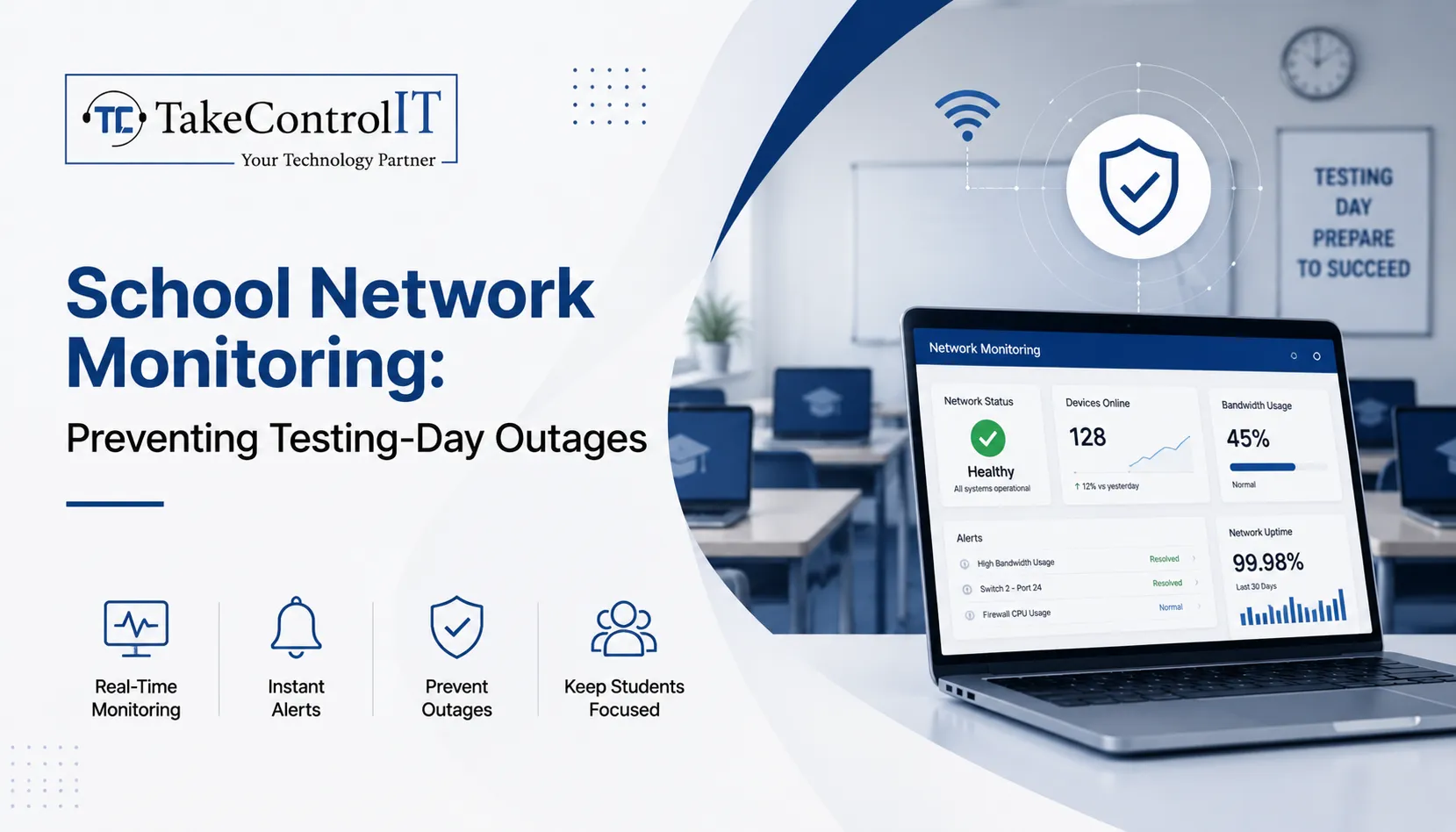
School Network Monitoring: Preventing Testing-Day Outages

Statewide assessment days bring intense pressure to K-12 school districts across Kansas. When hundreds of students log into digital assessment portals simultaneously, unmonitored infrastructure faces severe strain. Bandwidth bottlenecks, sudden server drops, or unauthorized streaming can stall examinations instantly. Implementing proactive school network monitoring eliminates these high-stakes digital failures, allowing educators to focus entirely on academic success.

Modern classrooms rely heavily on continuous digital connectivity. Without specialized school IT support, administrators face unexpected downtime that disrupts district testing schedules. Partnering with local experts like Take Control IT gives Kansas schools robust oversight, keeping access points stable during critical assessment windows.

Technical Obstacles Facing School Network Monitoring During Assessment Windows

High-stakes testing days generate unique traffic spikes that differ from regular classroom usage. Without automated school network monitoring, IT personnel remain unaware of emerging bottlenecks until connection drops occur.

Primary technical causes for testing-day system crashes include:

  • Unmanaged Bandwidth Consumption: Non-essential background downloads, system updates, and guest Wi-Fi streaming drain available throughput.
  • Insufficient Access Point Load Balancing: Concentrating hundreds of testing devices on single wireless access points triggers packet loss and disconnection.
  • Undetected Network Anomaly Spikes: Rogue applications or infected hardware consume critical network resources without immediate administrator alert notifications.

Core Pillars of Effective School Network Monitoring

Comprehensive visibility across school infrastructure requires continuous oversight rather than basic reactive troubleshooting. Professional managed IT services for schools establish continuous guardrails around assessment traffic.

Real-Time Bandwidth Management and Traffic Prioritization

Quality-of-service rules prioritize testing portal domains above standard internet traffic. Dedicated school network monitoring tools flag unusual bandwidth usage instantly, allowing technicians to throttle background streaming or pause non-critical administrative updates during active testing hours.

Proactive Hardware and Wireless Infrastructure Health Audits

Switches, routers, and access points require real-time telemetry tracking. Monitoring tools track device temperatures, memory utilization, and signal strength across all school buildings, preventing hardware failure during peak utilization.

Integrated Threat Detection and School Cybersecurity Services

Testing days present targets for internal and external digital disruptions. Layering modern school cybersecurity services alongside network tracking stops unauthorized intrusions, man-in-the-middle exploits, and distributed denial-of-service attempts before they crash testing sessions.

Proactive K-12 Network Monitoring Model 
Operational Layer  Protective Action 
Bandwidth Oversight  Restricts non-testing web traffic 
Device Telemetry  Identifies overloaded wireless nodes 
Threat Defense  Blocks malicious network incursions 

Strategic Advantages of Managed IT Services for Schools

Maintaining an internal technology team capable of round-the-clock infrastructure oversight places heavy budget strain on Kansas districts. Working with Take Control IT provides specialized district oversight without increasing administrative overhead.

Key benefits of specialized school IT support include:

  • Preventative Outage Mitigation: Proactive alerts resolve network latency issues before testing begins.
  • CIPA-Compliant Content Filtering: Automated web filtering blocks unauthorized domains while keeping testing connections clear.
  • Rapid On-Site and Remote Incident Response: Local Kansas technicians supply immediate troubleshooting support during high-stakes state examinations.
  • Scalable Infrastructure Upgrades: Customized network architecture plans ensure long-term stability across growing student populations.

Kansas District Testing-Day Network Readiness Checklist 

Preparing K-12 infrastructure for state testing demands systematic validation well ahead of testing schedules. 

1.Conduct Pre-Assessment Stress Tests: Execute 14 days prior to testing.

Simulate full student login capacity across all testing environments to identify latent bandwidth bottlenecks and access point limits.

2.Isolate and Secure Testing Subnets: Execute 7 days prior to testing.

Configure virtual local area networks to separate testing devices from student guest networks and administrative hardware.

3.Implement Strict Content and Port Restrictions: Execute 3 days prior to testing.

Apply strict firewall rules to block non-essential ports, media streaming services, and background update servers.

4.Deploy Live School Network Monitoring Dashboards: Execute 24 hours prior to testing.

Activate real-time telemetry dashboards to track active device connections, latency rates, and threat notifications throughout examination hours.

Secure Your District Testing Environment with Take Control IT

Avoid letting unexpected connectivity failures disrupt student performance on critical testing days. Take Control IT delivers customized managed IT services for schools, keeping Kansas classrooms connected, secure, and fully operational when it matters most.

Contact Take Control IT today to schedule a comprehensive district network assessment and safeguard your upcoming testing season.

Conclusion

Proactive school network monitoring transforms high-stakes testing days from chaotic, high-stress events into seamless academic achievements. By pairing real-time bandwidth prioritization with comprehensive school cybersecurity services, Kansas districts eliminate latency bottlenecks, protect student data, and preserve network uptime. Partnering with dedicated experts like Take Control IT ensures your digital infrastructure remains resilient, secure, and fully prepared for every assessment window—empowering educators and students to focus entirely on success. 

Frequently Asked Questions

How does continuous school network monitoring prevent testing crashes?

Continuous school network monitoring identifies bandwidth spikes, hardware overload, and rogue traffic early, allowing technicians to resolve latency issues before student examinations begin.

Why are dedicated school cybersecurity services critical during testing?

Dedicated school cybersecurity services block external intrusions, isolate testing subnets, and prevent internal network abuse that could compromise student data or disrupt active testing sessions.

What traffic should school IT support restrict during state assessments?

Professional school IT support restricts video streaming, non-essential background updates, guest Wi-Fi access, and file-sharing applications to preserve full bandwidth for testing portals.

How do managed IT services for schools support district staff?

Delivering proactive oversight, managed IT services for schools relieve internal staff from constant troubleshooting, ensuring immediate expert intervention during network disruptions.

Can existing K-12 networks integrate advanced school network monitoring tools?

Modern school network monitoring solutions integrate smoothly into existing K-12 routers, switches, and firewalls without requiring complete hardware replacement.