
AI Voice Cloning Scams: What Overland Park Accounts Payable Teams Need to Watch For

An accounts payable clerk in Overland Park picks up the phone. It’s the CFO, sounding a little rushed, asking to push a vendor payment through before the end of day. The voice is exactly right. The pause before “thanks” is exactly right. And it’s not the CFO at all.

That’s how AI voice cloning scams work, and they’re getting harder to spot. A few seconds of audio can be enough to copy a familiar voice, which means “I recognized who it was” is no longer proof. Here’s what AP teams should watch for, and a simple process that stops most attempts.

What Are AI Voice Cloning Scams?

Criminals use AI to copy a real person’s voice from a short clip, then use it in a call or voicemail to request money or information. The audio often comes from places executives never think about: podcasts, webinars, social videos, voicemail greetings and conference recordings.

You’ll see several names for the same threat, including voice cloning scams and AI voice scams. They differ from classic voice phishing scams in one important way. In the old version, a stranger tried to sound official. Now the caller sounds like someone you work with.

Why Accounts Payable Teams Are a Prime Target

AP sits close to the money. Teams also tend to be busy, and requests from leadership usually get fast action. A few things make it worse:

  • AP controls payments and vendor bank details
  • Urgent requests from authority get less questioning
  • Executive voices are easy to find online
  • Month-end and holiday periods lower everyone’s guard

The numbers are getting hard to ignore. The FBI’s 2025 Internet Crime Report, released April 6, 2026, was the first to include an AI category, with 22,364 complaints and roughly $893 million in losses referencing AI. The FBI also said voice cloning is being used to authorize fraudulent money transfers by phone.

To keep it in perspective, business email compromise overall cost $3.05 billion across 24,768 complaints in 2025, and the AI-involved portion was just over $30 million. That’s a floor based on what victims recognized and reported, but it’s a reminder to stay accurate and not panic. The risk is real and rising, and it’s still beatable with process.

Common Scenarios Hitting AP Teams

Most of these AI voice scams fall into a few patterns:

  • The “CEO needs this wire today” call
  • A “vendor” asking to change bank account details
  • A voicemail from a “controller” approving a rush payment
  • A follow-up call backing up a fake invoice email
  • A call from “IT” or “the bank” asking someone to approve a login or share a code

Many of these are voice phishing scams layered on top of a spoofed email, which is why one verified call matters so much.

Red Flags That a Call May Be a Voice Clone

Listen for these warning signs:

  • Pressure to act now and keep it quiet
  • A request that skips your normal approval steps
  • A new payment method or account
  • Slightly flat tone, odd pauses or unusual phrasing
  • Reluctance to be called back on a number you already have
  • A call from an unfamiliar number or odd background noise

Don’t rely on “it sounded off” alone. Cloned voices can be very convincing, so the process has to do the work. The same pressure tactics show up in QR code phishing, so train your staff on both.

AI Voice Fraud Prevention for Accounts Payable

Strong AI voice fraud prevention comes down to rules that don’t depend on recognizing a voice:

  • Call-back rule: verify payment or bank changes using a number already on file, never one given on the call
  • Dual approval: two people sign off on new payees and changes above a set amount
  • Cooling-off period: hold bank detail changes for a day before paying
  • Code phrases: agree on a safe word for executive requests
  • Documented changes: handle vendor updates through a known portal or contact
  • Real-audio training: let staff hear what a clone can sound like

Voice-based checks may now be vulnerable on their own, so organizations should consider multi-factor and behavioral authentication as well. Treat any plan as a mix of people, process and technology. adamsandreese

What to Do If You Suspect Voice Cloning Fraud

Move quickly. Time matters when money has already left.

  • Stop the payment and don’t continue the call
  • Contact your bank right away to try to recall the transfer
  • Notify IT and leadership, and keep call logs and recordings
  • Report it at IC3.gov
  • Review and tighten your approval steps afterward

Protecting Overland Park Businesses

Professional services, construction, healthcare and distribution firms across Overland Park, Johnson County and the greater Kansas City area all run accounts payable and all publish executive voices online. That makes voice cloning fraud a local problem, not just a headline.

On the technology side, you’ll want phone and email security, multi-factor authentication, call logging and regular staff training working together. Our look at AI agents as a new cybersecurity risk covers the wider AI threat picture, and our rundown of core cybersecurity services every business needs shows what a solid baseline includes. If an attacker gets a login instead of a payment, session hijacking is the next risk to understand.

If you’d like help building those controls around your finance team, managed IT consulting Overland Park businesses already trust can help you review your processes and close the gaps.

Final Thoughts

AI voice cloning scams work because they borrow trust. The fix isn’t to distrust everyone. It’s to build a process where trust alone never moves money.
A call-back rule, dual approval and a little training stop most of these attempts. They cost almost nothing, and they protect the people who handle your payments every day.

Is Your Finance Team Ready for Voice Cloning Scams?
TakeControl IT offers a free payment-fraud and security awareness review for local finance teams. We’ll look at your approval steps, phone and email protections and training so you can close weak spots before a convincing call tests them.
Call us or contact TakeControl IT today to schedule your review.

Frequently Asked Questions

1. What are AI voice cloning scams?
They’re scams where criminals use AI to copy someone’s voice, then use it on a call or voicemail to request payments or sensitive information. The cloned voice makes the request feel genuine.

2. How do scammers clone someone’s voice?
They collect a short audio sample from public sources like videos, podcasts or voicemail greetings, then feed it into AI software that generates speech in that voice.

3. How can you tell if a voice call is AI generated?
You often can’t by listening alone. Watch for urgency, unusual requests, odd pauses or a refusal to be called back, and verify through a known number.

4. How can businesses prevent voice cloning fraud?
Use call-back verification, dual approvals, cooling-off periods for bank changes, code phrases and staff training that includes real examples.

5. What should you do if you get a call from a cloned voice?
Hang up, don’t act on the request, and call the person back on a known number. If money moved, contact your bank, notify IT and report it at IC3.gov.

IT Setup Checklist for Businesses Opening a New Office in Overland Park

It’s a moving day. The boxes are stacked, the desks are in, and someone asks the question nobody wants to hear: “Is the Wi-Fi working?” It isn’t. The internet install is three weeks away, and half the team’s laptops haven’t been set up.
That’s what happens when IT gets treated as a last-minute task. This IT setup checklist walks you through everything to handle before and after you open a new office in Overland Park, in the order that actually works.

Why Your New Office Needs an IT Plan Before Move-In

Most new-office headaches trace back to timing. Internet orders can take weeks, equipment can have lead times, what an hour of downtime costs and security gaps tend to show up on day one if nobody planned for them. Good IT setup for new office projects starts well before you get the keys.
Skipping the planning usually costs more than doing it. You end up rush-buying equipment, paying for emergency installs and leaving systems unprotected while everyone is busy unpacking.

Office IT Setup Checklist for Businesses: 60, 30 and 7 Days Out

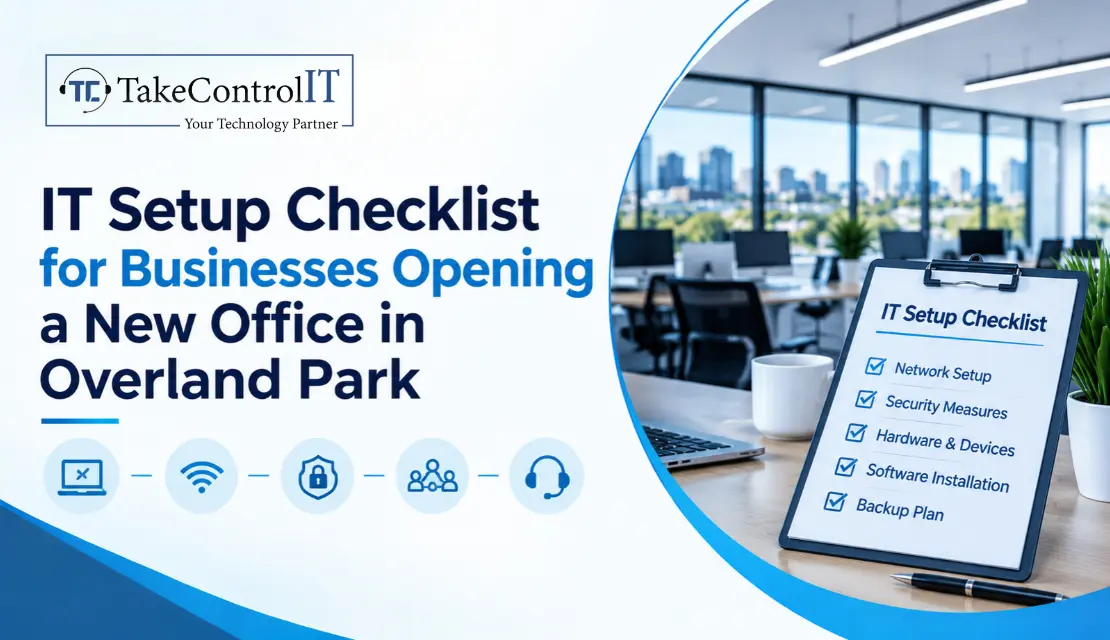
This IT setup checklist for businesses is organized by timeline, so you always know what’s next.

60 days before move-in

  • Confirm internet providers and order service, plus a backup connection if you can
  • List headcount, roles and what each person needs
  • Plan the floor layout: desks, network drops, printers and meeting rooms
  • Set a technology budget

30 days before move-in

  • Order laptops, desktops, phones and network gear
  • Choose Microsoft 365 or Google Workspace and plan your accounts
  • Design the network: firewall, switches, Wi-Fi coverage and a separate guest network
  • Decide on phones: VoIP or mobile only

7 days before move-in

  • Configure devices and user accounts ahead of time
  • Test the network, Wi-Fi and printers before staff arrive
  • Set up backups and confirm a restore actually works
  • Label cables and document everything

Don’t Skip the Security Basics

A new office is a clean slate, which makes it the easiest time to do security right:

  • A business-grade firewall, not a consumer router
  • Multi-factor authentication on every account
  • Endpoint protection on every device
  • Encrypted laptops and a plan for lost devices
  • Separate guest and staff Wi-Fi
  • A short written password and access policy
  • Protect your team from phishing

Buy for the future, too. Windows 10 reached end of support on October 14, 2025, and for organizations, extended security updates are a subscription of $61 per device that doubles each year, for up to three years. A new office should start on Windows 11-ready hardware rather than paying to stretch old machines.

Hardware, Software and Cloud: What to Buy and What to Skip

You don’t need to overbuy. A few simple rules go a long way:

  • Choose business-class laptops and standardize on one or two models
  • Use cloud services instead of a local server unless you have a clear reason
  • Avoid consumer software in a business setup, since licensing and support differ
  • Keep a simple asset list with purchase dates so replacements aren’t a surprise

Internet, Wi-Fi and Phones

Order the internet first. It’s the one item you can’t rush once the building is ready. If your business depends on being online, add a second connection as a backup.

Plan Wi-Fi coverage from your floor plan instead of guessing, especially in multi-tenant buildings and business parks where walls and neighboring networks cause interference. For phones, decide early whether VoIP fits your needs and how calls should route when someone is out.

Backup, Recovery and Compliance

Set up automatic cloud backups and test a restore before you need one. Write a short recovery plan so everyone knows who does what if systems go down. If you’re in healthcare, finance or legal services, check which compliance rules apply to your data before you pick tools. And create a simple process for adding and removing staff accounts, so former employees don’t keep access.

Getting IT Support Overland Park Businesses Can Rely On

Whether you’re in a business park off College Boulevard or a multi-tenant building in Johnson County, you’ll want help on call from day one. Know what to check before signing. Ask any provider a few direct questions:

How fast do you respond, and do you cover after-hours issues?
Do you handle one-time setup, ongoing support or both?
Who owns the documentation, passwords and licenses?
What does the monthly cost include?

A managed IT company Overland Park businesses already trust can handle the setup and stay on as your ongoing partner. Having reliable IT support Overland Park teams can reach quickly means small problems stay small.

Final Thoughts

A good IT setup checklist saves you from the most common new-office mistakes: late internet, unprotected devices and surprise bills. Start early, order the slow items first, and don’t treat security as something to add later.
You don’t need to do it alone. Even a short planning session before you sign your lease can prevent weeks of frustration. IT setup for new office projects goes best when someone experienced owns the timeline.
Opening a New Office? Let’s Get It Set Up Right.

TakeControl IT offers a free new-office planning session for Overland Park businesses. We’ll review your office IT setup checklist, flag anything you’ve missed and help you plan internet, security and equipment so you’re ready on day one. Our IT support Overland Park team can stay with you after move-in, too.

Call us or contact TakeControl IT today to book your session.

Frequently Asked Questions

1. What should be on an IT setup checklist for a new office?
Internet service and a backup line, a network plan, a business-grade firewall, devices and accounts, multi-factor authentication, backups, phones and a support plan. Organize it by timeline so the slow items get ordered first.

2. How long does it take to set up IT for a new office?
Plan for at least a month, and longer if you need new internet service or a large equipment order. Internet installation and hardware orders usually take the longest, so start them first. Smaller offices can move faster with good preparation.

3. How much does IT setup for a new office cost?
It depends on headcount, equipment, security needs and whether you use cloud or on-site systems. Hardware and internet are the biggest line items. A planning session gives you a realistic budget before you commit.

4. What IT equipment does a new business office need?
Laptops or desktops, a business-grade firewall, switches, Wi-Fi access points, printers, phones or VoIP service, backup storage or cloud backup, and a few spare accessories.

5. Should a new office use a managed IT provider?
For most small and mid-sized businesses, yes. A managed provider handles setup, security, support and updates for one predictable cost, so you don’t need to hire in-house.

Fractional CIO (vCIO) for Growing Overland Park Companies: When It Makes Sense

Your company has grown from 15 people to 60. The old IT setup that worked fine, one helpful person and a few vendors, is starting to creak. Software bills keep climbing, a client just asks about your security practices, and nobody can say with confidence what you should be spending or why.

A full-time CIO isn’t realistic yet. That’s where a Fractional CIO comes in, sometimes called a vCIO. Here’s what it is, what it costs and how to tell if it makes sense for your business.

What Is a Fractional CIO (vCIO)?

A Fractional CIO is a senior technology leader who works with your company part-time, usually on a monthly retainer. Instead of fixing tickets, they own the big picture: strategy, budgets, vendors and risk.
You’ll hear several names for the same idea: vCIO, outsourced CIO and virtual CIO services. Some managed IT providers bundle this role into their packages, while independent consultants sell it on its own. Either way, it’s different from a help desk, which solves daily problems, and from a full-time CIO, who works exclusively for one company.

What Does a vCIO Actually Do?

The best Fractional CIO services focus on decisions, not tickets:

  • Build a 12 to 36 month technology roadmap tied to business goals
  • Handle IT budget planning and forecasting so costs stop surprising you
  • Manage vendors, licenses and contract renewals
  • Set cybersecurity and compliance priorities
  • Report to leadership in plain language, not jargon
  • Guide big projects like cloud moves, new locations or acquisitions

Good IT strategy consulting Overland Park companies can use goes beyond a one-time report. It becomes a regular rhythm of reviews and decisions.

Signs It’s the Right Time

Wondering when to bring someone in? These are the usual signals:

  • IT spending keeps rising and nobody can explain why
  • A new location, growth push or acquisition is coming
  • Clients, insurers or auditors are asking about security
  • You’ve had repeated outages or surprise renewals
  • Your IT person is overloaded and doing strategy by default
  • You’re about to sign a large software or cloud contract

If two or three of these sound familiar, it’s worth a conversation.

vCIO vs. Full-Time CIO vs. IT Manager

A full-time CIO is a strategic hire with a full executive price tag. An IT manager keeps systems running day to day. A vCIO sits in between, giving you the strategic layer without the full-time cost. One vendor guide puts a full-time CIO at $250,000 to $400,000 or more per year, compared with roughly $7,500 to $25,000 per month for vCIO services. That’s a vendor’s figure, so treat it as a rough benchmark rather than a quote.

The difference between a CIO and a vCIO isn’t the title or the thinking. It’s the time commitment and the cost.

How Much Do Fractional CIO Services Cost?

Honest answer: it varies a lot. Go Fractional reports fractional CIOs charging around $200 to $300 an hour, or roughly $4,500 to $20,000 a month. At the other end, one regional provider quotes retainers of about $1,500 to $4,000 a month for businesses with 20 to 100 employees. The gap comes down to scope. Source: gofractionalcmitsolutions

What moves the price:

  • Hours per month and meeting frequency
  • Company size and number of locations
  • Security and compliance requirements
  • Whether hands-on project work is included

Solid IT budget planning is one of the quickest ways a vCIO earns their fee, because it replaces guesswork with a forecast.

What to Expect in the First 90 Days

  1. Discovery: systems, contracts, risks and current spending
  2. Findings and quick wins you can act on right away
  3. A roadmap and budget for the next year or two
  4. Regular check-ins and simple reporting

Why Overland Park and Leawood Companies Choose a vCIO

Growing professional services firms, healthcare practices, financial companies and multi-location businesses across Overland Park, Leawood and the rest of Johnson County often reach this point at the same time. Local knowledge helps, and so does being able to sit in a room together. If you’re comparing virtual CIO services, ask who actually shows up. And when you’re weighing IT strategy consulting Overland Park providers, ask whether they’ll meet with your leadership team in person.

Many companies get a vCIO as part of broader managed IT services Leawood Kansas businesses already use. If you need strategy plus quick help when something breaks, IT support Leawood KS teams can cover both sides. And if you’re simply deciding whether the model fits, a trusted IT company Leawood Kansas can walk you through the options without pressure.

Final Thoughts

Growth makes IT decisions bigger and riskier. A vCIO gives you an experienced voice in the room before those decisions get expensive, without adding a six-figure salary.
You don’t need to wait for a crisis. If you’re already asking who’s steering your technology, the answer is probably that someone should be.

Looking for a Fractional CIO Overland Park Companies Can Count On?
TakeControl IT offers a free IT strategy and budget review for local companies. We’ll look at where you are, where you’re heading and how to get there without wasting money.

Call us or contact TakeControl IT today to schedule your review.

Frequently Asked Questions

1. What is a Fractional CIO?
It’s a senior technology leader who works with your company part-time or on retainer, handling strategy, budgets, vendors and risk instead of daily support tickets.

2. When does a business need a virtual CIO?
Usually when growth, rising IT costs, security questions or a big project start outpacing what your current IT person or provider can handle. If you can’t say who owns technology decisions, that’s the signal.

3. What does a vCIO do?
A vCIO builds your technology roadmap, plans your IT budget, manages vendors, sets security priorities and reports to leadership. They guide decisions rather than fix individual issues.

4. How can a Fractional CIO help a growing business?
They line up technology with your growth plans, keep spending under control, reduce security and compliance surprises, and make sure new locations, hires or acquisitions don’t break your systems.

5. What is the difference between a CIO and a vCIO?
A CIO is a full-time executive employee. A vCIO provides the same kind of strategic leadership on a part-time basis, at a lower cost and with more flexibility.

6. How much do Fractional CIO services cost?
Pricing ranges widely, from a few thousand dollars a month for small businesses to well above $10,000 for more complex needs. Scope, hours and company size drive the cost.

7. Why do small businesses need IT strategy?
Without a plan, IT turns into a pile of one-off purchases and emergency fixes. A simple strategy keeps costs predictable, protects data and helps technology support growth instead of slowing it down.

8. When should a company hire a Fractional CIO?
When nobody senior owns technology decisions and the stakes are rising: rapid growth, a big software or cloud contract, new compliance demands or an upcoming acquisition. Earlier is cheaper than waiting for a crisis.

Attackers Aren’t Hacking In, They’re Logging In: Token Theft and Session Hijacking Explained

Picture an employee who logs in with a strong password and approves the MFA prompt. Everything looks fine. Two days later, someone else is sitting inside that account, reading email and downloading files, and no suspicious login alert ever fired.

Nobody guessed the password. Nobody beat the MFA. They simply took the proof that the employee was already logged in. That’s session hijacking, and it’s one of the quieter ways attackers get in today. Here’s how it works and what you can do about it.

What Is Session Hijacking?

It’s when an attacker takes over a logged-in session by stealing or copying the token, usually a cookie, that tells a website who you are. Think of a hotel key card. The thief doesn’t pick the lock. They copy the card and walk right in.
The key point is timing. A session hijacking attack happens after login, so passwords and MFA are already out of the picture. The website sees a valid token and lets the visitor in.

How Attackers Steal Session Cookies

Most of the time, it goes like this:

  • Infostealer malware lands on a device, often through a fake download, a malicious ad or a phishing link
  • It quietly copies the cookies saved in the browser and sends them to the attacker
  • The attacker loads those cookies in their own browser and appears “logged in” as your employee
  • That’s the most common version of browser session hijacking. Other routes include phishing pages that capture a token in real time, shady browser extensions and unsecured public Wi-Fi.

The scale is hard to ignore. NordVPN researchers counted more than 52.4 billion stolen cookies in infostealer data between June 2025 and June 2026, and three malware families accounted for 79.8% of them. To be fair, most of those were advertising and tracking cookies, while authentication cookies are far less common but pose the greatest risk. Cloudflare’s first threat report, published March 3, 2026, also listed session token theft through infostealers among its main trends. Cookies: Research reveals 52.4B stolen cookies in one year +2

Can Hackers Bypass MFA With Stolen Session Cookies?

Often, yes. Stolen session cookies are issued after MFA succeeds, so using one skips the login step entirely. A stolen token may not be used for days or weeks, and it only needs to be used before the session expires or is rotated. brandefense

None of this means MFA is useless. It still blocks most password attacks and you should keep it on everywhere. But session hijacking in cyber security is a reminder that logging in safely is only half the job. You also have to protect what happens afterward.

Warning Signs Someone Is Using Your Account

Watch for these red flags:

  • Logins or activity from unfamiliar locations, devices or browsers
  • Two countries showing up within minutes of each other
  • Inbox rules or forwarding nobody remembers creating
  • Changes to MFA methods or recovery settings
  • Sudden file downloads or account setting changes
  • Staff saying they were logged out for no reason

Treat any of these as a real incident. Don’t wait to be sure.

Session Hijacking Prevention: What Actually Works

Solid session hijacking prevention is about layers, not one magic setting:

  • Endpoint protection: stop infostealers before they run
  • Shorter session lifetimes: force re-login for sensitive actions
  • Conditional access: tie sessions to managed, compliant devices and trusted locations
  • Phishing-resistant MFA: passkeys and hardware keys make fake login pages less effective
  • Device-bound sessions: Google made Device Bound Session Credentials generally available to Windows users in Chrome 146, announced April 9, 2026 ppc
  • Fast revocation: sign out all sessions and reset passwords after any suspected compromise
  • Browser hygiene: limit extensions and block risky downloads

A plan matters too. Know who revokes sessions, who resets passwords and who reviews the logs before a problem shows up. Good session hijacking prevention is mostly preparation.

What Lenexa Businesses Should Do Now

If you run a medical office, accounting firm, construction company or distribution business in Lenexa, Johnson County or the greater Kansas City area, you hold exactly the kind of accounts attackers like to take over. Start with a few basics: review conditional access, tighten endpoint protection, shorten session lifetimes, train your staff and write a one-page plan for what to do if an account is hijacked.

You don’t have to build all of that alone. Ongoing monitoring and policy management fit well within managed IT services Lenexa Kansas businesses already use, and everyday help with lockouts and suspicious activity can come from IT support Lenexa KS teams. If you’d like a second set of eyes on your current setup, a trusted IT company Lenexa can review it and close the gaps.

Final Thoughts

Attackers don’t always hack in. Sometimes they log in with a token you didn’t know was stolen. The encouraging part is that a few layers, strong endpoint protection, shorter sessions, device controls and a quick response plan, remove most of the opportunity.
You don’t need an enterprise budget. You need to treat the session as something worth protecting, not just the password.

Not Sure Your Accounts Would Survive a Stolen Token?
TakeControl IT offers a free account security and session review for Lenexa businesses. We’ll look at your sign-in settings, device controls and endpoint protection so you can fix weak spots before an attacker finds them.

Call us or contact TakeControl IT today to schedule your review.

Frequently Asked Questions

1. How does session hijacking work?
After you log in, a website gives your browser a token to prove who you are. An attacker steals or copies that token and uses it to act as you, without needing your password or MFA code.

2. How do hackers steal session cookies?
Most often through infostealer malware that copies cookies from a browser, which is the heart of browser session hijacking, or through phishing pages that capture a token as you log in. Malicious extensions and unsecured networks can also expose them.

3. Can hackers bypass MFA using stolen session cookies?
In many cases, yes. The cookie is created after MFA is completed, so replaying it can skip the prompt. That’s why device controls and short sessions matter alongside MFA.

4. How to detect session hijacking attacks?
Look for logins from new locations or devices, impossible travel, unexpected inbox rules, changed MFA settings and unusual downloads. Logging and alerts make these much easier to catch.

5. How to prevent account takeover attacks?
Use phishing-resistant MFA, endpoint protection, conditional access, shorter sessions and staff training, and have a plan to revoke sessions and reset passwords quickly.

Shadow AI: Why You Need an AI Acceptable-Use Policy for Employees

An employee is racing to finish a report. They paste a client contract into a free AI chatbot to get a quick summary. It works great. Nobody approved it, nobody knows it happened, and that contract now lives on a server your company has never reviewed.

That’s Shadow AI, and it’s already happening in more offices than most owners realize. The good news is you can get control of it without banning AI. You just need a few clear rules.

What Is Shadow AI?

Shadow AI means employees using AI tools, accounts or browser add-ons that your company never approved. Think free chatbots on personal logins, AI note-takers that join meetings uninvited, or plugins sitting inside email and browsers.

It’s similar to shadow IT, with one big difference: data goes into the tool. Depending on the vendor’s terms, that data may be stored, reviewed or even used to train future models.

Why It Keeps Growing

Staff aren’t trying to cause trouble. The tools are free, fast and one click away, and most small businesses haven’t told people what’s allowed. IBM’s 2025 Cost of a Data Breach Report found that one in five organizations reported a breach tied to shadow AI, and only 37% had policies to manage AI or detect shadow AI. Coverage of IBM’s 2026 report says that share rose to 43% of breaches, so check the latest numbers on IBM’s site before you rely on any single stat. Source

Shadow AI Risks Your Business Faces

The Shadow AI risks go beyond one careless paste:

  • Client or employee data entered into public tools
  • Trade secrets and intellectual property leaving the building
  • Compliance trouble for medical, legal and financial firms
  • Wrong or made-up AI answers used in real decisions
  • Unvetted plugins with access to email and files

The cost is real, too. IBM’s 2025 data links breaches involving shadow AI to an average cost of $4.63 million, roughly $670,000 higher than environments without similar exposure. reco

Security and Privacy Exposure

From a security view, the Shadow AI security risks are simple to describe and hard to see. Data leaves your network with no logging, no access controls and often no company login at all. Staff may reuse weak passwords on tools you don’t manage, and one AI plugin with broad permissions can read far more than anyone intended.

Treating this as a Shadow AI cyber security issue, not just an HR one, changes the response. It belongs next to phishing, MFA and backups on your security checklist.

It’s also an issue of AI data privacy risks. Once information is typed into a public tool, you may not control where it’s kept or who can review it. For firms handling health, financial or legal records, that can turn into a compliance problem fast.

Shadow AI Detection: How to Find What Your Team Is Using

You can’t manage what you can’t see. Good Shadow AI detection starts simply:

  • Run a short, no-blame survey asking which AI tools people use
  • Review browser extensions and installed apps
  • Check network and DNS logs for traffic to AI services
  • Use email and endpoint security to flag unapproved plugins
  • Review app approvals in Microsoft 365 and Google Workspace

Keep the tone friendly. If people fear punishment, they’ll just hide what they’re using.

What to Put in an AI Acceptable-Use Policy

A good policy fits on one or two pages and uses plain English. Include:

  • A list of approved tools and how to request a new one
  • Data that never goes into AI tools: client records, health or financial data, passwords and source code
  • Rules for company accounts versus personal ones
  • A requirement to review AI-generated work before it’s used
  • Who to contact with questions or to report a mistake
  • Short training and a yearly review

Most importantly, give people a safe approved option. A ban with no alternative just pushes the habit underground.

How Kansas City Businesses Can Get Started

If you run a medical, legal, accounting, logistics or manufacturing firm in Kansas City, KS or the metro, you handle data attackers and regulators care about. Start with a staff survey, choose your approved tools, write the policy, train your team, then monitor.

You don’t have to do it alone. Ongoing policy setup and oversight fit naturally into managed IT services Kansas City KS providers already offer, and everyday questions about which tools are safe can go to IT support Kansas City KS teams. If you’d rather have someone run the survey and review your current exposure, a trusted IT company Kansas City KS can do that quickly.

Final Thoughts

AI isn’t the enemy. Unmanaged AI is. Most of the damage comes from good people trying to save time with tools nobody explained to them.
You don’t need a big budget or a long document. You need a short policy, an approved tool list, a little training and some visibility into what’s being used. Do those four things and most of the risk goes away.

Is Your Team Using AI You Don’t Know About?
TakeControl IT offers a free AI risk and policy review for local businesses, so you can see what’s in use, where your data is going, and what rules make sense for your team.

Call us or contact TakeControl IT today to schedule your review.

Frequently Asked Questions

1. Why is Shadow AI a security risk?
Because company data goes into tools nobody reviewed, with no logging, access controls or clear rules on how it’s stored. That makes leaks, compliance problems and account takeovers harder to prevent and harder to spot.

2. How to prevent Shadow AI in the workplace?
Combine a clear policy, an approved tool list, staff training and basic monitoring. Offer a safe alternative so people don’t feel they have to go around the rules.

3. How to create an AI acceptable use policy?
List approved tools, define what data is off limits, set rules for accounts, require review of AI output, name who handles questions and incidents, and review it every year. Keep it short and written in plain language.

4. How to prevent employees from sharing sensitive data with AI?
Train staff on what counts as sensitive, block or limit unapproved AI sites where it makes sense, use data loss prevention in email and endpoints, and provide an approved business-grade tool.

5. What is the difference between Shadow AI and shadow IT?
Shadow IT is any unapproved software or device. It’s the AI-specific version, and it carries extra risk because the data you enter may be retained or used to train models.

QR Code Phishing (Quishing): The Scam Hiding in Flyers, Invoices and Parking Meters

You’re running late, you pull into a spot, and you scan the QR code on the parking meter to pay. The page looks right. The logo looks right. You type in your card number, and only later do you realize the code was a sticker someone slapped over the real one.

That’s QR code phishing in a nutshell, and it’s easier to fall for than most people think. A QR code hides where it’s sending you, so you scan first and think later. Here’s how it works, where it hides, and what to do about it.

What Is QR Code Phishing (Quishing)?

It’s phishing that uses a QR code to send you to a fake website or a malicious download. Some people call it quishing. The trick is simple: you can’t read a QR code with your eyes, so you can’t tell whether it’s legitimate until you’ve already scanned it.

It also slips past a lot of defenses. Your phone camera sits outside your company’s email filters, and many people scan on personal phones with no work protection. One industry analysis reported that 12% of phishing attacks in 2025 contained a QR code, though you should treat figures like that as vendor-reported.

How QR Code Phishing Attacks Work

Most of these scams follow the same basic path:

  • A scammer builds a QR code that points to a lookalike site
  • The code gets placed somewhere people trust: a sticker, an invoice, an email, a flyer
  • You scan it and land on a page copying a real brand
  • You enter a password or payment details
  • The attacker collects the data, or installs malware

Where a Fake QR Code Scam Hides

A fake QR code scam can show up almost anywhere people expect to scan something:

  • Parking meters: Redondo Beach, California found fake codes on about 150 meters that sent drivers to a site one letter off from PayByPhone. New York City’s transportation department also issued a warning in June 2025 after finding a fraudulent sticker on a meter.
  • Flyers and posters: stickers placed over real codes on community boards, restaurant tables and event signs
  • Invoices and emails: a “pay now” code inside a fake invoice or password reset message
  • Mail and notices: the FBI warned in July 2025 about unsolicited packages containing QR codes, and fake traffic or court notices have used them too

These QR code scams work because they borrow trust from places you already use every day.

QR Code Security Risks for Businesses

For a business, the QR code security risks go well beyond one employee losing a few dollars:

  • Stolen Microsoft 365, banking or vendor portal logins
  • Malware on a phone that later connects to company data
  • Payment redirection on vendor invoices
  • Attacks happening off your network, so nobody sees them in your logs

How to Spot a Fake or Malicious QR Code

You don’t need to be a security expert. A few habits catch most of these:

  • Look for a sticker placed on top of another code
  • Preview the web address before opening it and watch for misspellings or a swapped letter
  • Be suspicious of urgency, like “pay within 24 hours”
  • Treat unexpected codes in email or text as suspect
  • Skip QR scanner apps, and avoid paying through a site you reached by QR code

The FBI also suggests calling the company directly before paying an invoice that arrived with a QR code.

QR Code Fraud Prevention for Your Team

Good protection is mostly habits plus a little technology:

  • Train staff with real examples, not generic slides
  • Use email security that scans images and attachments for QR codes
  • Add mobile device management on work phones
  • Turn on multi-factor authentication for key accounts
  • Set a simple rule: verify by phone before paying anything sent by QR code

These steps are the backbone of practical QR code fraud prevention.

What Overland Park Businesses Should Do Now

If you run a restaurant, medical office, retail shop or event venue in Overland Park, Johnson County or the greater Kansas City area, your staff and customers scan codes all day. That’s exactly the habit attackers lean on. List where QR codes touch your business, like menus, invoices, signs and parking, then check each one. A trusted IT company Overland Park businesses already rely on can help you review those exposure points and tighten email and device protection. If you’d rather have someone handle the day-to-day, IT services Overland Park providers can monitor and respond so your team isn’t left guessing.

Final Thoughts

These scams work because almost nobody stops to look at where a code leads. That’s the whole trick, and it’s also the weakness. A few habits, some staff training and the right email protection close most of the gap.
You don’t have to ban QR codes. Just scan the way you’d click: with a little suspicion, a look at the web address, and a phone call when money is involved.

Is Your Team Ready for QR Code Scams? Let’s Check.
Not sure how your team would handle a suspicious code? TakeControl IT offers a free phishing and email security review for local businesses, so you can find weak spots before an attacker does.

Call us or contact TakeControl IT today to book your review.

Frequently Asked Questions

1. How to spot a fake QR code?
Check whether a sticker covers the original, preview the web address before opening it, and watch for misspellings or an unexpected domain. If the code arrived in an unexpected email or message, don’t scan it.

2. How do QR code phishing scams work?
A scammer creates a code that points to a lookalike site and places it where people trust it, like a meter, invoice or flyer. When you scan and enter details, the attacker captures them. That’s the core of most QR code phishing attacks.

3. How to protect against QR code phishing?
Preview links, avoid scanner apps, verify payment requests by phone, use multi-factor authentication and train your staff. These steps are the foundation of solid QR code fraud prevention.

4. Can scanning a QR code hack your phone?
Scanning alone is rarely the danger. The risk comes from what happens next: opening a fake site, entering credentials or downloading something malicious. Skipping those steps keeps most threats harmless.

5. How to identify malicious QR codes?
Look for tampering, strange or shortened web addresses, urgent language and codes in places they don’t belong. When in doubt, type the company’s real web address yourself instead of scanning.

MFA Fatigue Attacks: What They Are and How to Stop Them

It’s 11 p.m. and your phone buzzes. “Approve sign-in?” You didn’t try to log in. You deny it. Thirty seconds later, it buzzes again. Then again. By the fifth prompt, you’re tired, annoyed, and your thumb finds the “Approve” button just to make it stop.

That tiny tap is exactly what attackers are counting on. MFA fatigue attacks don’t break your security, they wear down the person behind it. Here’s how they work and how to shut them down before they reach your business.

What Are MFA Fatigue Attacks?

An attacker who already has a stolen password triggers login attempt after login attempt, flooding the real user with approval prompts until one gets tapped. You’ll also hear this called MFA bombing attacks, and the two terms mean the same thing.

It works because it targets human behavior, not software. There’s no clever exploit here, just a pile of notifications and a tired person.

How an MFA Fatigue Attacks Unfold

Most of these attacks follow the same pattern:

  • The attacker gets a password through phishing, a data breach or password reuse
  • They try to log in repeatedly, spamming the user with push prompts
  • Some also call or text, posing as IT support: “Just approve it and the alerts will stop”
  • The user approves out of habit, confusion or frustration
  • The attacker is in, and starts moving around your network

Timing matters too. Attackers often strike at night or during busy hours, when people are distracted or half asleep.

Why Small and Mid-Sized Businesses Get Hit Hardest

Larger companies have security teams watching for odd patterns. Smaller ones usually don’t. A few things make local businesses easier targets:

  • Staff haven’t been trained to treat unexpected prompts as a warning sign
  • Simple “Approve or Deny” push messages are easy to tap without thinking
  • There’s no monitoring in place to flag a burst of repeated prompts

None of this means multi-factor authentication security is broken. MFA is still one of the best defenses you have. It just needs to be set up properly, not simply switched on.

Warning Signs Your Team May Be Under Attack

Watch for these red flags:

  • Several unexpected approval prompts in a short window
  • Login alerts from unfamiliar locations or devices
  • Calls or texts from “IT support” asking someone to approve a request
  • An employee admitting they approved something just to stop the notifications
  • Odd account activity right after an approval

If someone on your team mentions any of these, treat it as a real incident, not a glitch.

MFA Fatigue Attack Prevention: What Actually Works

Good MFA fatigue attack prevention comes down to making approval harder to do by accident and easier to spot when it happens:

  • Number matching: the user types a code shown on the login screen, so a blind tap won’t work
  • Phishing-resistant MFA: hardware keys or passkeys instead of simple push prompts
  • Rate limits: lock or flag accounts after repeated ignored or denied prompts
  • Employee training: if you didn’t request it, deny it and report it
  • Conditional access: restrict logins by location, device and risk level
  • Real-time alerting: get notified when a burst of MFA requests hits one account

Building Stronger Multi-Factor Authentication Security

Turning MFA on is step one. Making it solid is step two. Review which sign-in methods you actually allow and retire the weaker ones, like SMS codes, wherever you can. Run regular access reviews so old accounts don’t linger, and make sure offboarding is airtight so former employees don’t keep a way in.

A strong MFA setup isn’t a one-time job. It’s something you check on a few times a year.

What Overland Park Businesses Should Do Now

If you run an office, medical or dental practice, or financial firm in Overland Park, Johnson County or the greater Kansas City area, you’re handling exactly the kind of data attackers want. Here’s a quick starting list:

  • Audit your current MFA setup
  • Turn on number matching
  • Train your staff on what to do with unexpected prompts
  • Set up monitoring for repeated sign-in attempts

Not sure where to begin? A conversation with an IT consulting Overland Park team can help you review your current setup and find the gaps. And for ongoing monitoring and response, cybersecurity services Overland Park providers can keep watch so your team doesn’t have to.

Final Thoughts

MFA fatigue attacks succeed because they exploit patience, not code. That’s actually good news. A few smart configuration changes and a short conversation with your staff shut down most of them.
You don’t need a huge budget or a full security team. You need MFA that’s set up well, people who know what to do when a prompt looks wrong, and someone watching for trouble in the background.

Worried About MFA Fatigue Attacks? Let’s Take a Look.
Not sure how your accounts would hold up? TakeControl IT offers a free MFA and account security review for local businesses, so you can find weak spots before someone else does.

Call us or contact TakeControl IT today to schedule your review.

Frequently Asked Questions

1. What is an MFA fatigue attack?
It’s when an attacker with a stolen password floods a user with login approval prompts until the user taps “Approve” out of frustration or confusion. It’s also known as MFA bombing attacks.

2. How do hackers bypass multi-factor authentication?
Rather than breaking the technology, they often trick the person, through repeated prompts, phishing pages or fake IT calls. This is why multi-factor authentication security depends on both settings and staff awareness.

3. What should you do if you get repeated MFA prompts you didn’t request?
Deny every one, don’t approve any, and report it to your IT team right away. Then change your password, since the attacker likely already has it.

4. How can businesses prevent MFA fatigue attacks?
Turn on number matching, move to phishing-resistant methods like hardware keys, set rate limits, monitor for bursts of prompts and train employees. Together these make prevention far more effective.

5. Is MFA still safe to use?
Yes. MFA still blocks the vast majority of account takeovers. It just works best when it’s configured well and paired with training and monitoring.

Cybersecurity for Independent Insurance Agencies in Overland Park

Running an independent insurance agency means juggling a lot: policy renewals, client calls, carrier paperwork, and somewhere in the middle of all that, a filing cabinet’s worth of Social Security numbers, financial details and payment information sitting on your systems. Most agencies never think twice about it, until something goes wrong.
That’s exactly why cybersecurity for insurance agencies has become less of an IT afterthought and more of a business necessity. If you run an independent agency in Overland Park, here’s what you actually need to know.

Why Independent Insurance Agencies Are a Cybersecurity Target

When people search for cybersecurity for insurance agencies, it’s usually because something already feels off, a strange login alert, a client asking why they got a suspicious email. Insurance agencies sit on a goldmine of personal data. Names, birthdates, SSNs, bank details, sometimes health information, all in one place. That combination makes agencies attractive to attackers, and small agencies are often easier targets than large carriers with big security budgets.

The biggest mistake we see is agencies assuming “we’re too small to matter.” That assumption is exactly what attackers count on, and it’s a major part of the cybersecurity risk for insurance agencies that goes unaddressed.

Common Cyber Threats Facing Insurance Agencies

A big part of cybersecurity for insurance agencies is simply knowing what you’re up against. Here are the threats we see hit agencies most often:

  • Phishing emails pretending to be carriers, underwriters or clients
  • Business email compromise, where a fake “wire this payment” request looks completely real
  • Ransomware aimed at agency management systems
  • Weak or reused passwords across software platforms
  • Unsecured remote access for agents working from home or between client visits

These insurance agency cyber threats aren’t rare or hypothetical. They happen to agencies just like yours, often without anyone noticing until it’s too late.

What Real Data Security Looks Like for an Insurance Agency

Good insurance agency data security isn’t about buying every tool on the market. It’s about covering the basics well:

  • Multi-factor authentication on every login
  • Encrypted email for anything containing client information
  • Secure client portals instead of email attachments
  • Endpoint protection on every device that touches agency data
  • Regular, tested backups in case something does go wrong

Carriers are also paying closer attention to how agencies handle data, and some now expect a baseline level of security before they’ll work with you. Getting ahead of that expectation matters.

Insurance Agency Cybersecurity Services Worth Having in Place

A solid approach to cybersecurity for insurance agencies usually comes down to a handful of services working together, not a single tool. If you’re building out protection for the first time, start here:

  • 24/7 network monitoring so issues get caught early, not after damage is done
  • Email security and phishing protection built into your inbox
  • Managed backup and disaster recovery you’ve actually tested
  • Employee security awareness training, since most breaches start with a click
  • Access controls on your AMS or CRM, so staff only see what they need

These insurance agency cybersecurity services work together. None of them alone is a complete solution, but combined, they close most of the gaps that attackers rely on.

How Cybersecurity for Insurance Agencies Protects Your Agency’s Reputation and License

A breach isn’t just a bad day of downtime. It can mean client notification requirements, damaged carrier relationships, and a reputation hit in a market where word travels fast. Strong insurance agency IT security is what keeps that chain of events from starting in the first place.
In a tight-knit local market, trust is everything. One breach, and clients start wondering what else you might be getting wrong.

Why Overland Park Agencies Need a Local Security Partner

Independent agencies across Overland Park, Johnson County and the greater Kansas City metro are competing with captive agents and national brokers who have entire security teams behind them. For an independent agency, strong security is one more way to show clients you take their information seriously.
Working with a knowledgeable IT consulting Overland Park team gives you access to that same level of protection, sized appropriately for an agency your size, without the overhead of hiring in-house.

A Simple Cybersecurity Checklist for Insurance Agencies

Whatever your current setup looks like, this quick gut check covers the basics of cybersecurity for insurance agencies:

  • Enable MFA on all agency systems
  • Train staff to recognize phishing attempts
  • Encrypt client communications
  • Back up data offsite and actually test recovery
  • Limit system access based on job role
  • Have a written incident response plan ready before you need it

Final Thoughts

Independent insurance agencies handle some of the most sensitive personal data out there, often with the least amount of dedicated IT support. That gap is exactly where cybersecurity for insurance agencies becomes critical, not as an extra expense, but as basic protection for your clients and your license.
You don’t need an enterprise-level security budget. You need the right basics done consistently, and a partner who understands what agencies specifically are up against.

Protect Your Agency Before It’s Tested

Not sure where your agency stands? TakeControl IT offers a free security assessment built specifically for independent insurance agencies, so you can see your gaps before an attacker finds them first.
Call us or contact TakeControl IT today to schedule your assessment.

Frequently Asked Questions

1. Why are insurance agencies targeted by cybercriminals?
Insurance agencies store high-value personal data, including SSNs, financial details and sometimes health information, all in one place. That combination makes agencies an efficient target, and many still run on outdated or minimal protection, which increases the cybersecurity risk for insurance agencies significantly.

2. What cybersecurity measures should an insurance agency have?
At minimum, agencies should have multi-factor authentication, encrypted email, endpoint protection, tested backups and staff phishing training in place. These form the foundation of solid insurance agency data security.

3. Is my small insurance agency really at risk of a cyberattack?
Yes. Small agencies are often targeted precisely because they’re assumed to have weaker defenses than large carriers. Size doesn’t reduce risk, it can actually increase it.

4. What happens if client data is breached at an insurance agency?
Consequences can include client notification requirements, regulatory scrutiny, damaged carrier relationships and lasting reputational harm. This is why proactive insurance agency IT security matters more than reactive cleanup.

5. How much does cybersecurity cost for a small insurance agency?
Costs vary based on agency size and current systems, but basic protections like MFA and email security are far less expensive than recovering from a breach. A local provider can help scope a plan that fits your budget.

Managed IT Contract Red Flags: 7 Things to Check Before You Sign

You’ve finally decided to hand off your IT headaches to a professional. The proposal looks great, the sales rep is friendly, and you’re ready to sign. But here’s the thing: most business owners never read past the pricing page. And that’s exactly where trouble hides.

A managed IT contract is usually a 12 to 36 month commitment. That’s a long time to be stuck with vague terms or one-sided clauses you didn’t notice on day one. Before you sign anything, here’s what to actually check.

Why the Fine Print Matters

Most disputes with IT providers don’t start with bad service. They start with something nobody clarified upfront, like what “support” actually covers or what happens if you want out. A contract that sounds simple in the sales meeting can read very differently once you’re six months in and something goes wrong.
That’s why spotting IT contract red flags early saves you a lot of frustration later.

7 Managed IT Contract Red Flags to Watch For

1. Vague Scope of Services

If the agreement just says “IT support” without listing specific services, response times or what’s excluded, that’s a problem. Ask for a detailed breakdown of exactly what’s covered, and what isn’t.

2. No Clear Service Level Agreement (SLA)

A solid SLA spells out response and resolution times for different issue types. If there’s no SLA, or one with no real penalty when it’s missed, you have no way to hold anyone accountable.

3. Long Auto-Renewal Terms

Watch for contracts that auto-renew for a full additional year, especially with a narrow cancellation window, sometimes just 90 days before renewal. Miss that window and you’re locked in again.

4. Unclear Data and Equipment Ownership

Who owns your data, backups and network configurations if you switch providers? This should be spelled out clearly, not left to assumption.

5. Hidden Fees for “Extra” Work

Onboarding charges, after-hours rates, or per-ticket fees buried in an appendix can turn a reasonable monthly rate into something much bigger. Read every line item.

6. No Exit or Transition Plan

A fair contract explains how systems get handed back to you, or to a new provider, if the relationship ends. No plan means a messy, expensive transition later.

7. One-Sided Liability Clauses

Some contracts protect the provider from nearly all liability, even for their own mistakes. That’s a serious managed IT contract red flag and worth pushing back on before you sign.

Managed IT Contract Checklist Before You Sign

Use this quick managed IT contract checklist to review any proposal:

  • Scope of services is specific, not vague
  • SLA includes real response and resolution times
  • Renewal terms and cancellation windows are clear
  • Data and equipment ownership is spelled out
  • All fees are listed, not just the base price
  • An exit or transition process is included
  • Liability terms apply fairly to both sides

This same list doubles as a solid MSP contract checklist for anyone comparing multiple providers side by side.

Questions to Ask Your IT Provider Before Signing

Bring these directly to your sales call:

  • What’s the guaranteed response time, in writing?
  • What happens to our data if we cancel?
  • Are there any fees not shown in the base pricing?
  • How much notice is required to end the contract?
  • Who owns the network documentation and software licenses?

A provider who answers these clearly, without hedging, is usually one worth trusting.

Why Overland Park Businesses Should Read Contracts Closely

Small and mid-sized businesses across Overland Park, Johnson County and the greater Kansas City metro often don’t have in-house legal teams reviewing vendor agreements. That makes a clear-eyed contract review even more important before signing anything long-term.

Working with a transparent IT company Overland Park businesses already trust makes this a lot easier. A provider that’s upfront about terms usually has nothing to hide in the fine print either.

What a Fair Managed IT Contract Looks Like

Good contracts share a few things in common:

  • Clearly defined services with no vague language
  • SLAs backed by real accountability
  • Reasonable notice periods, not restrictive lock-ins
  • Full data portability if you decide to leave
  • Liability terms that apply to both parties, not just you

If a proposal checks these boxes, you’re in a much stronger position.

Final Thoughts

Signing a managed IT contract shouldn’t feel like a gamble. Most of the risk in these agreements isn’t in the pricing, it’s in what’s left unclear. Take the time to read the scope, the SLA and the exit terms before you commit. A few extra questions now can save you a messy, expensive situation two years down the road.
If something in a proposal feels vague or one-sided, trust that instinct. A good provider will welcome the questions, not avoid them.

Thinking About Signing an IT Contract? Get a Second Opinion First.

Before you commit to a new agreement, let us review it. TakeControl IT offers a free contract review to help you spot managed IT contract red flags before you sign, not after.
Call us or contact TakeControl IT today for a no-pressure review.

Frequently Asked Questions

1. What should I look for in a managed IT services contract?
Look for a clearly defined scope of services, a real SLA with response times, transparent pricing with no hidden fees, clear data ownership terms, and a defined exit process. These are the core pieces of any solid managed IT contract.

2. What are common red flags in an MSP contract?
Vague service descriptions, no SLA or one without accountability, long auto-renewal terms with short cancellation windows, unclear data ownership, and liability clauses that only protect the provider are the most common IT contract red flags to watch for.

3. How long should a managed IT contract term be?
Many run 12 to 36 months. Shorter terms give you more flexibility, but longer terms sometimes come with better pricing. Either way, make sure the cancellation terms are reasonable before committing.

4. Can I negotiate a managed IT services agreement?
Yes. Most MSPs expect some negotiation, especially around contract length, SLA terms and fee structures. It’s worth asking before assuming the first draft is final.

5. What happens to my data if I cancel my IT contract?
This should be spelled out in writing. A fair provider will outline how your data, backups and configurations are returned or transferred if you decide to switch or cancel.

How Much Does One Hour of IT Downtime Cost an Overland Park Business?

It’s a Tuesday morning. Your team is settled in, coffee in hand, and then the network drops. Phones go quiet. Nobody can open a file. Someone yells, “Is it just me?”

Most owners see the outage. Few see the bill that comes with it. The real IT downtime cost rarely shows up as one neat line item, which is exactly why it gets underestimated. Let’s break down what an hour of trouble really costs a business in Overland Park, and what you can do about it.

What Counts as IT Downtime?

Downtime isn’t only a total blackout. It’s any time your systems stop your people from doing their jobs.

  • Network or internet outages
  • Server or cloud service failures
  • Ransomware or malware lockouts
  • Email, phone (VoIP) or software crashes
  • Systems so slow that work basically stops

That last one matters more than people think. A sluggish system still adds to your IT outage cost, even if nobody officially calls it an outage.

The Real Cost of IT Downtime for Businesses

When we talk about the cost of IT downtime, sales are only the start. Here’s what actually piles up:

  • Lost revenue: orders, bookings and invoices that stall or walk away.
  • Wasted payroll: you’re still paying everyone while they wait.
  • Recovery expenses: emergency support, overtime, replacement hardware.
  • Damaged trust: a missed appointment or a slow response sends customers to a competitor.
  • Compliance risk: medical, legal and financial firms can face bigger problems if data is exposed or unavailable.

Put together, IT downtime cost for businesses often lands far above what owners expect. The quiet costs, like frustrated clients and stressed staff, don’t fade when the lights come back on.

How to Calculate Your Hourly Downtime Cost

You don’t need fancy software. Use this simple formula:

Revenue lost per hour + payroll wasted per hour + recovery costs = your hourly IT downtime cost

Here’s a sample for a 25-person company (illustrative numbers only):

  • Revenue at risk: $1,500 per hour
  • Payroll for idle staff: 25 people × $35 = $875 per hour
  • Emergency IT and cleanup: $500

That’s roughly $2,875 for a single hour. And that’s a modest example. Add a missed client deadline or a lost customer, and the cost of computer downtime climbs quickly. Run your own numbers. It’s a little uncomfortable, but it’s useful.

Call us or contact TakeControl IT today and keep your business running

What One Hour Can Cost by Business Type in Overland Park

Every industry feels it differently. Across Johnson County and the wider Kansas City metro, here’s where it hurts first:

  • Professional offices: billable hours vanish and deadlines slip.
  • Medical and dental practices: scheduling, patient records and imaging can all freeze.
  • Retail and e-commerce: payments fail, carts get abandoned.

Manufacturing and logistics: production lines and shipment tracking stall, and the network downtime cost spreads down the chain.

Common Causes Local Businesses Overlook

Most outages aren’t dramatic. They’re boring, preventable problems:

  • Aging hardware and unpatched software
  • Backups that exist but were never tested
  • Phishing emails that open the door to ransomware
  • A single internet provider with no backup line
  • Storm-related power issues common in the Kansas City area
  • No monitoring, so you learn about problems from angry employees

How to Reduce IT Downtime Before It Happens

You can’t erase every risk, but you can shrink most of them.

  • Get 24/7 monitoring so issues are caught early
  • Keep software and security patches current
  • Test your backups and recovery plan, not just create them
  • Add a secondary internet connection
  • Train staff to spot phishing attempts
  • Partner with a trusted IT company Overland Park businesses rely on, so someone owns the problem before it starts

When to Bring In an IT Partner

Here’s a simple gut check. If your “IT person” is also your office manager, or you’ve had the same outage twice, it’s time.
Break-fix support only shows up after something breaks. Managed support works to stop it from breaking at all. Talking with IT consulting Overland Park specialists can help you map out risks, budget sensibly and build a plan that fits your size, without buying tools you’ll never use.

Final Thoughts

Downtime is a bill you pay whether you track it or not. The businesses that handle it best aren’t the ones with the flashiest tech. They’re the ones who did the math, found their weak spots and fixed them before the network went quiet on a busy Tuesday.

Start small. Calculate your hourly cost of IT downtime, check your backups, and ask honest questions about who’s watching your systems. A little attention now costs far less than one really bad hour later.

Frequently Asked Questions

1. How much does one hour of IT downtime cost a small business?
It depends on your revenue, headcount and industry. Many small businesses lose thousands per hour once lost sales, idle payroll and recovery work are added up. Use the formula above for your own figure.

2. What is the average cost of IT downtime per hour for businesses?
There’s no single number, and published estimates vary widely by company size. That’s why calculating your own IT downtime cost beats relying on a generic average.

3. How do you calculate the cost of IT downtime?
Add hourly revenue lost, wages paid to idle staff and recovery costs. Then multiply by the number of hours your systems were down.

4. What are the most common causes of network downtime?
Outdated equipment, failed updates, cyberattacks, ISP outages, power problems and human error top the list. Most are preventable with monitoring and maintenance.

5. How can Overland Park businesses reduce IT outages?
Use proactive monitoring, tested backups, regular patching, backup internet and staff security training. A local IT partner makes all of it easier to manage.

6. Is managed IT support worth it for preventing downtime?
For most growing companies, yes. Compared with the IT outage cost of even one bad day, a predictable monthly plan is usually the cheaper route.

Stop Losing Money to Downtime. Talk to TakeControl IT.

Curious what an outage would cost your Overland Park business? Book a free downtime risk assessment with TakeControl IT. We’ll review your setup, estimate your IT downtime cost, and show you where you’re exposed, with no pressure and no jargon.