
How to Protect Your Business From Phishing Attacks

Email inboxes remain the front door to your daily operations. From commercial hubs in Overland Park to manufacturing plants in Wichita, company personnel rely on email to confirm invoices, share contract updates, and manage customer communications. Cybercriminals target this reliance daily. Deceptive phishing attacks account for the overwhelming majority of network breaches and data thefts today. These fraudulent communications mimic legitimate vendors, financial institutions, or company executives to steal credentials and compromise operations.

Stopping modern phishing attacks requires moving beyond simple spam filters. Kansas organizations need proactive multi-layered defenses that combine advanced technical verification with active employee vigilance.

Phishing Attacks Concept and Deceptive Social Engineering Tactics 

Fraudulent communications have evolved far beyond generic, poorly drafted messages. Modern threat actors study internal team structures, executive names, and client relationships through public platforms before initiating contact. This preparation allows them to craft convincing lures that manipulate trust and urgency.

The primary mechanism behind deceptive phishing attacks is social engineering. Bad actors design messages that pressure recipients into taking quick action without verification. An email might claim an invoice is overdue, an internal password expired, or a shared cloud document requires immediate review. Once an employee clicks the embedded link or downloads an attachment, malicious scripts harvest user credentials or install stealthy surveillance tools directly on the workstation.

Because attackers continuously alter sender domains and message templates, standard static defenses fail to catch every threat. Recognizing how deceptive phishing attacks operate gives your management team the insight needed to build dependable security protocols.

Common Vectors Driving Phishing Attacks for Small Businesses 

Smaller enterprises frequently assume their systems fly under the radar of international threat groups. In reality, attackers actively exploit mid-sized and smaller operations precisely because they lack dedicated internal defense teams. High rates of phishing attacks for small businesses make proactive email oversight a business priority.

  • Spear Phishing Campaigns: Highly customized emails tailored to specific employees in finance or human resources, referencing real company projects to authorize fraudulent payments.
  • Business Email Compromise (BEC): Attackers compromise a legitimate supplier account or spoof an executive mailbox, requesting urgent wire transfers or changing established banking routing details.
  • Credential Harvesting Portals: Fraudulent login pages disguised as Microsoft 365 or Google Workspace portals designed to capture administrative credentials and bypass perimeter defenses.
  • Deceptive Invoice Redirects: Altered PDF invoices sent from lookalike supplier domains that prompt internal accountants to process payments to fraudulent accounts.

Addressing the rising frequency of phishing attacks for small businesses requires continuous email scrutiny, dual-authorization payment rules, and structured workforce training.

Core Comparison Between Reactive and Proactive Defense Protocols

Evaluating conventional reactive email filtering against modern defensive strategies highlights why regional enterprises are upgrading their technical controls:

Operational Metric Traditional Reactive Defense  Multi-Layered Proactive Defense 
Email Ingestion Review Basic domain reputation and static spam checks Algorithmic natural language analysis and sender behavioral scoring 
Link and Attachment Inspection Static signature matching against known lists Dynamic sandbox detonation and real-time link click analysis 
Workforce Preparedness Annual informational presentations Ongoing simulated attack drills and active reporting modules 
Access Verification Standard single-factor password sign-in Enforced conditional access with phishing-resistant multi-factor security 

Essential Email Security Frameworks to Stop Network Infiltration

A dependable defensive posture begins at the email gateway. Unchecked inbox clutter exposes employees to dangerous links and fraudulent payloads every day. Deploying comprehensive email security measures minimizes deceptive emails before they ever reach staff screens.

Advanced email security protocols enforce strict cryptographic domain standards, including SPF, DKIM, and DMARC. These public DNS records verify that incoming mail originates from legitimate mail servers rather than spoofed domains. When properly aligned, DMARC policies instruct destination servers to reject unauthenticated mail claiming to originate from your internal domain.

Additionally, modern email defense engines utilize dynamic sandbox tools to open suspicious email attachments in isolated virtual environments. If the file attempts unauthorized outbound connections or executes hidden macros, the system quarantines the file immediately. Layered email security shields your company against zero-day exploits and obfuscated malware.

Proactive Phishing Protection Protocols for Modern Workplaces 

Stopping email deception requires blending technical automation with clear workplace operating rules. Implementing structured phishing protection keeps corporate identities secure across all mobile devices and office workstations.

Organizations must enforce phishing-resistant Multi-Factor Authentication (MFA) across all cloud directories and administrative accounts. Even if an employee mistakenly enters their username and password into a bogus portal, hardware security keys or authenticator apps stop attackers from gaining network access. Enforcing conditional access rules ensures that sign-in attempts from unfamiliar locations or unmanaged hardware trigger immediate verification hurdles.

Pairing strong authentication with real-time endpoint behavioral analytics delivers complete phishing protection. Suspicious lateral movements and unauthorized mailbox rule creations are identified and contained before threat actors can exploit access permissions.

Establishing Consistent Phishing Prevention Through Staff Engagement 

Technology provides an indispensable barrier, but well-trained employees serve as your first line of defense. Turning your workforce into an active security asset is the core goal of modern phishing prevention programs.

Continuous phishing prevention relies on regular, simulated testing rather than one-time compliance seminars. Monthly simulated scenarios expose staff to the newest tactics, such as counterfeit shared-document alerts and urgent administrative requests. Employees who mistakenly click test links receive immediate, constructive coaching that highlights the exact warning signs they overlooked.

Furthermore, providing workers with a simple, one-click reporting button directly in their email interface encourages rapid threat reporting. When an alert employee flags a suspicious message, automated tools can purge identical emails across every internal inbox within seconds. Effective phishing prevention turns individual vigilance into enterprise-wide protection.

Integrating Comprehensive Business Cybersecurity for Kansas Operations 

Sustaining dependable defenses against persistent digital fraud requires deep technical oversight. For expanding Kansas organizations, internal staff are often focused on billing, client delivery, and routine operations, leaving limited bandwidth to evaluate threat intelligence daily.

Adopting managed cybersecurity for businesses in Kansas provides local teams with the layered protection required to stop modern threats. Dedicated specialists deliver continuous security telemetry, firewall management, and real-time monitoring that keep inboxes, cloud tenants, and endpoints strictly guarded.

Working with an experienced provider of business cybersecurity ensures that defensive configurations keep pace with changing attack tactics. Organizations can pursue growth, onboard new personnel, and serve regional markets with confidence that proprietary files and customer data remain safe. Comprehensive business cybersecurity converts technical vulnerability into dependable operational resilience.

Sustaining Operational Continuity Against Deceptive Online Threats 

Digital deception tactics will continue to grow more personalized and harder to spot with the naked eye. Yet, regional enterprises that invest in modern defensive controls can neutralize these vectors without slowing down workplace efficiency.

Prioritizing reliable phishing protection allows your leadership team to protect corporate funds, maintain regulatory compliance, and preserve client trust. Combining automated email filtering, enforced conditional access, and routine staff training builds a resilient organization capable of withstanding aggressive cyber campaigns.

Taking control of your digital defenses ensures that malicious actors cannot disrupt your business continuity or compromise your hard-earned reputation.

Protect Your Company Inboxes with Take Control IT 

Tired of worrying about deceptive emails, credential theft, and evolving cyber fraud? The specialists at Take Control IT deliver proactive security evaluations, advanced email threat filtering, and comprehensive managed solutions crafted specifically for Kansas businesses.

Connect with Take Control IT today to schedule a cybersecurity assessment and discover how our managed protection services can safeguard your organization from digital disruption.

Conclusion

Preventing deceptive phishing attacks requires moving far beyond basic spam filters and sporadic training sessions. By implementing layered email security, enforcing strict multi-factor authentication, and establishing continuous phishing prevention habits across your team, Kansas organizations can effectively neutralize social engineering before it disrupts daily workflows. Investing in proactive business cybersecurity ensures that your systems remain resilient, your sensitive company data stays shielded, and your business operations continue forward with confidence. 

Frequently Asked Questions

What are phishing attacks in modern business computing?

They are fraudulent communications designed to trick employees into revealing sensitive credentials, transferring company funds, or downloading malware by impersonating trusted contacts or brands.

How does email security stop sophisticated spoofing attempts?

Advanced security tools use cryptographic validation protocols like SPF, DKIM, and DMARC alongside behavioral AI to detect spoofed sender headers and block unauthorized mail delivery.

What are the best methods for phishing prevention among office employees?

Implement ongoing simulated drills, provide immediate training when mistakes happen, and establish strict secondary confirmation procedures for all wire transfers and invoice changes.

Why are phishing attacks for small businesses increasing so rapidly?

Cybercriminals target small businesses because they often operate without dedicated IT security teams, enterprise-grade email filtering, or multi-factor authentication, making them vulnerable entry points.

What is the role of multi-factor authentication in phishing protection?

Multi-factor authentication prevents attackers from accessing corporate accounts even if credentials are stolen, requiring secondary device verification that malicious landing pages cannot easily bypass.

How does managed business cybersecurity safeguard regional organizations?

Managed providers deliver round-the-clock threat hunting, automated mailbox remediation, routine security patching, and strategic oversight that prevents threats from compromising your daily business operations.
Microsoft 365 Tool Sprawl: Is Your Business Using Too Many Security Tools?

Modern workplaces rely heavily on cloud productivity suites to keep operations running smoothly. Across Kansas, organizations use Microsoft 365 to collaborate across departments, manage customer files, and handle daily email communications. However, rapid cloud adoption often brings unintended operational complexity. Many businesses accumulate third-party add-ons, standalone security apps, and overlapping software subscriptions. This unchecked accumulation leads directly to Microsoft 365 tool sprawl, creating administrative blind spots and expanding corporate attack surfaces.

When teams purchase disconnected point solutions to solve single problems, security configurations quickly become fragmented. Tackling Microsoft 365 tool sprawl is essential for maintaining visibility, closing vulnerability gaps, and ensuring reliable data governance across all business workflows.

Microsoft 365 Tool Sprawl: Understanding Its Role In Cloud Environment

Cloud software makes adding new digital utilities simple. When an internal team experiences a specific hurdle, department leaders often purchase standalone software without consulting central IT administrators. Over several quarters, a mid-sized company can accumulate separate utilities for anti-spam filtering, identity verification, multi-factor authentication, endpoint scanning, and encrypted file sharing.

This accumulation defines Microsoft 365 tool sprawl. Rather than strengthening digital infrastructure, maintaining disconnected applications forces system administrators to jump between isolated dashboards. Administrative teams struggle to keep track of user access privileges, active software licenses, and automated alerts.

Resolving Microsoft 365 tool sprawl requires understanding how these disparate tools interact with your primary Microsoft cloud tenant. When companies fail to unify their environment, they leave gaps that malicious actors actively search for.

Critical Risks Stemming from Unchecked Tool Proliferation 

Purchasing extra security software often feels like a safe, proactive choice. However, stacking standalone applications on top of cloud infrastructure frequently produces the opposite outcome.

Managing multiple disconnected vendor dashboards dilutes administrative focus. IT technicians face alert fatigue when several portals trigger competing notifications for the same baseline event. Crucial threat alerts get buried under duplicate warnings, slowing down incident response times.

Furthermore, redundant software applications introduce integration conflicts. If an external email filter modifies inbound message headers before delivery, internal Microsoft Defender rules may misinterpret the email authentication data. That confusion allows phishing attempts to slip past internal safeguards. Streamlining Microsoft 365 security management eliminates overlapping tools, ensuring your defenses work together rather than against one another.

Consolidated Architecture Compared to Sprawled Security Environments

Comparing a fragmented software environment with an integrated cloud framework shows why regional enterprises are consolidating their digital utilities:

Operational Metric Fragmented Third Party Stack Integrated Microsoft 365 Environment
Administrative Visibility Disconnected dashboards with partial visibility Centralized administrative portal and unified telemetry 
Alert Management High alert fatigue with duplicate warnings Automated event correlation with prioritized alerts 
Configuration Auditing Inconsistent policies spread across multiple vendors Standardized policy enforcement across all endpoints 
Policy Deployment Manual adjustments required per application Instant, tenant-wide policy application 
Identity Governance Multiple sign-in credentials and access portals Single Sign-On (SSO) with conditional access checks 

Core Microsoft 365 Security Solutions for Enterprise Defense

Microsoft 365 includes built-in protective controls that make many third-party utilities unnecessary. Taking advantage of these integrated tools simplifies system administration while providing comprehensive protection across identities, endpoints, and communications.

Deploying native Microsoft 365 security solutions allows administrators to protect organizational assets directly from the Microsoft Defender portal. Capabilities such as Defender for Office 365, Defender for Endpoint, and Microsoft Entra ID work natively together, sharing threat intelligence across your entire network.

Consolidating your security stack into these integrated tools eliminates the technical headaches associated with Microsoft 365 tool sprawl. Your security personnel gain instant visibility into user sign-in risks, suspicious device activity, and unauthorized file sharing from a single management console.

Implementing Microsoft 365 Security Best Practices to Eliminate Redundancy 

Transitioning away from a bloated technology stack requires an organized consolidation plan. Businesses should begin by auditing every active software license, third-party connector, and API integration linked to their cloud directory.

  • Audit Existing Software Licenses: Catalog every third-party security plugin, web filter, and endpoint agent to identify redundant subscriptions overlapping with native Microsoft capabilities.
  • Enforce Conditional Access Policies: Replace standalone authentication apps with Microsoft Entra Conditional Access to evaluate device health, user location, and sign-in risk before granting access.
  • Standardize Endpoint Onboarding: Transition diverse antivirus products to Microsoft Defender for Endpoint to streamline system management and automated patching across company workstations.
  • Automate Data Loss Prevention: Implement native Microsoft Purview labels to classify sensitive client records and prevent unauthorized sharing without external encryption software.

Following these structured Microsoft 365 security best practices allows organizations to remove unneeded software safely. System administrators can focus on maintaining secure configurations instead of constantly troubleshooting vendor integrations.

Strengthening Network Defense with Microsoft 365 Threat Protection 

Cybercriminals target decentralized cloud environments because configuration errors are common. When administrators must manage multiple vendor portals, misconfigurations inevitably occur. Overcoming Microsoft 365 tool sprawl helps teams eliminate these dangerous configuration gaps.

Deploying unified Microsoft 365 threat protection gives companies real-time defense against phishing campaigns, business email compromise, and zero-day malware. Built-in automated investigation and remediation capabilities can isolate compromised endpoints and neutralize malicious inbox rules before human engineers finish reading an incident ticket.

Consolidated platforms evaluate behavioral signals across your entire digital environment simultaneously. When your threat defense architecture operates as an integrated ecosystem, malicious actors cannot exploit the cracks left between disparate software vendors.

Streamlining Daily Administration with Unified Cloud Governance 

Managing complex enterprise IT involves balancing productivity with rigorous security compliance. For businesses across Kansas, maintaining seamless communication across distributed teams requires simple, standardized software platforms.

Centralized Microsoft 365 security management simplifies staff onboarding and offboarding. When an employee leaves the company, revoking access in Entra ID instantly terminates access to email, cloud storage, and internal applications. Conversely, companies burdened with tool sprawl must manually revoke access across several external dashboards, leaving lingering vulnerabilities.

Regular administrative audits also ensure that critical updates apply across your organization without delays. Installing every recommended [suspicious link removed] shields your network against emerging cloud attack vectors. Simplifying your technology stack ensures these vital updates install consistently across every team device.

Ensuring Long-Term Business Continuity with Cloud Resilience

Eliminating excess software tools allows organizations to focus resources on true operational resilience. While Microsoft provides high service availability, protecting underlying data records from accidental deletion, insider threats, and ransomware requires an independent recovery strategy.

Implementing a dedicated [suspicious link removed] ensures your critical emails, SharePoint libraries, and Teams conversations remain recoverable during an unexpected operational disaster. Retaining secure, immutable copies of your cloud files guarantees business continuity regardless of external disruptions.

Addressing persistent Microsoft 365 tool sprawl while maintaining secure offsite backups creates an efficient, highly resilient cloud environment. Your staff works unhindered, while your systems remain secure and fully recoverable.

Overcoming Sprawl Challenges with Strategic IT Guidance

Eliminating tool clutter does not mean stripping away necessary protections; it means deploying your technology strategically. Organizations that streamline their digital tools reduce operational headaches, eliminate wasted license costs, and strengthen overall system defenses.

Partnering with an experienced managed services provider helps business leaders navigate cloud consolidation smoothly. Professional engineers assess your operational requirements, retire redundant software subscriptions, and configure native controls to match industry standards.

Taking control of your cloud setup transforms your technology into a reliable operational asset. Proactive management ensures your organization scales efficiently while staying protected against modern cyber threats.

Optimize Your Cloud Environment with Take Control IT

Managing modern cloud infrastructure should empower your team, not burden them with software clutter and administrative headaches. Take Control IT provides comprehensive cloud audits, specialized security configurations, and dependable managed IT support designed to secure Kansas organizations.

Connect with Take Control IT today to evaluate your cloud licensing, eliminate redundant tools, and build a unified, secure foundation for your business operations.

Conclusion

Accumulating third-party add-ons and standalone apps might seem like a practical defense, but unchecked Microsoft 365 tool sprawl ultimately fragments administrative oversight, introduces dangerous security blind spots, and drains technical budgets. By transitioning toward consolidated, native Microsoft 365 security solutions and applying proven Microsoft 365 security best practices, Kansas organizations can replace chaotic alert fatigue with clear, unified control. Aligning centralized identity governance with reliable threat protection and dedicated offsite backups ensures your business operations stay lean, fully compliant, and resilient against modern cloud threats. 

Frequently Asked Questions

What causes Microsoft 365 tool sprawl in modern companies?

It occurs when departments adopt overlapping third-party security apps and software utilities instead of utilizing integrated, native Microsoft 365 capabilities.

How does tool sprawl weaken overall business security?

Managing multiple disconnected applications creates visibility gaps, causes alert fatigue for administrators, and increases the likelihood of software misconfigurations that cybercriminals exploit.

Can native Microsoft 365 tools replace third-party security products?

Yes, higher-tier Microsoft licensing includes enterprise-grade endpoint defense, email filtering, identity governance, and data classification tools that effectively replace standalone products.

What are the main benefits of consolidating security tools?

Consolidation centralizes administrative control, eliminates redundant software license expenses, accelerates threat detection, and simplifies day-to-day employee access management.

How do companies start addressing software sprawl safely?

Organizations should conduct a complete software license audit, identify overlapping features, standardize on native tools, and apply structured configuration policies.

Why should regional businesses work with a managed IT provider for cloud governance?

A dedicated IT partner configures complex cloud policies accurately, monitors tenant security around the clock, and ensures the environment aligns with industry compliance standards.

AI Agents Are Becoming a New Cybersecurity Risk for Businesses

Artificial intelligence is no longer just drafting emails or summarizing spreadsheets. Today, autonomous AI systems take action on behalf of entire departments. They schedule meetings, move data across platforms, execute code, and communicate directly with customers. While these tools drive efficiency, they also open unprecedented vulnerabilities. Maintaining robust AI agent security has become vital for organizations looking to modernize safely. 

Without dedicated safeguards, delegated system autonomy can quickly expose critical business infrastructure. Addressing emerging AI security risks requires a proactive security framework tailored to how autonomous workflows operate. 

AI Agents Security Services: Understanding Autonomous Tools

Unlike conventional chatbots that simply provide text answers, autonomous agents analyze objectives, make independent decisions, and execute multi-step workflows. They integrate directly with internal databases, customer relationship management (CRM) software, and enterprise communication channels. Because these systems possess operational permissions, securing them demands specialized attention. 

Effective AI agent security ensures that software bots act only within strictly authorized boundaries. When organizations connect autonomous tools to business-critical environments, every granted credential expands the potential attack surface. Strong governance guarantees that automated systems retain efficiency without bypassing established operational checks. 

Critical Factors Behind Growing AI Agent Cybersecurity Risks 

Traditional software security relies on predictable inputs, structured logic, and deterministic outputs. Autonomous AI systems operate probabilistically, interpreting natural language prompts from external sources, emails, and web pages. This shift makes defense much more complex for IT administrators.

The primary driver behind modern AI agent cybersecurity risks is excessive privilege. Companies often grant agents broad system access to avoid operational friction. If an agent has permissions to read internal tickets, query databases, and send outgoing emails, any breach of that agent compromises the entire data chain.

Furthermore, agent-to-agent interactions introduce compounding vulnerabilities. When multiple autonomous systems pass instructions without authentication checkpoints, a compromised agent can trigger cascading failures across core business networks.

Navigating Primary AI Security Threats Across Corporate Networks 

Recognizing common attack vectors helps leadership teams identify gaps in their digital ecosystem before hostile actors exploit them. Modern business environments frequently face the following vulnerabilities:

  • Prompt Injection Exploitation: Attackers embed hidden instructions within web pages, customer forms, or documents processed by an agent, hijacking its decision-making logic.
  • Unauthorized Permission Escalation: Agents configured with broad administrative privileges allow malicious instructions to access sensitive, restricted repositories.
  • Corporate Data Leakage: Unmonitored automated systems often ingest private corporate records and inadvertently disclose them in external-facing communications.
  • Corrupted Training and Fine-Tuning Data: Bad actors manipulate external datasets that agents rely on, skewing automated recommendations and corporate decisions.

Protecting your team from sophisticated AI security threats requires layered monitoring across every layer where natural language triggers operational actions.

Defensive Frameworks to Secure Autonomous Business Workflows 

Defending modern systems requires shifting from standard perimeter firewalls to continuous, identity-driven protection. Organizations must evaluate how each bot interfaces with company files, system endpoints, and third-party vendors. 

Security Layer Operational Focus  Enterprise Protection Objective 
Identity & Access Principle of Least Privilege Restricts agents to role-based system commands 
Input Validation Contextual Prompt Sanitization Neutralizes indirect prompt injections 
Output Controls Data Loss Prevention (DLP) Filters outbound payloads to stop data exfiltration 
Runtime Auditing Real-Time Activity Telemetry Flags anomalous agent decisions and API calls 

Implementing strong AI agent security involves isolating agent operations within segmented virtual environments. Sandboxing ensures that even if an agent misinterprets a command, the disruption remains contained rather than affecting your core infrastructure.

Establishing human-in-the-loop validation for sensitive transactions adds another crucial safeguard. High-impact operations, such as approving wire transfers, bulk-deleting records, or changing network configurations—should always require human sign-off. Incorporating AI security risks management into routine employee training helps staff spot suspicious automated behavior early.

Building Resilient AI Cybersecurity for Businesses with Managed Support 

Maintaining continuous oversight over complex machine learning pipelines and agent workflows demands dedicated technical expertise. For growing organizations, internal IT departments are often stretched thin managing day-to-day operations, leaving little time to monitor specialized threat vectors.

Partnering with an experienced provider of [suspicious link removed] helps bridge this technical gap. External specialists deliver 24/7 network monitoring, routine patch management, and strict access controls that keep modern automation tools properly guarded.

Pairing managed IT with dedicated Cybersecurity services in Kansas provides layered endpoint defense, behavioral analytics, and incident response frameworks. Professional security partners help organizations deploy cutting-edge automation safely while preserving strict industry compliance.

Proactive oversight turns automated tools into dependable assets rather than operational liabilities. Comprehensive AI cybersecurity for businesses guarantees that innovation strengthens operational resilience instead of introducing vulnerabilities.

Strengthening Organizational Resilience Against Emerging AI Vulnerabilities 

Autonomous software will continue driving operational efficiency across competitive industries. However, adopting automated technologies without rigorous oversight invites unnecessary vulnerability into your organization.

Prioritizing reliable AI agent security enables your leadership team to capture the speed and scalability of next-generation computing while protecting sensitive client information, proprietary assets, and daily continuity. Practical risk audits, clear role permissions, and active endpoint containment build the dependable foundation needed to scale modern operations with confidence.

Safeguard Your Automated Business Operations 

Ready to modernize your operations without compromising enterprise data? The team at Take Control IT provides comprehensive security assessments, ongoing network management, and robust cyber defense tailored to your exact operational requirements.

Connect with Take Control IT today to discover how our specialists can audit your digital workflows, protect your critical infrastructure, and build dependable resilience for your business.

Conclusion

Autonomous AI systems are rapidly reshaping operational efficiency, but their expanding decision-making authority introduces a complex, unpredictable attack surface. Securing these automated workflows cannot remain an afterthought or rely on legacy firewall rules; it demands zero-trust architecture, strict least-privilege access, and continuous behavioral monitoring. Organizations that treat AI agent security as a foundational layer of business continuity will confidently lead modern innovation—harnessing the speed of autonomous computing while keeping their critical data, client trust, and infrastructure firmly protected. 

Frequently Asked Questions

What is AI agent security in modern business environments?

It is the practice of safeguarding autonomous AI tools from unauthorized access, prompt injection, and data exfiltration through strict permissions, input sanitization, and continuous network monitoring.

How do AI agent cybersecurity risks differ from traditional threats?

Traditional threats exploit static software bugs. AI agent threats manipulate natural language instructions and autonomous permissions, allowing bad actors to steer decisions without breaking underlying software code.

Can automated bots cause direct data breaches?

Yes. If an autonomous agent possesses excessive network access, manipulated instructions can force it to export confidential records, delete files, or send private data to unauthorized recipients.

How can companies counter emerging AI security threats effectively?

Companies counter these threats by applying least-privilege permissions, sandboxing agent runtimes, sanitizing prompt inputs, and mandating human approval for high-risk corporate actions.

Why should small organizations invest in AI cybersecurity for businesses?

Smaller firms face the same advanced automated threats as large enterprises but often lack dedicated in-house defense, making structured third-party oversight essential for risk management.

How AI Is Transforming Managed IT Services in Kansas

Kansas business leaders know that dependable technology powers daily productivity. From logistics hubs along the I-35 corridor to financial offices in Johnson County and manufacturing centers in Wichita, unexpected tech failures cost real hours and client goodwill. The shift toward modern artificial intelligence is fundamentally changing how companies handle day-to-day computing. Investing in AI managed IT services enables forward-thinking organizations to move away from old reactive troubleshooting toward automated, predictive system management. Adopting modern managed IT services in Kansas ensures your infrastructure stays secure, resilient, and ready for expansion.

The old break-fix cycle, where an employee reports an error and waits for someone to respond, is too slow for modern commerce. Today, AI managed IT services anticipate outages, patch vulnerabilities automatically, and safeguard core data before downtime touches your team.

Managed IT Services in Kansas: Evolution Through Modern Technology

Traditional IT support focused on remediation. A server slowed down, a software license lapsed, or a workstation crashed, prompting a frantic call to a help desk. The technician diagnosed the issue manually, which often meant employees sat idle during crucial work hours. 

Modern managed IT services in Kansas replace that delayed process with algorithmic monitoring. Contemporary platforms evaluate performance metrics across endpoints, servers, and cloud resources around the clock. By identifying irregular memory usage or failing storage drives early, machine intelligence fixes the issue before a human user even notices a slowdown.

Selecting high-quality managed IT support in Kansas provides local teams with an enterprise-level technology foundation. Local operations gain access to enterprise infrastructure without the steep expense of recruiting an oversized in-house team.

Core Advantages of Deploying AI-Powered IT Support

Modern machine learning platforms transform mundane office tech tasks into continuous background workflows. Companies utilizing AI-powered IT support solve routine software tickets instantly while human engineers focus on larger operational strategy.

  • Predictive Diagnostics and Self-Healing Systems: Intelligent telemetry tools detect early signs of hardware wear, memory bottlenecks, or configuration drift, initiating automated system patches before errors cascade into wider operational bottlenecks.
  • Rapid Help Desk Remediation: Natural language ticketing tools analyze support queries instantly, resolving common issues like credential resets, printer mapping, and permission management without forcing staff to wait in ticket queues.

Implementing advanced AI managed IT services turns technology from an unpredictable overhead cost into a dependable asset. Organizations can scale headcount, onboard remote staff, and integrate cloud tools without increasing internal operational friction.

Traditional IT Operations Compared to Modern AI Support

Evaluating standard IT management against automated methodologies illustrates why regional leaders are modernizing their infrastructure:

Operational Metric  Conventional IT Management  Modern AI Managed IT Services 
Response Methodology Reactive (after downtime happens) Proactive IT support (predictive issue prevention) 
Routine Troubleshooting Manual review for every ticket Rapid resolution via IT automation 
Threat Detection Signature-matching defense updates Continuous behavioral anomaly detection 
Infrastructure Visibility Periodic manual site reviews Continuous telemetry across all endpoints 
Operational Impact Regular worker disruption Seamless uptime with minimal interruption 

Implementing IT Automation for Kansas Business Workflows

Routine technical maintenance consumes significant time when performed manually. Deploying structured IT automation across your network removes human error from critical background tasks. Automation tools handle routine workstation updates, configure endpoint firewalls, and verify offsite backup data integrity with zero delay.

For local firms operating across distributed sites, automation guarantees absolute consistency. Every team member works on patched, standardized software environments. This uniform approach closes security loopholes that malicious actors often exploit.

Organizations that modernize through managed IT services in Kansas achieve sustainable operational rhythm. Routine background maintenance occurs smoothly after hours, keeping staff completely focused on daily productivity.

Advanced Protection Through AI Cybersecurity Services

Cybersecurity risks have become substantially more sophisticated. Cybercriminals deploy automated scanners and targeted phishing campaigns that easily slip past legacy antivirus tools. Modern Kansas enterprises protect their critical assets by integrating AI cybersecurity services into their daily defense systems.

Intelligent endpoint protection continuously studies standard user behavior across networks. If an account suddenly attempts to download unusual database files or execute suspicious scripts outside regular business hours, the system halts the action instantly.

Combining continuous network defenses with proactive business IT support in Kansas keeps your business fully compliant with regional and industry data standards. With reliable AI managed IT services, your digital infrastructure remains shielded against emergent zero-day exploits.

Delivering Dependable Business IT Support in Kansas

Deploying sophisticated technology is most effective when managed by seasoned professionals who understand local business priorities. Selecting dedicated business IT support in Kansas guarantees that your automation and machine learning tools align directly with your commercial goals.

A dependable technology provider does not simply deploy automated tools; they interpret the operational insights those tools generate. By auditing system performance logs, local engineers deliver strategic technology roadmaps tailored to company expansion plans. Local businesses gain responsive support teams that understand regional market demands.

Working with an established provider of managed IT services in Kansas ensures your company stays one step ahead of technological shifts. Your operations remain resilient against regional challenges, cloud outages, and cyber threats.

Accelerating Operations with Reliable Proactive IT Support

Technological stability requires constant vigilance. Organizations that rely exclusively on proactive IT support prevent small digital snags from snowballing into costly outages.

Continuous machine-driven monitoring keeps local networks running smoothly, ensuring employees can access data, collaborate across locations, and serve clients without friction. When your business technology operates quietly and reliably in the background, your team can concentrate on driving profitability and customer satisfaction.

Partnering with an experienced team ensures that modern AI managed IT services deliver tangible operational efficiency across your entire organization.

Strategic Advantages for Kansas Companies Adopting Intelligent IT

Investing in forward-looking technology safeguards your operational future. Transitioning your infrastructure to AI managed IT services produces measurable advantages:

  • Sustained Operational Uptime: Intelligent network management prevents unforeseen infrastructure crashes, ensuring your operations remain online and productive throughout critical billing and shipping cycles.
  • Optimized Technical Budgets: Preventing major network disasters eliminates emergency recovery invoices, turning IT investments into predictable, strategic operating expenses.
  • Heightened Enterprise Defense: Machine-speed response protocols isolate compromised devices before lateral threats can reach central databases or customer records.
  • Enhanced Workforce Morale: Removing repetitive system freezes, slow loading times, and password delays lets your staff focus on high-impact work.

Embracing modern managed IT services in Kansas gives local enterprises a distinct competitive edge across Midwest markets.

Practical Ways Local Managed Service Providers Deliver Results

Local companies flourish when technical expertise is combined with responsive communication. Experienced managed service providers design personalized implementation plans that respect existing company workflows.

Rather than overhauling functional systems unnecessarily, specialists integrate automated monitoring directly into your present operating setup. This step-by-step approach ensures immediate performance improvements without introducing workplace confusion.

Partnering with an established team for managed IT support in Kansas provides 24/7 endpoint oversight, routine disaster backups, and clear technology advisory services. The result is a robust, scalable digital ecosystem designed to support steady business growth.

Strengthening Mid-Continent Enterprises Through Smart Automation

Kansas has always been a hub of steady, hard-working enterprise. As business tools grow more complex, maintaining secure, high-speed networks has become essential to remaining competitive locally and nationally.

Transitioning to modern managed IT services in Kansas ensures that regional enterprises thrive alongside the newest digital innovations. Combining intelligent automation with experienced, local managed care creates a rock-solid operational foundation.

Modern AI managed IT services provide the predictive insight, advanced cybersecurity, and system stability Kansas businesses need to grow with total confidence.

Elevate Your Business with Intelligent Technology Management

Is your business ready to move beyond frustrating IT disruptions and outdated support systems? The team at Take Control IT provides advanced, dependable managed solutions crafted to secure your networks, eliminate downtime, and accelerate day-to-day operations.

Connect with Take Control IT today to schedule an infrastructure assessment and experience firsthand how intelligent managed services can protect and empower your Kansas business.

Conclusion

The shift from reactive troubleshooting to intelligent, automated operations marks a defining turning point for organizations across the Heartland. By investing in managed IT services in Kansas, companies no longer have to endure unexpected downtime, slow support queues, or mounting cybersecurity blind spots. Instead, adopting forward-thinking AI managed IT services equips local businesses with predictive analytics, rapid automated issue resolution, and resilient digital defense. Combining smart automation with trusted proactive IT support ensures that Midwest business leaders can focus on driving long-term operational growth while keeping their critical technology fast, secure, and always ready for what comes next. 

Frequently Asked Questions

How do managed IT services in Kansas use AI technology?

Providers use artificial intelligence to monitor network hardware, detect suspicious activity, automate routine updates, and resolve help desk issues before downtime impacts daily operations.

What are the main benefits of AI managed IT services for local businesses?

They deliver continuous network visibility, faster ticket resolutions, reduced downtime, and predictive system maintenance that stops software errors before they disrupt business workflows.

Can AI cybersecurity services stop ransomware attacks?

Yes, modern security systems monitor real-time endpoint behavior to identify and isolate suspicious encryption processes immediately, neutralizing attacks faster than manual technician interventions.

How does IT automation improve daily employee productivity?

Automation streamlines routine administrative tasks like software patching, password resets, and user onboarding, freeing employees from technical interruptions and ticket queues.

What makes proactive IT support better than traditional break-fix support?

Break-fix support reacts only after a system crashes, causing costly downtime. Proactive support detects performance warning signs early, repairing vulnerabilities before they disrupt operations.

Why should regional businesses choose a local Kansas IT provider?

A local Kansas IT partner understands regional commercial demands, offers fast on-site assistance when required, and provides personalized service backed by advanced enterprise management tools.

IT Support for Small Businesses in Kansas: Complete IT Solution

Running an independent company in the Sunflower State requires steady dedication and dependable tools. From logistics firms along the I-35 corridor to healthcare practices in Overland Park and manufacturing shops in Wichita, local organizations count on uninterrupted technology every day. When computers freeze, servers disconnect, or customer records face external threats, operations grind to an expensive halt. Securing proactive IT support for small businesses in Kansas gives local owners peace of mind, replacing costly disruptions with reliable system management.

Modern enterprises cannot afford to wait for equipment to break before calling for assistance. Choosing professional IT support for small businesses in Kansas guarantees your devices, data, and daily communications remain fully operational around the clock.

IT Support for Small Businesses in Kansas: Its Value 

Small organizations often start out handling technical hurdles internally. An owner or office manager steps in to troubleshoot printer errors, configure new laptops, or set up software licenses. As company headcount expands, this informal setup quickly pulls leaders away from customer service and business development.

Securing structured IT support for small businesses in Kansas removes this friction by placing your network under professional oversight. Experienced technicians standardize workstations, configure business-grade firewalls, and maintain cloud directories. Your employees receive immediate assistance whenever software crashes or connections slow down.

Working with specialists in small business IT support Kansas ensures your business operates with enterprise-grade stability. Routine technical maintenance occurs quietly in the background, allowing your staff to focus entirely on daily productivity.

Critical Advantages of Managed IT Services Kansas 

Traditional break-fix support operates on a delayed timeline. A component fails, an employee reports the outage, and work stalls while a technician travels to the site. Relying on forward-thinking managed IT services Kansas replaces that lost time with continuous, automated monitoring.

  • Predictive Maintenance: Automated telemetry platforms track endpoint performance, detecting failing hard drives, configuration drift, and application errors before equipment crashes completely.
  • Rapid Help Desk Resolution: Dedicated support technicians resolve everyday user questions, software glitches, and credential resets swiftly through secure remote management tools.
  • Streamlined Technology Budgets: Predictable monthly management agreements replace volatile emergency repair invoices, helping owners forecast operating costs accurately.
  • Structured Data Backups: Continuous offsite data replication keeps proprietary company files and transactional histories safe from local hardware corruption and severe weather.

Implementing IT solutions for small businesses turns technology into an engine for steady commercial progress rather than an unpredictable administrative headache.

Comparing Reactive Troubleshooting with Comprehensive Managed IT Care

Examining standard break-fix support alongside dedicated managed care highlights why local businesses are upgrading their technical frameworks:

Operational Features Conventional Break-Fix Model  Comprehensive Managed IT Framework 
System Maintenance Repairs occur only after downtime happens Continuous health monitoring and proactive patching 
Security Management Basic standalone antivirus updates Advanced multi-layered managed cybersecurity services Kansas 
Response Timelines Unpredictable queues and billable hourly delays Fast guaranteed response times via specialized help desks 
Operational Impact Regular employee downtime and lost client hours Maximum uptime with background maintenance cycles 
Strategic Planning Ad-hoc equipment replacements during emergencies Proactive infrastructure roadmaps tailored for growth 

Advanced Protection Through Managed Cybersecurity Services Kansas 

Cybercriminals actively target small and mid-sized enterprises across the Midwest. Threat actors understand that growing firms often lack dedicated security departments, making them vulnerable entry points for ransomware and email fraud. Protecting your firm requires integrating managed cybersecurity services Kansas into your core network foundation.

Professional cybersecurity engineers deploy automated threat detection systems across every endpoint. These tools inspect behavioral anomalies in real time, stopping unauthorized scripts, deceptive attachments, and suspicious lateral network movements.

Pairing robust cybersecurity with dependable business IT support Kansas ensures strict compliance with regional data privacy laws and insurance requirements. Your sensitive customer records remain shielded, preserving the professional reputation you have spent years building.

Streamlining Everyday Operations with Outsourced IT Support Kansas 

Recruiting, onboarding, and retaining an in-house IT team represents a major overhead challenge for regional companies. By leveraging outsourced IT support Kansas, business owners gain immediate access to a full roster of system engineers, cloud specialists, and security experts.

Outsourcing routine tech operations provides round-the-clock coverage that single internal technicians cannot sustain alone. Your organization benefits from documented technical escalation paths, vendor management for internet and hardware providers, and scheduled software lifecycle upgrades.

Organizations that transition to dedicated IT support Kansas enjoy consistent, reliable network performance. Instead of worrying about sudden digital failures, your internal teams work in a standardized environment built for sustained collaboration.

Customised IT Solutions for Small Businesses Across Diverse Sectors 

Different industries face distinct technical requirements and regulatory demands. An agricultural supplier requires durable field connectivity and stable inventory tracking, while an accounting firm requires strict data confidentiality and secure client portals.

Implementing targeted IT solutions for small businesses aligns your computing environment directly with your specific operational workflow. Technical specialists configure cloud-based collaboration software, secure mobile access for offsite workers, and integrate central databases to ensure fast, friction-free performance.

With reliable IT support for small businesses in Kansas, your digital tools adapt as your company expands into new markets. You can onboard remote staff, open secondary branch offices, and deploy new applications without overwhelming your operational structure.

Building Long-Term Growth with Business IT Support Kansas 

Technological infrastructure should accelerate business growth, not restrict it. Engaging experienced business IT support Kansas ensures that your executive team receives strategic guidance for every major technology upgrade.

Virtual Chief Information Officer (vCIO) services help business owners plan multi-year digital strategies, evaluate software migrations, and retire obsolete hardware before it causes slowdowns. This structured approach prevents sudden capital expenses while ensuring your workstations and servers run at peak efficiency.

Maintaining high-performing IT support for small businesses in Kansas creates a stable digital environment where innovation flourishes. Your business captures market opportunities faster because your systems are built on an organized, scalable technical foundation.

Sustaining Regional Business Continuity and Data Resilience

Midwest businesses face real environmental risks, from severe summer storms to sudden power disruptions. Maintaining uninterrupted continuity requires resilient backup configurations that protect company data regardless of physical workplace conditions.

Reliable IT support Kansas includes automated offsite image backups and rapid disaster recovery planning. If an unexpected power surge or hardware failure impacts your physical office, critical systems can be spun up in secure cloud environments within hours.

Combining regular data recovery testing with dependable managed IT services Kansas ensures your staff can continue processing orders, serving clients, and issuing invoices without costly interruptions. Proactive planning protects your bottom line and safeguards business longevity.

Transform Your Operations with Take Control IT

Tired of unpredictable technology disruptions, recurring system slowdowns, and looming security concerns? The team at Take Control IT provides comprehensive managed technology solutions, active cybersecurity defense, and responsive support tailored to small and medium-sized Kansas enterprises.

Connect with Take Control IT today to schedule an initial technology review and discover how our dedicated managed solutions can protect, modernize, and support your business operations.

Dependable Technology Solutions for Regional Growth

Investing in reliable IT support for small businesses in Kansas is one of the smartest decisions an organization can make. Replacing unpredictable break-fix headaches with comprehensive managed IT services Kansas protects critical assets, elevates daily worker productivity, and safeguards company stability. With dedicated technical specialists managing your infrastructure, your company can operate with complete confidence in an increasingly digital marketplace.

Conclusion

Relying on reactive fixes leaves modern operations vulnerable to costly downtime, data loss, and unexpected expenses. By investing in dedicated IT support for small businesses in Kansas, local organizations gain predictable system stability, proactive hardware oversight, and resilient protection against emerging cyber threats. Partnering with experienced specialists for managed IT services Kansas frees leadership teams from daily technical headaches, ensuring their digital infrastructure actively fuels long-term commercial growth across the state. 

Frequently Asked Questions

What services are included in IT support for small businesses in Kansas?

Services include 24/7 network monitoring, desktop help desk support, hardware patch management, data backups, cloud migrations, and multi-layered cybersecurity defense.

How do managed IT services Kansas help reduce operational expenses?

They eliminate sudden emergency repair fees by providing proactive maintenance under a predictable monthly agreement, extending hardware lifespans and preventing costly staff downtime.

Why should regional firms consider outsourced IT support Kansas over hiring internally?

Outsourcing gives businesses an entire team of certified engineers, cloud technicians, and cybersecurity experts for a fraction of the cost of hiring full-time staff.

What role do managed cybersecurity services Kansas play in daily operations?

They safeguard business networks against ransomware, phishing, and data loss using real-time behavioral monitoring, firewall management, and strict access controls.

How quickly can business IT support Kansas resolve common employee technical issues?

Most everyday software glitches, password resets, and printer connectivity problems are resolved remotely within minutes through secure, dedicated help desk support.

Why are proactive IT solutions for small businesses essential for growing teams?

Proactive management identifies hardware bottlenecks and software vulnerabilities early, ensuring business infrastructure expands smoothly without causing unexpected network interruptions.

Kansas Managed IT Services for Dental Practices: HIPAA, Imaging & Uptime

A dental practice runs on more than chairs and instruments. Digital x-rays, intraoral scanners, cloud-based scheduling, and patient records all depend on a network that cannot go down. This is why Managed IT Services for Dental Practices Kansas has become essential for practice owners across Overland Park, Olathe, and the greater Kansas City metro. 

A single server crash can freeze imaging in every operation and push back a full day of appointments. Add HIPAA obligations around patient data, and dental offices face a technology burden that general handyman IT support was never built to handle.

The Case for Managed IT Services for Dental Practices Kansas

Most solo and small dental offices patch together IT support from whoever is available: a friend, a part-time contractor, or the practice manager’s spare time. That approach handles simple break-fix problems but leaves gaps in security, backup, and compliance documentation. Dental technology has grown far more complex, with 3D printing, digital sensors, and cloud practice-management platforms now standard in most offices. 

Managed IT Services for Dental Practices in Kansas brings structured monitoring, patching, and support so technology issues get caught before they interrupt patient care. Practices that invest in this model early avoid the scramble that comes when a server fails mid-appointment.

IT Support for Dentists: Keeping Imaging and Software Running

Modern dentistry depends on software that has to work every time a patient sits in the chair. Practice-management platforms such as Dentrix, Eaglesoft, Open Dental, and CareStack store treatment plans, billing records, and patient histories. Digital imaging systems capture x-rays and scans that clinicians need instantly, not after a slow reboot. Reliable IT Support for Dentists focuses on these specific systems rather than generic office computers. Common priorities include:

  • Keeping imaging sensors and PACS servers connected across every operatory
  • Managing software updates for Dentrix, Eaglesoft, and similar platforms
  • Maintaining fast, stable networks between the front desk and treatment rooms
  • Providing quick help desk response when a workstation or scanner stalls

When these systems are properly supported, clinical staff spend less time troubleshooting and more time with patients.

HIPAA Compliant IT Services: What Kansas Practices Must Have

Every dental practice that stores or transmits patient health information is a covered entity under HIPAA. HIPAA compliant IT services help practices meet the administrative, physical, and technical safeguards the Security Rule requires. At a minimum, practices should maintain:

  • A documented Security Risk Analysis, reviewed at least once a year
  • Signed Business Associate Agreements with every vendor that touches patient data
  • Encryption for patient records both at rest and in transit
  • Unique user logins, automatic log-off, and multi-factor authentication
  • Written policies for incident response and breach notification

Regulators expect this documentation to exist and stay current, not just the technology behind it. A partner experienced in HIPAA compliant IT services helps practices keep evidence ready in case of an audit.

Protecting Digital Imaging Systems and Patient Records

Dental imaging is one of the most sensitive and most vulnerable parts of a practice’s technology stack. X-ray sensors, imaging servers, and scanning software all handle protected health information, and a single unpatched system can become an entry point for attackers. 

Encrypted backups of imaging files and patient charts matter as much as backups of everyday office documents. Role-based access keeps front-desk staff from viewing clinical images they do not need, while giving clinicians fast access during appointments. Regular monitoring of imaging servers catches early signs of hardware failure before a full outage happens during a busy clinic day.

Preventing Downtime With Managed IT Support For Dental Clinic

A single hour of downtime can mean rescheduled patients, delayed treatment plans, and lost production for the day. Managed IT support for dental clinics is designed to prevent that scenario instead of reacting to it after the fact. A managed provider monitors servers, networks, and imaging equipment continuously, so a failing hard drive or unstable connection gets flagged before it causes an outage. 

Patches and software updates run on a predictable schedule rather than during office hours. Fast help desk response keeps small issues, like a printer or scanner error, from turning into a stalled treatment room.

Dental Cybersecurity Risks Every Practice Should Watch

Dental offices are increasingly attractive targets because they store Social Security numbers, insurance details, and medical histories, often with fewer defenses than a hospital system. Dental cybersecurity has to account for risks that are specific to how small practices operate. Watch for:

  • Phishing emails aimed at front-desk staff who handle billing and scheduling
  • Ransomware that targets practice-management databases and imaging files
  • Unsecured remote access used by part-time or traveling staff
  • Weak or shared passwords across scheduling and imaging systems

Addressing these risks with layered security tools and staff training reduces the chance of a disruptive incident during a full patient schedule.

What to Look for in a Dental IT Partner in Kansas

Not every IT provider understands the pace and compliance needs of a dental office. When comparing providers, look for a partner who can demonstrate real experience with your systems, not just general business IT.

  • Familiarity with Dentrix, Eaglesoft, Open Dental, or CareStack
  • A documented backup and disaster recovery process with tested recovery times
  • Clear HIPAA compliance support, including risk assessments and BAAs
  • Local presence for on-site support when remote fixes are not enough
  • Response commitments that account for a full schedule of patients

A provider that checks these boxes removes much of the guesswork from choosing dependable IT support for a growing practice.

Why Kansas Dental Practices Choose Take Control IT

Take Control IT supports small businesses and healthcare-adjacent practices across Overland Park, Olathe, Kansas City, and the surrounding metro. The team focuses on proactive monitoring, clear communication, and technology planning built around how a busy dental office actually runs. 

For practices searching for dependable Managed IT Services for Dental Practices Kansas, Take Control IT offers the local availability and practical guidance that a distant national call center often cannot match, backed by a team that understands what a full patient schedule demands from technology.

Protect Your Practice Before The Next Patient Sits Down

Every day your systems stay unprotected is a day of risk your practice does not need to carry. Take Control IT helps Kansas dental practices build the monitoring, backups, and HIPAA-aligned safeguards needed to keep chairs full and data secure. 

Schedule a call with Take Control IT today and see what dependable Managed IT Services for Dental Practices Kansas can do for your team.

Conclusion

Technology now sits at the center of nearly every part of running a dental practice, from the first phone call to the final x-ray review. Practices that treat IT and compliance as an ongoing responsibility, not a once-a-year task, are the ones that avoid costly interruptions. 

Managed IT Services for Dental Practices Kansas brings together imaging support, HIPAA compliance, and proactive monitoring so technology supports patient care instead of interrupting it. Whether you run a single office or a growing group, building this foundation now means fewer surprises during your busiest weeks.

Frequently Asked Questions:

What is included in managed IT services for dental practices?

Managed IT services for dental practices typically include network monitoring, imaging system support, data backup, HIPAA compliance guidance, cybersecurity protection, and help desk support for practice-management software.

Why do dental practices need HIPAA compliant IT services?

Dental practices store protected health information and must meet HIPAA’s Security Rule. HIPAA compliant IT services provide the encryption, access controls, and documentation needed to stay audit-ready.

How does IT support help with dental imaging systems?

IT Support for Dentists keeps x-ray sensors, imaging servers, and scanning software connected and updated, reducing delays that disrupt patient appointments and clinical workflows.

What causes downtime in a dental office network?

Downtime often stems from failing hardware, unpatched software, weak internet connections, or cyberattacks. Managed IT support for dental clinics monitors systems continuously to catch these issues early.

How often should a dental practice complete a HIPAA risk assessment?

Dental practices should complete a documented Security Risk Analysis at least once a year, and again whenever new software, equipment, or locations are added.

What makes dental cybersecurity different from general business security?

Dental cybersecurity must protect imaging systems, practice-management databases, and patient records, which hold more sensitive data and carry stricter compliance requirements than typical office networks.

How Small Accounting Firms Can Secure Client Data and Prevent Downtime During Tax Season

Tax season pushes every accounting firm to its limit. Deadlines pile up, client portals stay busy around the clock, and a single system crash can delay dozens of returns. This is exactly why reliable IT support for accounting firms has become a non-negotiable part of running a CPA practice in Kansas. 

Small firms handle Social Security numbers, bank account details, and years of financial history for every client they serve. Without the right technology partner, that data, and your firm’s reputation, stays exposed to risks that grow heavier every filing season.

The Growing Need For IT Support For Accounting Firms in Kansas

Small and mid-sized accounting practices often assume cybercriminals only target large firms. In reality, small teams are attractive targets because they hold valuable financial data but typically run on thinner security budgets. Attackers know that a rushed tax season staffer is more likely to click a fake IRS email or approve a fraudulent wire request. Strong cybersecurity for accounting firms is no longer optional; regulators, insurers, and clients expect it. 

Firms that invest in proactive IT support for accounting firms early avoid the scramble that follows a breach, when downtime, client notifications, and lost trust can stall an entire season’s revenue. 

Cybersecurity Risks That Spike During Tax Season

During the first months of the year, accounting firms see far more attempted intrusions than any other stretch of the calendar. Client portals stay open longer, staff download and upload sensitive files daily, and seasonal preparers may not know your firm’s security habits yet. Proactive cybersecurity for accounting firms starts with recognizing these patterns early, before they turn into an outage. Common risks include:

  • Phishing emails impersonating the IRS or state tax boards
  • Business email compromise targeting wire transfers and W-2 requests
  • Ransomware aimed at document management systems and tax software
  • Overloaded servers and VPNs when seasonal staff log in remotely
  • Weak or reused passwords on client portals

Reliable tax season IT support keeps monitoring active around the clock, so warning signs get caught before they become full incidents.

Core Elements of Strong Data Security for Accounting Firms

Protecting client records takes more than antivirus software. A layered approach to data security for accounting firms should include:

  • Multi-factor authentication on email, tax software, and client portals
  • Encrypted backups stored offsite with tested recovery procedures
  • Role-based access so staff only see the files their work requires
  • Continuous network monitoring to flag unusual login activity
  • Documented security policies aligned with IRS Publication 4557 guidance

Each layer works together. Encryption protects data if a device is lost. Access controls limit damage if a password is compromised. Monitoring catches what slips through. Firms that combine these measures build the kind of accounting firm cybersecurity posture that regulators and cyber insurance carriers expect to see.

How Managed IT Services for Accounting Firms Reduce Downtime 

Downtime during tax season is costly in ways that go beyond a repair bill. A frozen server on a filing deadline means missed submissions, frustrated clients, and staff working late to catch up. Managed IT services for accounting firms in Kansas are built to prevent that scenario rather than react to it. A managed provider monitors servers, workstations, and cloud applications continuously, so failing hardware or suspicious activity gets flagged before it causes an outage. Patches and updates run on a schedule instead of being postponed during busy weeks. 

Help desk support responds quickly when a staff member is locked out or a portal stops syncing, keeping billable work moving. This proactive model is a core reason many Kansas firms move away from break-fix IT support for accounting firms and toward a managed relationship.

Meeting Compliance Requirements Under FTC and IRS Rules

The FTC Safeguards Rule, part of the Gramm-Leach-Bliley Act, classifies tax preparers and accounting firms as financial institutions. That means firms are expected to maintain a Written Information Security Plan, use multi-factor authentication, encrypt client data, and designate someone accountable for the security program. 

IRS Publication 4557 supports these requirements with practical guidance built for tax professionals, covering everything from spotting data theft to reporting a breach. Falling short of these standards can trigger regulatory review and put a firm’s Electronic Filing Identification Number at risk. Working with a partner who understands data security for accounting firms means these requirements get built into daily operations, instead of being addressed once a year right before an audit.

What to Look for in IT Services for CPA Firms

Not every provider understands the pace of a CPA practice. When evaluating IT services for CPA firms, look for a partner who can show, not just tell, how they handle your industry.

  • Experience supporting tax software such as QuickBooks, Drake, or Lacerte
  • A documented incident response plan and tested backup recovery
  • Faster response commitments during January through April
  • Familiarity with IRS Publication 4557 and the FTC Safeguards Rule
  • Local presence for on-site support when remote fixes fall short

A provider that checks these boxes removes the guesswork of choosing IT support for accounting firms and gives your partners one less thing to worry about heading into the deadline season. 

Tax Season Readiness Checklist for Small Firm 

A little preparation before January saves hours of stress later. Before the rush begins, confirm that:

  • Backups are tested, not just scheduled
  • Multi-factor authentication is active on every account
  • Seasonal staff have completed security awareness training
  • Software licenses and renewals are current
  • Your written security plan reflects this year’s tools and vendors

Firms that work through this checklist with the help of dependable tax season IT support tend to spend the busy months focused on client work instead of firefighting technology problems.

Why Kansas Accounting Firms Choose Take Control IT

Take Control IT works with small businesses and professional service firms across Overland Park, Olathe, Kansas City, and the surrounding metro. The team focuses on proactive monitoring, straightforward communication, and technology planning built around how accounting firms actually operate during filing season. 

For firms searching for dependable IT support for accounting firms in Kansas, Take Control IT offers the local presence and industry awareness that generic national providers often lack, backed by a team that answers the phone when tax season gets tense.

Secure Your Firm Before The Next Filing Deadline

Tax season will not wait for your systems to catch up. Take Control IT helps Kansas accounting firms build the monitoring, backups, and compliance support needed to stay open and secure through the busiest months of the year. Schedule a call with Take Control IT today and find out what proactive IT support for accounting firms can do for your next filing season.

Conclusion

Data security cannot be a once-a-year project handled right before deadlines hit. The firms that come through tax season with the fewest disruptions are the ones that treat cybersecurity as an ongoing practice, not a checklist. Strong IT support for accounting firms brings together monitoring, compliance guidance, and fast response, so client data stays protected and systems stay online when it matters most. 

Whether you are a solo CPA or a growing practice, building accounting firm cybersecurity into daily operations now means fewer surprises when the next filing season arrives.

Frequently Asked Questions

What does IT support for accounting firms typically include?

IT support for accounting firms typically includes help desk services, network monitoring, cybersecurity protection, data backup, cloud hosting, and compliance guidance for tax software and client portals.

Why is cybersecurity important for accounting firms during tax season?

Tax season increases phishing attempts and data traffic, making cybersecurity for accounting firms essential to protect Social Security numbers, bank details, and client tax records from theft.

What is the FTC Safeguards Rule for accounting firms?

The FTC Safeguards Rule requires accounting firms to maintain a written information security plan, use multi-factor authentication, encrypt client data, and monitor systems for unauthorized access.

How can managed IT services reduce downtime for CPA firms?

Managed IT services for accounting firms use proactive monitoring, scheduled updates, and fast help desk response to catch problems early, keeping systems running during filing deadlines.

Do small accounting firms need a Written Information Security Plan?

Yes. IRS Publication 4557 and the FTC Safeguards Rule require every firm handling taxpayer data, regardless of size, to maintain a documented Written Information Security Plan.

How often should accounting firms update cybersecurity training?

Accounting firms should provide cybersecurity training at least annually, with refreshers before tax season and immediate onboarding for seasonal preparers who access client data.

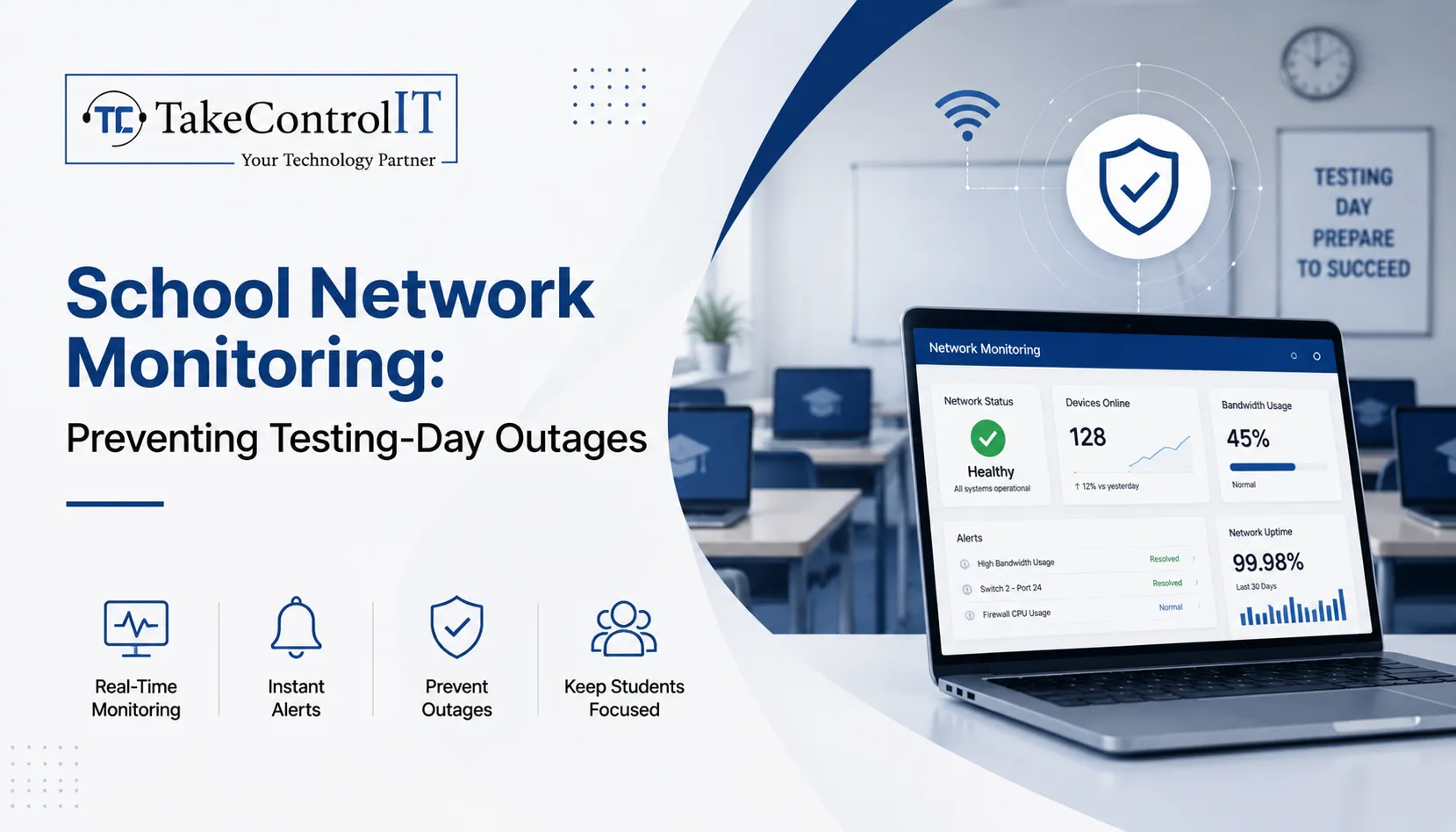
School Network Monitoring: Preventing Testing-Day Outages

Statewide assessment days bring intense pressure to K-12 school districts across Kansas. When hundreds of students log into digital assessment portals simultaneously, unmonitored infrastructure faces severe strain. Bandwidth bottlenecks, sudden server drops, or unauthorized streaming can stall examinations instantly. Implementing proactive school network monitoring eliminates these high-stakes digital failures, allowing educators to focus entirely on academic success.

Modern classrooms rely heavily on continuous digital connectivity. Without specialized school IT support, administrators face unexpected downtime that disrupts district testing schedules. Partnering with local experts like Take Control IT gives Kansas schools robust oversight, keeping access points stable during critical assessment windows.

Technical Obstacles Facing School Network Monitoring During Assessment Windows

High-stakes testing days generate unique traffic spikes that differ from regular classroom usage. Without automated school network monitoring, IT personnel remain unaware of emerging bottlenecks until connection drops occur.

Primary technical causes for testing-day system crashes include:

  • Unmanaged Bandwidth Consumption: Non-essential background downloads, system updates, and guest Wi-Fi streaming drain available throughput.
  • Insufficient Access Point Load Balancing: Concentrating hundreds of testing devices on single wireless access points triggers packet loss and disconnection.
  • Undetected Network Anomaly Spikes: Rogue applications or infected hardware consume critical network resources without immediate administrator alert notifications.

Core Pillars of Effective School Network Monitoring

Comprehensive visibility across school infrastructure requires continuous oversight rather than basic reactive troubleshooting. Professional managed IT services for schools establish continuous guardrails around assessment traffic.

Real-Time Bandwidth Management and Traffic Prioritization

Quality-of-service rules prioritize testing portal domains above standard internet traffic. Dedicated school network monitoring tools flag unusual bandwidth usage instantly, allowing technicians to throttle background streaming or pause non-critical administrative updates during active testing hours.

Proactive Hardware and Wireless Infrastructure Health Audits

Switches, routers, and access points require real-time telemetry tracking. Monitoring tools track device temperatures, memory utilization, and signal strength across all school buildings, preventing hardware failure during peak utilization.

Integrated Threat Detection and School Cybersecurity Services

Testing days present targets for internal and external digital disruptions. Layering modern school cybersecurity services alongside network tracking stops unauthorized intrusions, man-in-the-middle exploits, and distributed denial-of-service attempts before they crash testing sessions.

Proactive K-12 Network Monitoring Model 
Operational Layer  Protective Action 
Bandwidth Oversight  Restricts non-testing web traffic 
Device Telemetry  Identifies overloaded wireless nodes 
Threat Defense  Blocks malicious network incursions 

Strategic Advantages of Managed IT Services for Schools

Maintaining an internal technology team capable of round-the-clock infrastructure oversight places heavy budget strain on Kansas districts. Working with Take Control IT provides specialized district oversight without increasing administrative overhead.

Key benefits of specialized school IT support include:

  • Preventative Outage Mitigation: Proactive alerts resolve network latency issues before testing begins.
  • CIPA-Compliant Content Filtering: Automated web filtering blocks unauthorized domains while keeping testing connections clear.
  • Rapid On-Site and Remote Incident Response: Local Kansas technicians supply immediate troubleshooting support during high-stakes state examinations.
  • Scalable Infrastructure Upgrades: Customized network architecture plans ensure long-term stability across growing student populations.

Kansas District Testing-Day Network Readiness Checklist 

Preparing K-12 infrastructure for state testing demands systematic validation well ahead of testing schedules. 

1.Conduct Pre-Assessment Stress Tests: Execute 14 days prior to testing.

Simulate full student login capacity across all testing environments to identify latent bandwidth bottlenecks and access point limits.

2.Isolate and Secure Testing Subnets: Execute 7 days prior to testing.

Configure virtual local area networks to separate testing devices from student guest networks and administrative hardware.

3.Implement Strict Content and Port Restrictions: Execute 3 days prior to testing.

Apply strict firewall rules to block non-essential ports, media streaming services, and background update servers.

4.Deploy Live School Network Monitoring Dashboards: Execute 24 hours prior to testing.

Activate real-time telemetry dashboards to track active device connections, latency rates, and threat notifications throughout examination hours.

Secure Your District Testing Environment with Take Control IT

Avoid letting unexpected connectivity failures disrupt student performance on critical testing days. Take Control IT delivers customized managed IT services for schools, keeping Kansas classrooms connected, secure, and fully operational when it matters most.

Contact Take Control IT today to schedule a comprehensive district network assessment and safeguard your upcoming testing season.

Conclusion

Proactive school network monitoring transforms high-stakes testing days from chaotic, high-stress events into seamless academic achievements. By pairing real-time bandwidth prioritization with comprehensive school cybersecurity services, Kansas districts eliminate latency bottlenecks, protect student data, and preserve network uptime. Partnering with dedicated experts like Take Control IT ensures your digital infrastructure remains resilient, secure, and fully prepared for every assessment window—empowering educators and students to focus entirely on success. 

Frequently Asked Questions

How does continuous school network monitoring prevent testing crashes?

Continuous school network monitoring identifies bandwidth spikes, hardware overload, and rogue traffic early, allowing technicians to resolve latency issues before student examinations begin.

Why are dedicated school cybersecurity services critical during testing?

Dedicated school cybersecurity services block external intrusions, isolate testing subnets, and prevent internal network abuse that could compromise student data or disrupt active testing sessions.

What traffic should school IT support restrict during state assessments?

Professional school IT support restricts video streaming, non-essential background updates, guest Wi-Fi access, and file-sharing applications to preserve full bandwidth for testing portals.

How do managed IT services for schools support district staff?

Delivering proactive oversight, managed IT services for schools relieve internal staff from constant troubleshooting, ensuring immediate expert intervention during network disruptions.

Can existing K-12 networks integrate advanced school network monitoring tools?

Modern school network monitoring solutions integrate smoothly into existing K-12 routers, switches, and firewalls without requiring complete hardware replacement.

Why Businesses Are Moving from Reactive IT to Proactive Managed IT in Kansas

Recently, many of the Kansas based IT companies are rethinking the strategies to handle the technologies effectively. For years, the standard approach was simple: wait until something breaks, then call for help. That model is losing ground fast. Business owners across Overland Park, Shawnee, Prairie Village, Mission, and the greater Kansas City metro are discovering that Managed IT Services in Kansas offer a steadier, smarter way to run daily operations. 

Instead of waiting for a server crash or a security incident to force action, companies are choosing ongoing monitoring, maintenance, and support built around prevention. This shift is not just a passing trend. It reflects a real change in how Kansas businesses think about risk, cost, and long-term growth.

The Real Difference Between Reactive IT and Managed IT Services in Kansas

For decades, the break-fix model was the default for small and mid-sized companies. Under this approach, a business only calls its IT vendor once a computer freezes, a network goes down, or an employee cannot log in. The provider then shows up, diagnoses the issue, and charges for the visit.

This reactive pattern has real costs. Every outage means lost productivity while staff wait for a fix. Every repeat problem often signals a deeper issue that was never addressed.

Managed IT Services in Kansas work differently. A managed provider monitors systems around the clock, applies updates before vulnerabilities are exploited, and flags warning signs long before they become full outages. The goal is prevention, not repair.

Reactive IT tends to include:

  • Support only after something fails
  • Unpredictable, per-incident billing
  • Little to no ongoing monitoring
  • Limited insight into overall network health

Proactive managed support tends to include:

  • Continuous monitoring and maintenance
  • Flat, predictable monthly costs
  • Scheduled patching and updates
  • A documented view of system performance over time

Signs Your Kansas Business Has Outgrown Reactive IT

Many companies do not realize they have outgrown break-fix support until the damage is already done. A few common warning signs include:

  • Repeated slowdowns or crashes that never seem to get permanently resolved
  • Employees losing hours to tech issues instead of billable or productive work
  • No clear picture of when software was last updated or patched
  • Growing concern about ransomware, phishing, or data breaches
  • Difficulty meeting industry compliance requirements, especially in healthcare, finance, or legal services
  • No documented plan for backup and disaster recovery

If any of these sound familiar, it may be time to explore Managed IT Support in Kansas rather than continuing to patch problems one at a time.

Core Elements of Proactive IT Support in Kansas

Proactive IT Support in Kansas is built on a few consistent practices that separate it from the old break-fix model. Most established managed providers build their service around the following:

  • 24/7 network monitoring to catch unusual activity early
  • Scheduled patch management so software vulnerabilities get closed quickly
  • Regular data backups with periodic recovery testing, not just backup logs
  • Layered cybersecurity, including endpoint protection, email filtering, and staff awareness training
  • A help desk that resolves everyday issues quickly and tracks recurring trends
  • Strategic technology planning, sometimes called vCIO support, to align IT with business goals

Together, these practices are what set Proactive IT Support in Kansas apart from simple break-fix repair. Instead of reacting to a crisis, teams can focus on their actual work.

Business Benefits of Managed IT Support in Kansas

Choosing Managed IT Support in Kansas brings measurable advantages beyond simply avoiding downtime.

Predictable budgeting stands out first. Flat monthly plans make it easier to forecast technology spending instead of absorbing surprise repair bills. Reduced downtime follows closely behind, since monitored systems catch problems before they interrupt operations.

A stronger security posture matters just as much. Continuous patching and monitoring close gaps that attackers commonly exploit. This is especially important for Kansas businesses in regulated industries that must meet compliance standards.

Additional benefits include:

  • Scalable support that grows alongside the business
  • Improved employee productivity with fewer tech interruptions
  • Access to broader expertise than a single in-house IT hire could provide
  • Peace of mind knowing systems are actively managed, not just occasionally checked

The Value of Local IT Services in Kansas for Growing Companies

Working with IT Services in Kansas from a local, regional provider offers advantages that a national call center often cannot match. Local teams understand regional compliance considerations, respond faster when on-site help is genuinely needed, and build long-term relationships with the businesses they serve.

Kansas has a diverse business landscape, from healthcare practices and financial firms to manufacturers and professional offices. Each industry carries its own technology and compliance needs. A local provider that already understands these patterns can implement solutions faster and with fewer missteps than a distant, one-size-fits-all vendor. For companies weighing their options, dependable IT Services in Kansas from a nearby team often make the difference between a quick fix and a long, frustrating wait.

Take Control IT’s Approach to Proactive Technology Management

Take Control IT works with businesses across Kansas and the surrounding region to move away from reactive, break-fix habits. The team evaluates existing infrastructure, identifies gaps in security and performance, and builds a technology roadmap suited to each client’s goals.

Rather than treating every client the same, Take Control IT tailors its approach for startups, established mid-sized firms, and organizations with strict compliance requirements. This includes secure infrastructure management, layered cybersecurity, business continuity planning, and ongoing strategic guidance. For companies ready to stop firefighting and start planning, Take Control IT offers a practical path forward.

Take the Next Step Toward Proactive IT

Reactive IT habits are hard to break on your own, especially while running a business. A trusted partner makes the shift much easier.

Take Control IT helps Kansas businesses move from constant troubleshooting to dependable, well-managed technology. Reach out today to schedule a consultation and see how Managed IT Services in Kansas can strengthen your security, stabilize your budget, and free up your team to focus on real growth.

Conclusion

The shift from reactive to proactive technology management is not just a passing preference. It reflects how Kansas businesses are adapting to rising cyber threats, tighter compliance expectations, and the simple need for dependable systems. Companies that continue relying on break-fix support often face higher long-term costs, more downtime, and greater security risk.

Managed IT Services in Kansas give business owners a steadier alternative. With continuous monitoring, planned maintenance, and a dedicated technology partner, companies can spend less time worrying about IT and more time growing their business. Take Control IT stands ready to help Kansas businesses make that transition with confidence.

Frequently Asked Questions

What is the difference between reactive and proactive IT support?

Reactive IT fixes problems after they happen. Proactive Managed IT Services in Kansas monitor systems continuously, applying updates and catching issues before they cause downtime or data loss.

How much do managed IT services cost in Kansas?

Pricing depends on business size, industry, and support needs. Most Managed IT Support in Kansas providers offer flat monthly plans, which make budgeting more predictable than per-incident repair billing.

Which industries benefit most from managed IT services?

Healthcare, finance, legal, and professional service firms benefit greatly, since these industries face strict compliance requirements and handle sensitive data that demands consistent, proactive IT Services in Kansas.

How quickly can a business switch to managed IT support?

Most transitions take a few weeks. A provider first audits existing infrastructure, then gradually implements monitoring, security tools, and documented processes with minimal disruption to daily operations.

Is managed IT support suitable for small businesses?

Yes. Small businesses often benefit the most, since Managed IT Services in Kansas provide enterprise-level monitoring and cybersecurity without the cost of a full in-house IT department.

What should a business look for in an IT services provider?

Look for proven local experience, 24/7 monitoring, transparent pricing, strong cybersecurity practices, and positive client testimonials before choosing Managed IT Support in Kansas.

Microsoft 365 August 2026 Updates: New Features, Security Changes & Business Impact

The Microsoft 365 August 2026 updates bring some of the most significant identity, security, and licensing changes Microsoft has shipped this year, and Kansas businesses running on the platform need to pay attention. From the retirement of SMS-based multi-factor authentication to Microsoft 365 new features like AI meeting tools and expanded license bundles, this month’s changes touch nearly every part of the platform your team relies on daily. 

Understanding these Microsoft 365 updates and why they matter helps you avoid disruption, close security gaps, and get more value from the subscription you already pay for. Here is what changed and what to do next.

Microsoft 365 August 2026 Updates at a Glance

This round of Microsoft 365 August 2026 updates falls into three categories: identity and security, new productivity features, and licensing changes to what your organization already owns. Microsoft rolled many of these changes out gradually between June and July 2026, with tenant timelines appearing in the Message Center about 30 days before each change goes live.

  • Passkeys become the default sign-in method as SMS and voice MFA retire
  • Cross-tenant message recall arrives in Exchange Online
  • Teams gains stricter external access controls and smarter meeting AI
  • Business, E3, and E5 plans all gain new bundled capabilities
  • Defender for Cloud Apps file policies begin their retirement path

Microsoft 365 New Features Rolling Out This Month

Several Microsoft 365 new features arrived as part of the Microsoft 365 August 2026 updates, focused on productivity and collaboration for hybrid teams across Kansas offices and remote staff alike.

Expanded Copilot Chat Across Every Plan

These Microsoft 365 new features start with Copilot Chat: Business, E3, E5, and Frontline plans all gain enhanced Copilot Chat with admin controls and usage analytics. Business plans also pick up 50 GB of extra mailbox storage, and Basic and Standard add URL time-of-click protection, which scans links in Outlook and Office apps the moment someone clicks rather than only when the message arrives.

Smarter Meetings with Facilitator

Microsoft Facilitator, the AI meeting assistant in Teams, now detects when participants seem to lack context on a topic and surfaces relevant background information in real time, aiming for fewer follow-up emails, though suggestions are visible to everyone in the room.

  • Review Facilitator admin settings to confirm whether it is enabled
  • Consider the impact on sensitive or confidential meetings
  • Update AI governance guidance for staff

Cross-Tenant Message Recall in Exchange Online

Exchange Online users can now attempt to recall messages sent to external recipients, not just internal ones. Recall only succeeds if the receiving tenant has opted in, so legal and compliance teams should understand its limits.

Microsoft 365 Security Updates Kansas Businesses Should Prioritize

Security is where these Microsoft 365 security updates carry the most immediate risk if ignored, especially for regulated industries common across Kansas, including healthcare, finance, and legal services.

Passkeys Replace SMS and Voice MFA

Microsoft is making passkeys, meaning FIDO2 and device-bound credentials, the default sign-in method in Entra while retiring SMS and voice call MFA outright. This is one of the more consequential identity changes in recent memory because it touches every user in a tenant, and once enforced it cannot be reversed. Businesses still relying on text or voice codes need to migrate staff to Microsoft Authenticator, passkeys, or OATH tokens before enforcement.

  • Audit current MFA method distribution across your organization
  • Migrate SMS and voice MFA users to supported methods now
  • Update conditional access policies and helpdesk scripts

Tighter Controls on Teams External Access

Rolling out July through September 2026, admins gain more precise control over federated chats with external organizations. Review existing federation settings so partner collaboration continues while unsolicited external messaging gets closed off.

Defender for Cloud Apps File Policies Are Retiring

File Policies within Microsoft Defender for Cloud Apps are being retired, with Microsoft steering organizations toward Microsoft Purview for the same data loss prevention and compliance monitoring. Retirement lands January 6, 2027, giving teams time to map policies over, though the migration still takes planning and testing.

Microsoft 365 Business Updates and Licensing Changes

Beyond features and security, this round of Microsoft 365 August 2026 updates brings Microsoft 365 business updates that change what many organizations already own, without requiring a new purchase.

What Business, E3, and E5 Plans Now Include

Rollout completes by August 1, 2026, with at least 30 days notice appearing in the Message Center before each tenant receives the change.

  • Business plans: enhanced Copilot Chat plus 50 GB additional mailbox storage
  • Basic and Standard: added URL time-of-click link protection
  • E3 plans: Microsoft Defender for Office 365 Plan 1, Intune Remote Help, Advanced Analytics, and Intune Plan 2
  • E5 plans: everything in E3, plus Security Copilot, Intune Endpoint Privilege Management, Enterprise Application Management, and Cloud PKI
  • Frontline F1 and F3: Copilot Chat enhancements only

These Microsoft 365 business updates apply automatically, with no opt-in required.

Enablement Matters More Than the Announcement

A bundled feature only creates value once someone turns it on. Defender for Office 365 Plan 1 can replace a standalone email security tool once that tool’s contract ends. Security Copilot needs configuration and governance before it becomes genuinely useful.

How These Microsoft 365 August 2026 Updates Affect Kansas Businesses

Many Kansas businesses, including healthcare practices, law firms, and financial firms, operate under compliance rules that make identity and data-governance changes like these especially relevant. Losing SMS-based MFA without a migration plan can lock out staff overnight, and skipping a review of federated chat settings can quietly break partner communication. 

Letting Defender for Cloud Apps policies lapse without a Purview migration can leave data loss prevention with gaps regulators would flag. None of this requires a large IT department, but it does require someone watching the Message Center and turning these Microsoft 365 updates into an action plan.

Staying Ahead of Microsoft 365 Updates with Take Control IT

Keeping up with Microsoft 365 updates on top of daily operations is a lot to ask of any internal team, especially when Microsoft ships dozens of Message Center changes every month and only a handful make headlines. Take Control IT helps Kansas businesses track, prioritize, and act on the changes that matter, from MFA migrations to license enablement.

Our Managed IT services Kansas team also builds resilient data protection around your Microsoft 365 environment, including a dedicated Microsoft 365 Backup Solution that protects Exchange, SharePoint, and OneDrive data independent of Microsoft’s native retention settings, so recall changes, retiring file policies, or accidental deletion never put your business data at risk.

Let Take Control IT Manage Your Microsoft 365 Environment

Do not let another Message Center update catch your team off guard. Take Control IT’s Kansas-based specialists monitor every rollout, apply Microsoft 365 updates correctly the first time, and make sure your backups are solid before anything changes. Schedule a free assessment today and find out exactly what the Microsoft 365 August 2026 updates mean for your business.

Conclusion

This month’s Microsoft 365 August 2026 updates make one thing clear: Microsoft is tightening identity security while pushing more capability into the licenses businesses already hold. That is good news for budgets, but only if someone is actually enabling and governing the new tools. 

Kansas businesses that treat Microsoft 365 updates as a monthly checklist, reviewing MFA methods as part of ongoing Microsoft 365 security updates, external access settings, and license changes, stay ahead of both security risk and wasted spend. Those that ignore the Message Center until something breaks tend to find out the hard way. Working with an experienced partner turns a long list of technical changes into a short list of confident decisions.

Frequently Asked Questions

What are the biggest Microsoft 365 August 2026 updates?

Retirement of SMS and voice MFA for passkeys, new cross-tenant message recall, and features bundled into Business, E3, and E5 plans as part of these Microsoft 365 business updates.

Is Microsoft 365 Copilot included in the August 2026 updates?

No. These updates add enhanced Copilot Chat with admin controls and analytics, not the full Microsoft 365 Copilot, which remains a separate paid add-on.

When do the Microsoft 365 security updates take effect?

Passkey enforcement and MFA retirement began rolling out in July 2026, with most tenant-specific changes completing by August 2026; check your Message Center for exact dates.

Do these Microsoft 365 new features cost extra?

No. The new features, including Defender for Office 365 Plan 1 and expanded Intune tools, are bundled into existing E3 and E5 licenses, not sold separately.

What happens to Defender for Cloud Apps file policies?

File Policies in Defender for Cloud Apps are being retired, with Microsoft Purview recommended as the replacement for data loss prevention and compliance monitoring.

How can Kansas businesses prepare for these Microsoft 365 business updates?

Audit current MFA methods, review Teams external access settings, and map retiring Defender for Cloud Apps policies to Purview, ideally with a Kansas-based IT partner.