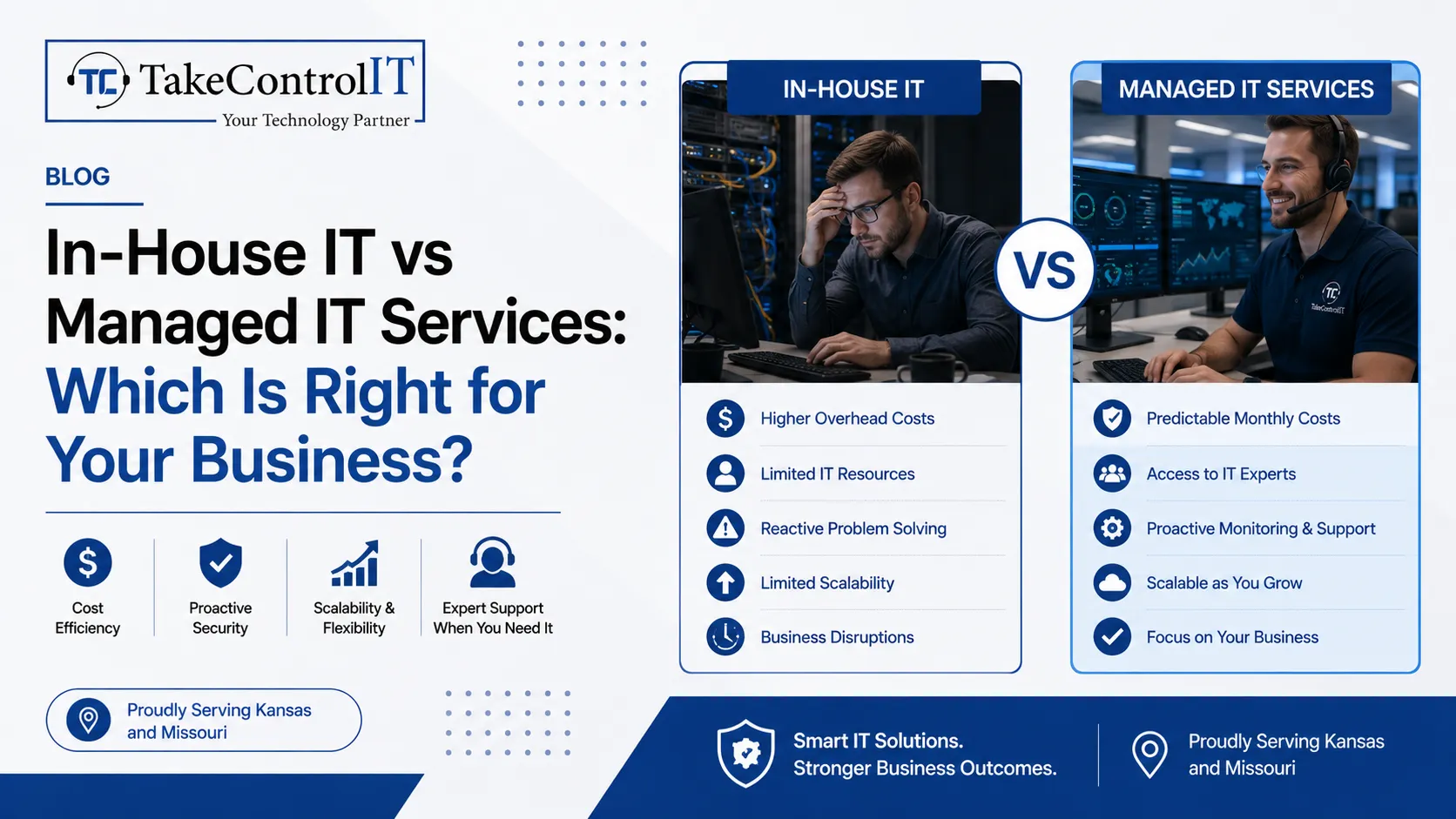

In-House IT vs Managed IT Services: Which Is Right for Your Business?

Technology plays a major role in modern business operations. From cybersecurity to cloud systems, companies depend on reliable IT support every day. Because of this, many businesses compare in-house teams with a professional Managed IT service provider before making long-term technology decisions.

Some companies prefer internal IT staff. Others choose outsourced support through IT services managed services providers. Both options have benefits, but the right choice depends on business size, budget, growth plans, and technical needs.

A trusted Managed IT provider can help businesses improve efficiency, reduce downtime, and strengthen cybersecurity. However, some organizations still prefer direct in-house management for daily operations.

Understanding the differences between these two models can help businesses choose the right technology strategy.

Managed IT Service Solutions Support Business Growth 

A professional Managed IT service provider delivers ongoing IT support, monitoring, and technology management for businesses. Instead of handling everything internally, companies outsource IT responsibilities to experienced professionals.

Most IT services managed services providers offer:

  • Network monitoring
  • Help desk support
  • Cybersecurity management
  • Cloud support
  • Data backup solutions
  • Software updates
  • Disaster recovery planning

This approach allows businesses to focus more on operations instead of technical problems. In addition, a reliable Managed IT provider often offers proactive support. This means problems are identified and fixed before they create serious downtime. For growing businesses, this model provides flexibility without needing a large internal IT department.

Managed IT Service Benefits Compared to In-House IT 

In-house IT teams can work well for larger companies with complex internal systems. However, maintaining a full internal department often requires significant time and resources.

A professional Managed IT service model offers several advantages for small and mid-sized businesses.

1. Broader Technical Expertise

Most Managed IT provider teams include specialists in cybersecurity, cloud systems, networking, and business continuity.

2. Proactive System Monitoring

Professional monitoring helps businesses reduce downtime and respond to issues quickly.

3. Better Scalability

Businesses can adjust support levels as operations grow without hiring additional full-time staff.

4. Improved Cybersecurity Support

Many IT services managed services providers include advanced cybersecurity protection and threat monitoring.

In addition, businesses often gain access to newer technologies and industry best practices through experienced providers.

Managed IT Service Costs and Operational Efficiency 

Many businesses compare internal staffing costs with outsourced IT support before making decisions.

An in-house department may require:

  • Hiring technical staff
  • Ongoing training
  • Employee benefits
  • Hardware investments
  • Software management
  • Security tools

A professional Managed IT service provider often combines these services into one support model. This structure can help businesses simplify IT management while improving operational efficiency. In addition, a trusted Managed IT provider helps companies avoid costly downtime through proactive maintenance and monitoring. Businesses also benefit from predictable technology support without constantly managing internal technical challenges.

In-House IT Teams Support Direct Internal Management 

Some businesses prefer in-house IT because they want direct control over internal systems and daily support operations.

Internal teams may work well for companies with:

  • Large enterprise environments
  • Complex internal software
  • High-volume infrastructure
  • Specialized compliance requirements

An internal department can also provide immediate on-site support during technical emergencies. However, maintaining a full team may become difficult for smaller organizations with limited IT budgets. This is why many businesses combine internal support with external IT services managed services solutions for additional expertise and monitoring. A dependable Managed IT provider can often support internal teams with cybersecurity, cloud management, and disaster recovery planning.

Managed IT Service Solutions Improve Cybersecurity Protection 

Cybersecurity has become a major concern for businesses across every industry. Ransomware, phishing attacks, and data breaches continue to increase each year.

A professional Managed IT service provider helps businesses strengthen protection through proactive security management.

Security services often include:

  • Firewall management
  • Endpoint protection
  • Threat monitoring
  • Employee security training
  • Multi-factor authentication
  • Backup management

In addition, many IT services managed services providers monitor systems around the clock to identify suspicious activity quickly.

A trusted Managed IT provider also helps businesses stay updated with security patches and compliance requirements.

Take Control IT Delivers Reliable Managed IT Support 

Take Control IT helps businesses improve operational efficiency through dependable technology solutions and proactive support.

The company provides professional Managed IT service in Kansas city designed to help organizations reduce downtime, strengthen cybersecurity, and improve business continuity.

Businesses choose Take Control IT for:

  • Managed IT support
  • Cybersecurity solutions
  • Cloud services
  • Network monitoring
  • Backup management
  • Help desk support

As a trusted Managed IT provider, the company helps businesses maintain secure and stable technology environments. Their IT services managed services approach focuses on long-term reliability, proactive monitoring, and business growth support.

Book Your Appointment With Take Control IT for Professional IT Support Today

Looking for dependable Managed IT service support for your business?

Take Control IT provides proactive IT solutions designed to improve security, reduce downtime, and support long-term business growth. Contact their team today to build a stronger and more reliable technology strategy.

Conclusion

Choosing between internal IT staff and a professional Managed IT service depends on your business goals, technical requirements, and operational needs.

In-house teams may work well for larger organizations with specialized infrastructure. However, many small and mid-sized businesses benefit from the flexibility and expertise offered by professional IT services managed services providers.

A trusted Managed IT provider helps businesses improve cybersecurity, reduce downtime, and simplify technology management through proactive support and monitoring.

With the right IT strategy, businesses can improve productivity, strengthen security, and support long-term growth more effectively.

Frequently Asked Questions

How does a Managed IT service help businesses?

A professional Managed IT service helps businesses improve cybersecurity, reduce downtime, monitor systems, and manage technology more efficiently.

What is the difference between in-house IT and IT services managed services?

In-house IT uses internal employees, while IT services managed services providers deliver outsourced technical support and proactive system management.

Why do businesses choose a Managed IT provider?

A trusted Managed IT provider offers expert support, proactive monitoring, stronger cybersecurity, and scalable technology solutions for growing businesses.

Is a Managed IT service better for small businesses?

Many small businesses benefit from a professional Managed IT service because it provides expert support without maintaining a large internal IT department.

Can businesses combine internal IT with managed services?

Yes. Many companies combine internal staff with IT services managed services providers for additional expertise and cybersecurity support.

Does a Managed IT provider improve cybersecurity?

Yes. A professional Managed IT provider helps businesses strengthen cybersecurity through monitoring, security updates, backup management, and threat protection.

Data Recovery Service in Kansas: When to Call a Professional vs. Try It Yourself

Business data loss can happen without warning. A hard drive may fail suddenly. Files may get deleted accidentally. Malware and ransomware can also damage important systems. Because of this, many businesses now depend on a trusted Data recovery Service in Kansas to recover important files safely.

Some smaller data problems can be fixed internally. However, serious storage failures often require professional help. Reliable Data recovery services in Kansas help businesses recover files while reducing the risk of permanent damage.

An experienced Data recovery specialist in Kansas understands how to recover files from damaged devices, corrupted systems, and failed storage environments. Knowing when to try recovery yourself and when to call an expert can protect your business from larger operational problems.

Data Recovery Service in Kansas Helps Businesses Recover Important Files 

Modern businesses rely heavily on digital systems. Customer records, financial documents, employee information, and operational data all need secure storage.

When files disappear, businesses may face several problems, including:

  • Downtime and reduced productivity
  • Delayed customer communication
  • Lost operational data
  • Compliance concerns
  • Financial disruption

Professional Data recovery Service in Kansas providers help businesses recover files from different storage systems. This may include hard drives, SSDs, external drives, servers, and RAID environments.

Reliable Data recovery services in Kansas use advanced recovery methods designed to improve recovery success while protecting sensitive information.

Data Recovery Service in Kansas for Basic Recovery Situations 

Some file loss situations are relatively simple. Businesses can sometimes recover files without advanced technical support.

For example, recently deleted files may still exist in the recycle bin or cloud backup system. Temporary software problems may also block file access even though the data still exists safely.

Basic recovery methods may work when:

  • Files were deleted recently
  • Cloud backups are available
  • The storage device has no physical damage
  • Software problems are minor
  • The system still recognizes the drive

However, businesses should avoid repeated recovery attempts. Too many failed attempts can damage recoverable data permanently.

Professional Data recovery services in Kansas become important when recovery software fails or the storage device behaves abnormally.

A trusted Data recovery specialist in Kansas can inspect the issue safely before more damage occurs.

Data Recovery Specialist in Kansas Support for Physical Drive Damage 

Physical storage damage is far more serious than simple file deletion. Hard drives contain delicate components that can fail unexpectedly.

Common warning signs include:

  • Clicking or grinding sounds
  • Slow performance
  • Overheating devices
  • Missing drives
  • Repeated crashes
  • Burning smells

Businesses should stop using damaged devices immediately. Continued use may reduce the chances of successful recovery.

An experienced Data recovery specialist in Kansas uses specialized recovery tools and secure recovery environments to recover files safely.

Professional Data recovery services in Kansas can often recover information from damaged drives, failed servers, and corrupted storage systems that standard software cannot access.

Data Recovery Service in Kansas Reduces Recovery Risks 

Many businesses try free recovery software first. While some tools may help with small issues, serious recovery situations require professional handling.

DIY recovery becomes risky when:

  • The drive has physical damage
  • Ransomware affects the system
  • Important databases become corrupted
  • RAID systems fail
  • Sensitive business data is involved

Professional Data recovery Service in Kansas providers use advanced recovery procedures designed to protect important information during the recovery process.

In addition, a trusted Data recovery specialist in Kansas understands how to avoid accidental overwrites that may permanently destroy recoverable files.

Professional recovery also helps businesses maintain stronger confidentiality and security throughout the recovery process.

Data Recovery Services in Kansas Support Long-Term Business Protection 

Recovering lost files is important. However, preventing future data loss matters just as much.

Professional Data recovery services in Kansas often include long-term protection strategies such as backup management and disaster recovery planning.

Strong recovery planning helps businesses:

  • Reduce downtime
  • Improve backup reliability
  • Protect sensitive information
  • Improve recovery preparedness
  • Strengthen business continuity

An experienced Data recovery specialist in Kansas can also help businesses identify storage weaknesses before major failures happen.

With stronger recovery planning, businesses can improve both operational stability and long-term data security.

Take Control IT Provides Reliable Data Recovery Support 

Take Control IT helps businesses recover important files through dependable IT support and proactive recovery solutions.

The company provides professional Data recovery Service in Kansas support designed to help organizations recover lost data safely while improving long-term protection.

Businesses choose Take Control IT for:

  • Business data recovery
  • Backup management
  • Disaster recovery planning
  • Managed IT services
  • Cloud support
  • Business continuity solutions

Their experienced Data recovery specialist in Kansas team helps businesses reduce downtime and protect critical operational information.

Contact Take Control IT for Trusted Recovery Solutions 

Looking for dependable Data recovery Service in Kansas support for your business?

Take Control IT provides secure recovery solutions and proactive IT support designed to help businesses protect important data and reduce future risks. Contact their team today to strengthen your business recovery strategy.

Conclusion

Data loss can affect businesses at any time. While smaller recovery situations may sometimes be solved internally, serious storage failures often require professional expertise.

Working with a trusted Data recovery Service in Kansas helps businesses improve recovery success while reducing the risk of permanent file loss.

Professional Data recovery services in Kansas also support long-term business continuity through stronger backup planning and improved data protection strategies.

An experienced Data recovery specialist in Kansas can help businesses recover important files safely while improving future recovery readiness.

Frequently Asked Questions

How does a Data recovery Service in Kansas help businesses?

A professional Data recovery Service in Kansas helps businesses recover lost files from damaged drives, corrupted systems, and failed storage devices safely.

When should businesses contact a Data recovery specialist in Kansas?

Businesses should contact a Data recovery specialist in Kansas when drives fail, overheat, make unusual sounds, or contain inaccessible important files.

Can Data recovery services in Kansas recover deleted files?

Yes. Professional Data recovery services in Kansas can often recover deleted files if the storage system has not been heavily overwritten.

Is DIY data recovery safe for businesses?

DIY recovery may help with small deletion issues. However, damaged drives and serious corruption usually require professional recovery support.

What causes business data loss most often?

Common causes include hardware failure, accidental deletion, ransomware attacks, software corruption, and storage device damage.

How can businesses reduce future data loss risks?

Businesses can reduce risks through regular backups, cloud storage, cybersecurity protection, and proactive IT monitoring.

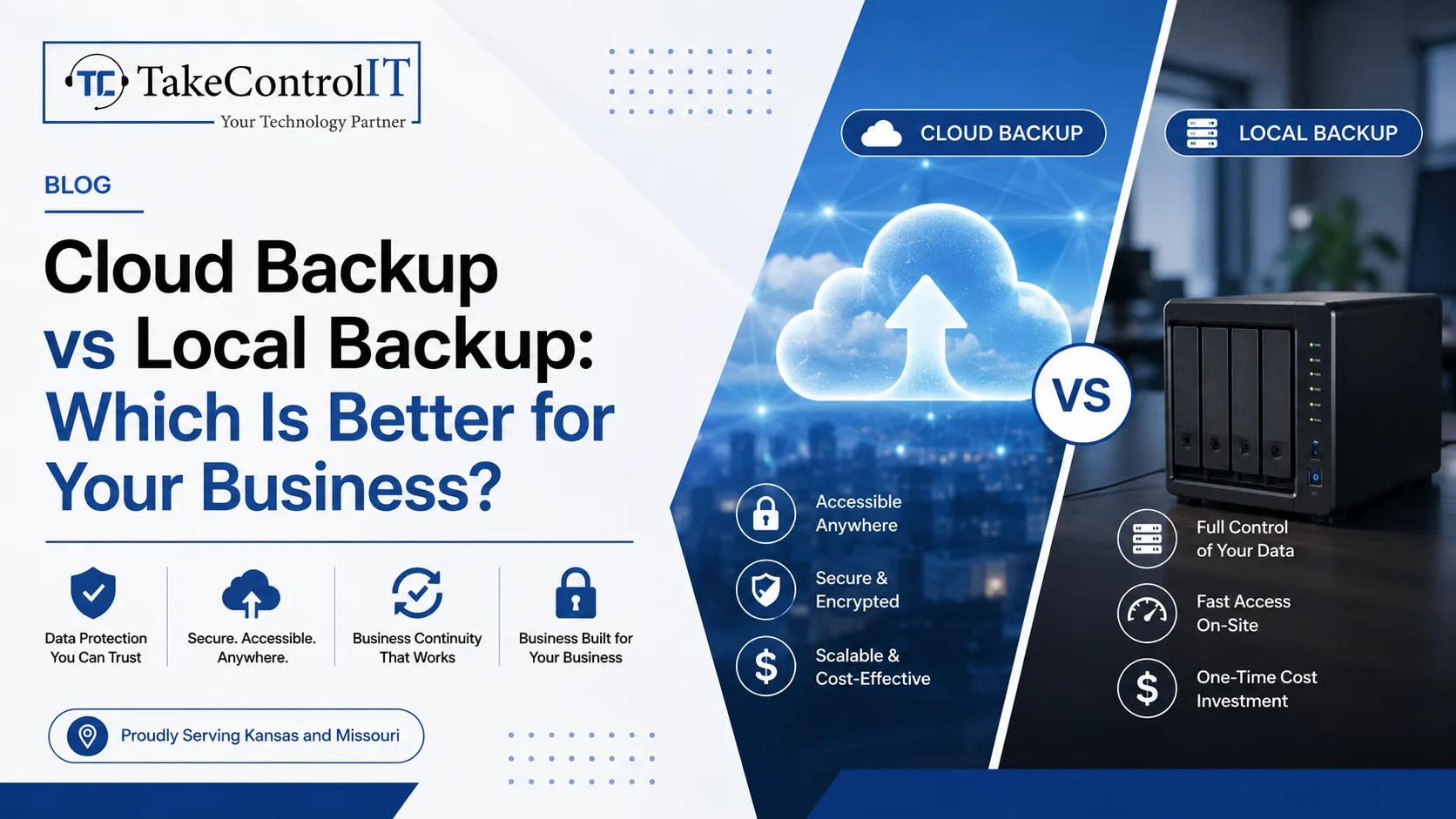
Cloud Backup vs Local Backup: Which Is Better for Your Business?

Data loss can happen without warning. Hardware failure, ransomware attacks, accidental deletion, or natural disasters can disrupt operations and put valuable business information at risk. Investing in a reliable Cloud backup service helps organizations protect critical files and recover quickly when problems occur.

Many businesses still rely on local backups, while others prefer modern cloud backup solutions and online backup services for greater flexibility. Understanding the strengths and limitations of both options can help you choose the best strategy for your organization.

Cloud Backup Service Benefits for Modern Businesses 

A professional Cloud backup service stores business data securely in remote data centers instead of local hardware. Files are automatically synchronized and can be restored whenever needed through a secure internet connection.

Key advantages include:

  • Automatic scheduled backups
  • Off-site disaster protection
  • Secure encrypted storage
  • Easy remote access
  • Scalable storage capacity
  • Faster business continuity planning

A dependable Cloud backup service reduces the risk of losing important information due to local hardware failures or physical damage.

Cloud Backup Solutions Improve Business Resilience 

Modern cloud backup solutions are designed to support growing businesses with flexible and secure data protection. Unlike traditional systems, cloud platforms allow organizations to expand storage without purchasing additional physical equipment.

Businesses benefit from cloud backup solutions because they provide:

  • Continuous data protection
  • Centralized management
  • Multi-device backup capabilities
  • Version history for file recovery
  • Better collaboration across locations

These features help companies maintain productivity while minimizing downtime after unexpected incidents.

Local Backup Systems Still Offer Valuable Protection 

Local backup systems save data on physical devices such as external hard drives, network-attached storage, or dedicated backup servers located on-site.

Local backups provide several benefits:

  • Fast restoration speeds
  • Offline accessibility
  • Full control over hardware
  • No dependence on internet connectivity

However, local backups remain vulnerable to theft, fire, floods, equipment failure, and ransomware attacks if stored in the same location as production systems.

For many organizations, relying only on local backups creates unnecessary business risk.

Online Backup Services Support Remote Work and Business Continuity 

Today’s workforce often operates from multiple offices or remote locations. Reliable online backup services make it easier for employees to access protected data securely from virtually anywhere.

Leading online backup services typically include:

  • Automatic synchronization
  • Secure encrypted transmission
  • Remote file recovery
  • Cross-platform compatibility
  • Multi-user management
  • Centralized administration

These capabilities support modern hybrid workplaces while improving operational resilience.

Cloud Backup Service Delivers Better Disaster Recovery 

One of the biggest advantages of using a Cloud backup service is disaster recovery readiness. If servers fail or offices become inaccessible, cloud-based backups remain protected in secure remote environments.

A quality Cloud backup service helps businesses:

  • Recover operations quickly
  • Minimize downtime
  • Protect customer information
  • Reduce operational disruption
  • Support business continuity planning

Combining cloud storage with local backups often creates a stronger overall protection strategy.

Cloud Backup Solutions and Local Backup Work Best Together 

Instead of choosing one method exclusively, many IT professionals recommend using both cloud backup solutions and local backup systems.

A hybrid backup strategy provides:

  • Fast local recovery
  • Secure off-site protection
  • Better ransomware resilience
  • Multiple recovery points
  • Enhanced operational continuity

Technology providers like Take Control IT help Kansas businesses implement secure backup and disaster recovery strategies that combine managed IT expertise with advanced cloud backup solutions for comprehensive business protection.

Protect Your Business Data Before Disaster Strikes 

Business interruptions can happen at any time. A reliable backup strategy keeps operations running and reduces the impact of unexpected events. Whether your company needs a secure Cloud backup service, disaster recovery planning, or managed IT support, Take Control IT helps businesses create dependable technology solutions that protect valuable information and improve long-term resilience.

Conclusion

Choosing between a local backup and a Cloud backup service depends on your business goals, recovery requirements, and risk tolerance. Local backups provide speed, while cloud technology delivers flexibility, scalability, and disaster protection. For many organizations, combining cloud backup solutions with local storage creates the most effective backup strategy. Investing in reliable online backup services today helps safeguard your business against tomorrow’s unexpected challenges.

Frequently Asked Questions:

1. What is a Cloud backup service?

A Cloud backup service securely stores business data in remote data centers, allowing organizations to recover files quickly after hardware failures, cyberattacks, or accidental deletion.

2. Are cloud backup solutions better than local backups?

Cloud backup solutions provide off-site protection and scalability, while local backups offer faster recovery. Many businesses achieve better protection by combining both methods.

3. How secure are online backup services?

Professional online backup services use encryption, secure authentication, and redundant storage systems to help protect business data against unauthorized access and loss.

4. How often should a Cloud backup service run?

A Cloud backup service should run automatically throughout the day or daily, depending on how frequently business data changes and recovery objectives.

5. Can cloud backup solutions protect against ransomware?

Yes. Many cloud backup solutions store multiple file versions, allowing businesses to restore clean copies after ransomware attacks or accidental data corruption.

6. Why do businesses use online backup services?

Businesses use online backup services to improve disaster recovery, support remote work, protect valuable information, and maintain business continuity during unexpected events.

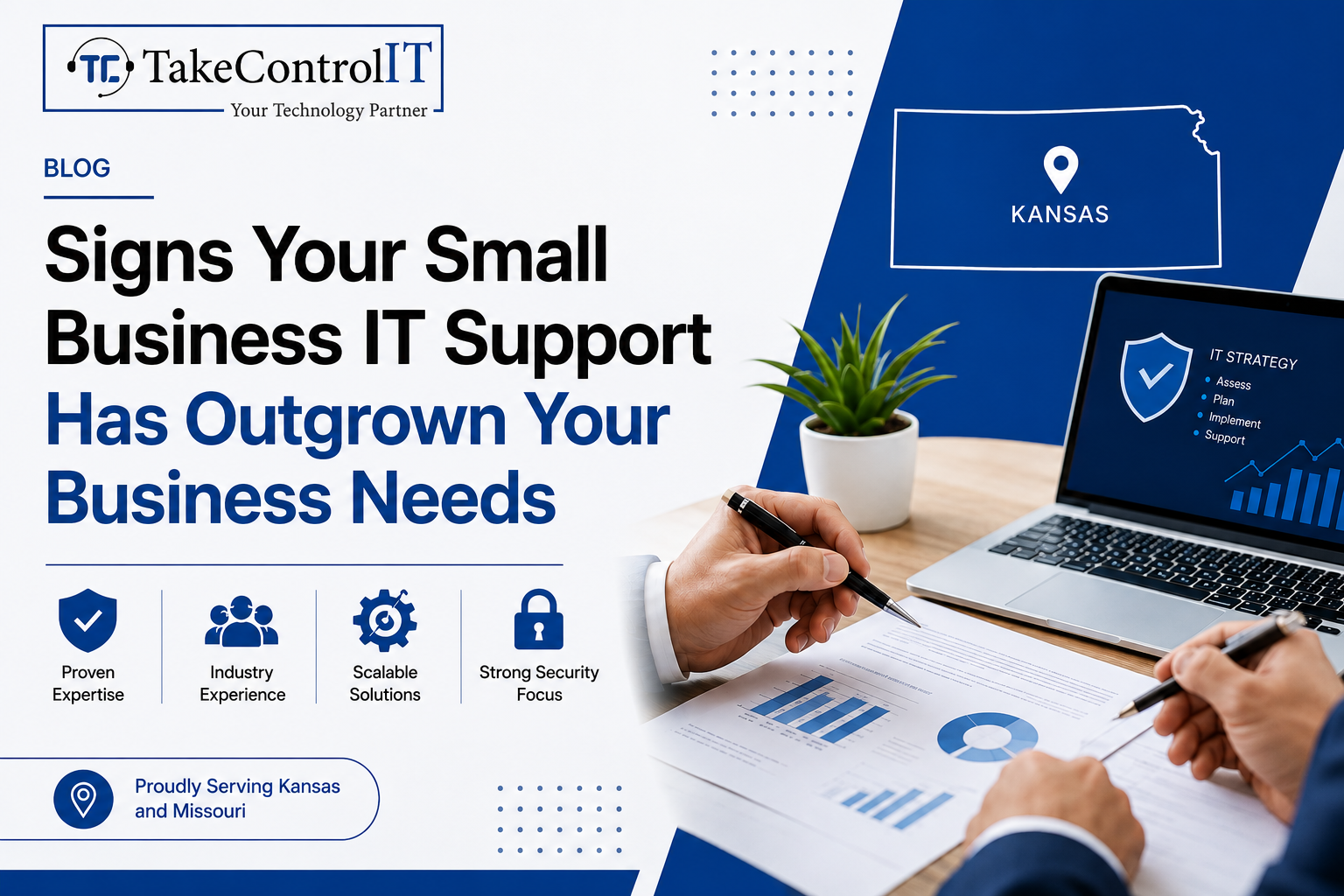
Signs Your Small Business IT Support Has Outgrown Your Business Needs

As your business grows, as you handle more sensitive data and as your operations expand, the demands on your IT Every growing business eventually hits a wall with its current tech setup. If you rely on small business IT support that no longer keeps up with your pace, the impact shows up fast; in downtime, slow systems, and mounting security risks. Recognizing those signs early can save your business from serious setbacks.

This guide breaks down the clearest warning signs your IT support has outgrown your business and what steps you should consider next.

A Look at What Small Business IT Support Typically Covers

Basic small business IT support usually means a single technician, a break-fix model, or a part-time contractor handling day-to-day issues. It works well in the early stages, when your team is small, your systems are simple, and threats are easier to manage.

But businesses don’t stay simple forever. As your team environment grows too. At some point, a basic setup stops being a solution and starts becoming a liability.

Clear Signs Your Small Business IT Support Is No Longer Enough

1. Downtime Is Becoming a Regular Event

Occasional outages happen. But when downtime is frequent and disrupts daily operations, that’s a red flag. Basic small business IT support is typically reactive, someone fixes the problem after it occurs. Proactive managed IT services monitor your systems around the clock to catch issues before they cause disruption.

If your team is losing productive hours waiting for systems to come back online, you’ve likely already outgrown what your current setup can handle.

2. Cybersecurity Treated as an Afterthought

Cyber threats aren’t going away, they’re getting more sophisticated every year. According to the Verizon 2024 Data Breach Investigations Report, small and medium-sized businesses are increasingly targeted by ransomware and phishing attacks.

If your current IT setup lacks layered protection, endpoint monitoring, or a clear incident response plan, your business is exposed. Comprehensive business cybersecurity solutions are no longer optional, they’re essential for any business that handles customer data, financial records, or sensitive internal information.

3. Remote and Hybrid Work Exposing IT Gaps

Remote and hybrid work models are now standard across industries. If your team struggles with slow VPN connections, inaccessible files, or inconsistent communication tools, your IT infrastructure management isn’t keeping pace with how modern businesses operate.

Scaling to support a distributed workforce requires more than a basic router and shared drive. It demands secure, well-managed infrastructure that enables productivity from anywhere.

4. No Formal IT Strategy or Technology Roadmap

Growing businesses need technology that supports their goals, not just technology that works today. If your IT decisions are made on-the-fly or only in response to problems, that’s a sign you need more than basic small business IT support.

A structured IT roadmap ensures that your technology investments align with your business objectives, whether that means cloud migration, compliance readiness, or scaling your network infrastructure.

5. Employees Pulled Away From Core Work by IT Issues

This one is easy to overlook. When employees spend time troubleshooting slow computers, resetting passwords, or reconnecting to the network, that’s time pulled away from their actual responsibilities.

Dedicated outsourced IT support takes those burdens off your team’s plate. Instead of worrying about tech problems, your people can focus on what they do best.

6. Industry Compliance Requirements Left Unaddressed

Industries like healthcare, finance, and legal services face strict data compliance requirements; HIPAA, SOC 2, PCI-DSS, and others. If your business has started operating in a regulated space and your current IT provider isn’t equipped to help you meet those standards, the risk is significant.

Non-compliance can result in serious legal penalties. The right managed IT services provider will help you build a compliant, audit-ready environment.

Small Business IT Support Options Worth Considering

Once you recognize the signs, the next step is figuring out what kind of support your business actually needs. Here are the most effective options for businesses that have outgrown basic setups:

  • Managed IT Services: A fully managed approach where a dedicated provider handles monitoring, maintenance, security, and support under a predictable model.
  • Outsourced IT Support: Ideal for businesses that need expert help without the overhead of a full in-house IT department.
  • IT Infrastructure Management: Ensures your network, servers, cloud systems, and hardware are optimized, updated, and secure.
  • Business Cybersecurity Solutions: Layered security tools and strategies including endpoint protection, email security, and threat monitoring.

The right combination depends on your size, industry and growth goals.

Take the Next Step Toward Better Small Business IT Support

If these signs sound familiar, it may be time to move beyond a basic IT setup. TakeControl IT is a trusted managed IT services provider based in Shawnee, Kansas, serving small and mid-sized businesses across Kansas and Missouri.

From proactive IT infrastructure management and business cybersecurity solutions to fully outsourced IT support, TakeControl IT builds technology environments that are secure, scalable, and aligned with your business goals.

Contact TakeControl IT today at +1 913-238-2202 or visit [www.takecontrolit.com] to schedule a free consultation. Let’s build an IT environment your business can actually grow into.

Conclusion

Outgrowing your small business IT support isn’t a problem; it’s actually a sign your business is growing. The challenge is recognizing when to make the move to a more robust, managed approach before the gaps start costing you.

Frequent downtime, weak cybersecurity, lack of a clear IT strategy, and compliance pressure are all clear indicators that your current setup isn’t built to scale. Transitioning to managed IT services or structured outsourced IT support gives your business the foundation it needs to operate securely and grow confidently.

The sooner you identify the gap, the sooner you can close it.

Frequently Asked Questions

What is small business IT support?

Small business IT support refers to technical assistance, ranging from troubleshooting and maintenance to security and network management; customized to the scale and budget of smaller organizations.

When should a small business switch to managed IT services?

A small business should consider managed IT services when it experiences frequent downtime, growing cybersecurity risks, compliance requirements, or when IT issues are consistently disrupting daily operations.

What does outsourced IT support include?

Outsourced IT support typically includes help desk services, network monitoring, cybersecurity management, software updates, data backup, and strategic IT planning handled by an external provider.

How do business cybersecurity solutions protect small businesses?

Business cybersecurity solutions protect small businesses by deploying firewalls, endpoint protection, email filtering, threat monitoring, and employee security training to prevent data breaches and cyberattacks.

What is IT infrastructure management for small businesses?

IT infrastructure management involves overseeing hardware, software, networks, and cloud systems to ensure optimal performance, security, and reliability; so businesses can operate without interruption.

Is outsourced IT support better than hiring an in-house IT team?

For many small businesses, outsourced IT support offers broader expertise, 24/7 availability, and greater flexibility without the overhead costs of maintaining a full-time, in-house IT department.

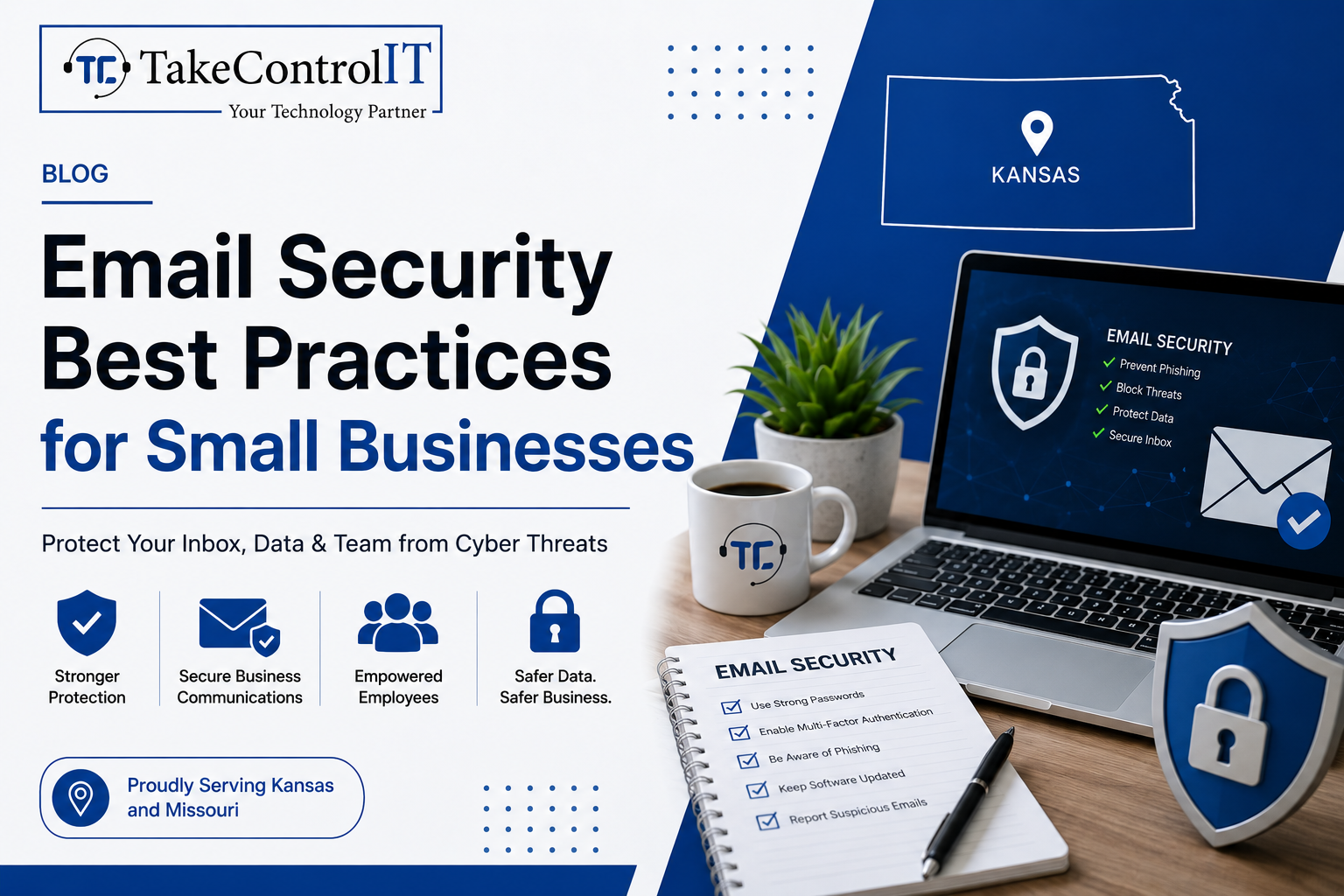
Email Security Best Practices for Small Businesses

Email remains the number one attack vector for cybercriminals targeting organizations of all sizes. For small businesses, the threat is especially serious. Improving email security for small businesses is no longer optional; it’s a core part of staying operational and protecting your customers.

According to the FBI’s 2023 Internet Crime Report, Business Email Compromise (BEC) caused over $2.9 billion in reported losses in the U.S. alone. Small businesses are frequently targeted because they often lack the layered defenses that larger enterprises have in place.

This guide covers the essential practices every small business should follow to protect its inbox, its team, and its data.

Email Security for Small Businesses and the Risks They Face

Small businesses are not too small to be targeted. In fact, they are often seen as easier marks. Many operate without dedicated IT staff, rely on basic email tools, and lack formal cybersecurity for small businesses policies.

Common email-based threats include:

  • Phishing attacks: Fraudulent emails designed to trick employees into sharing credentials or clicking malicious links.
  • Spear phishing: Highly targeted attacks that impersonate a known contact or trusted organization.
  • Business Email Compromise (BEC): Attackers impersonate executives or vendors to authorize fraudulent transfers or actions.
  • Malware delivery: Infected attachments or links that install ransomware or spyware on your systems.

Understanding the threat landscape is the first step toward building a stronger defense.

Essential Email Security Best Practices Every Small Business Needs

1. Enable Multi-Factor Authentication on All Email Accounts

Multi-factor authentication (MFA) adds a second layer of verification beyond just a password. Even if a credential is compromised, MFA blocks unauthorized access.

This is one of the most impactful steps in business email security and should be enforced across every account in your organization, not just executive-level ones.

2. Deploy Email Filtering and Anti-Phishing Tools

Robust email phishing protection tools scan incoming messages for suspicious links, spoofed domains, and malicious attachments before they ever reach your inbox.

Solutions like Microsoft Defender for Office 365 and similar enterprise-grade filters are now accessible to smaller organizations. These tools significantly reduce the volume of dangerous emails that reach your employees.

3. Set Up SPF, DKIM, and DMARC Records

These three DNS-based protocols work together to verify your email’s legitimacy and stop criminals from spoofing your domain.

  • SPF (Sender Policy Framework): Specifies which mail servers are authorized to send on behalf of your domain.
  • DKIM (DomainKeys Identified Mail): Adds a digital signature to outgoing emails to verify they haven’t been tampered with.
  • DMARC (Domain-based Message Authentication): Tells receiving servers what to do when an email fails SPF or DKIM checks.

Configuring all three is a critical step in phishing attack prevention and domain protection.

4. Train Employees to Spot Phishing Attempts

Technology alone isn’t enough. Human error remains a leading cause of successful cyberattacks. Regular training helps your staff recognize suspicious emails, spoofed sender addresses, and urgent requests designed to bypass critical thinking.

Simulated phishing campaigns are an effective way to test awareness and reinforce good habits without real risk. Making security training part of your culture, not just an annual checkbox, dramatically improves your email security for small businesses.

5. Encrypt Sensitive Email Communications

Email encryption ensures that messages containing sensitive data, financial details, client information, contracts, can only be read by the intended recipient.

Many businesses operating in regulated industries like healthcare or finance are required to use encryption. But even outside compliance requirements, it’s a strong practice for any business that values client trust.

6. Establish a Clear Email Security Policy

A written policy sets clear expectations for your team. It should cover password requirements, rules around sharing credentials, acceptable use of company email, and the process for reporting suspicious messages.

A documented policy also helps with compliance and gives your team a clear point of reference when something doesn’t feel right.

Managed Cybersecurity Services and Their Role in Email Protection

Implementing these practices takes more than good intentions; it takes consistent monitoring, proper configuration, and expert oversight. That’s where managed cybersecurity services make a real difference.

A managed security partner handles the technical setup, monitors threats in real time, keeps your filters and protocols updated, and responds when something goes wrong. This gives small businesses access to enterprise-level protection without the need to hire a full in-house security team.

TakeControl IT provides comprehensive cybersecurity for small businesses across Kansas and Missouri, including email security, endpoint protection, and proactive threat monitoring. Their team ensures your defenses are always up to date and working as intended.

Strengthen Your Email Security for Small Businesses Today

Your inbox is one of the most vulnerable entry points in your business. Taking a proactive approach to business email security today can prevent costly breaches tomorrow.

TakeControl IT offers tailored managed cybersecurity services designed to protect small businesses from phishing attacks, email compromise and evolving cyber threats. Based in Shawnee, Kansas, they work with businesses across Kansas and Missouri to build secure, resilient IT environments.

Call +1 913-238-2202 or visit  www.takecontrolit.com to schedule a free consultation and take control of your email security.

Conclusion

Email threats are constant, targeted, and increasingly sophisticated. But the right practices; MFA, filtering, DNS authentication, employee training, and encryption; can dramatically reduce your risk.

Solid email security for small businesses isn’t a one-time fix. It’s an ongoing commitment to protecting your team, your clients, and your reputation. The businesses that build strong foundations now will be far better positioned to handle the threats of tomorrow.

Don’t wait for a breach to take action. Start with one practice today and build from there.

Frequently Asked Questions

What are the most common email threats targeting small businesses?

Phishing, spear phishing, Business Email Compromise, and malware-laden attachments are the most frequent threats. These attacks exploit human error and weak security settings to gain unauthorized access.

What steps are involved in phishing attack prevention?

Effective phishing attack prevention includes enabling MFA, deploying email filters, configuring SPF/DKIM/DMARC records, and conducting regular employee security awareness training.

How is business email security different from basic email protection?

Business email security involves layered defenses including filtering, encryption, authentication protocols, and policy enforcement, going well beyond a standard spam filter or basic password protection.

What are the signs that a business email has been compromised?

Warning signs include unexpected password reset notices, emails sent without your knowledge, unfamiliar login locations, and contacts receiving messages you never sent.

How do managed cybersecurity services improve email security?

Managed cybersecurity services provide continuous monitoring, expert configuration, threat response, and regular updates, ensuring your email security defenses stay effective against evolving attack methods.

Why is email encryption important for small businesses?

Email encryption protects sensitive data in transit, prevents unauthorized interception, and helps businesses meet compliance requirements in regulated industries like healthcare and finance.

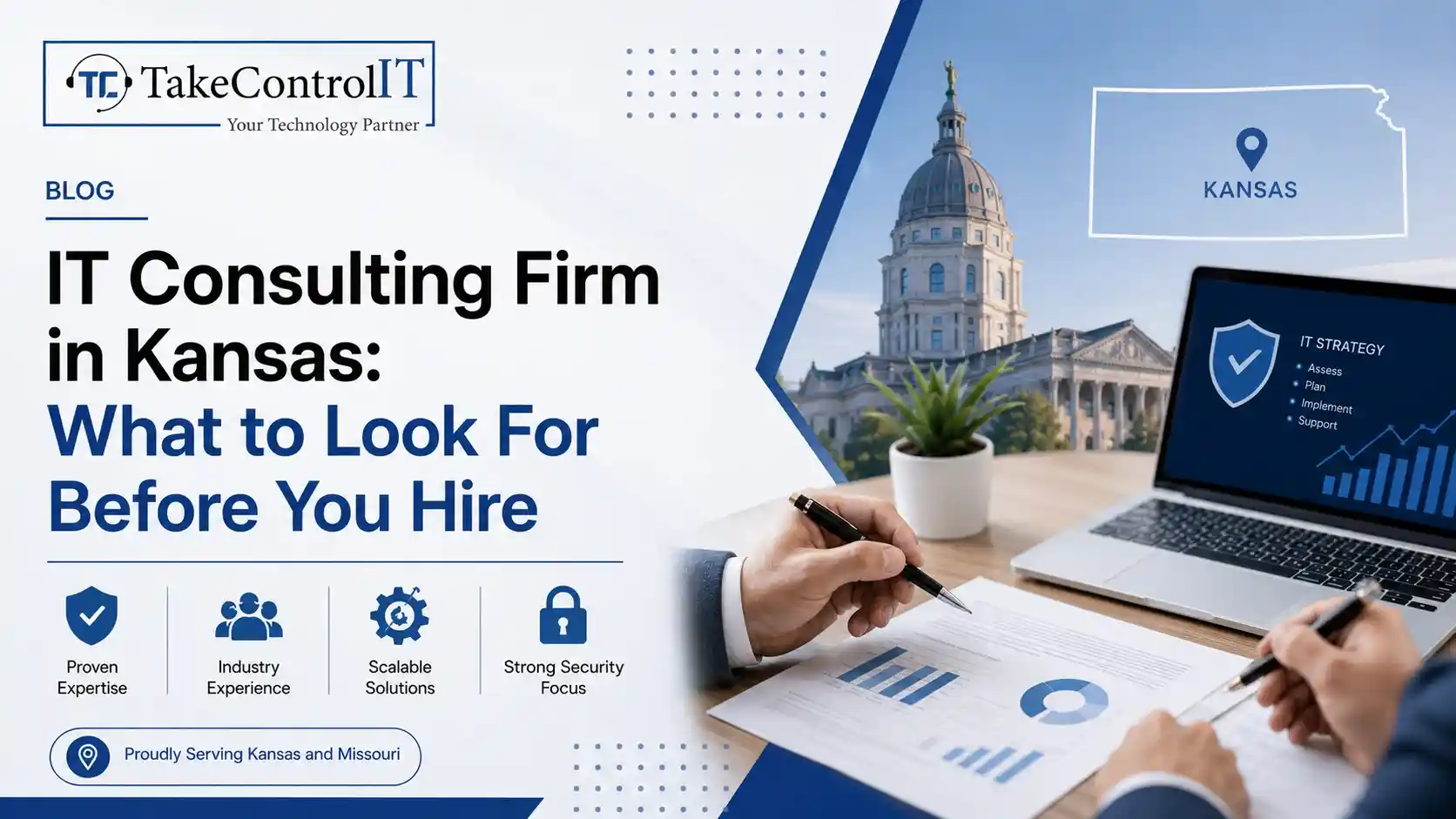
IT Consulting Firm in Kansas: What to Look For Before You Hire

Technology plays a major role in how modern businesses operate. From cybersecurity to cloud systems, companies rely on strong IT support to stay productive and secure. Choosing the right IT consulting firm in Kansas can help your business reduce downtime, improve efficiency, and protect critical data. 

Whether you run a small business or a growing company, working with an experienced IT consulting firm in Kansas gives you access to expert guidance, proactive support, and scalable technology solutions. However, not every provider offers the same level of service.

Before hiring an IT consulting firm in Kansas, it is important to understand what separates a reliable technology partner from a basic support provider. This guide explains the key factors businesses should evaluate before making a decision.

IT Consulting Firm in Kansas Services That Support Business Growth 

A professional IT consulting firm in Kansas should provide more than occasional troubleshooting. Modern businesses need strategic technology support that aligns with daily operations and long-term goals.

Core services often include:

  • Managed IT services
  • Network monitoring and maintenance
  • Cybersecurity protection
  • Cloud computing solutions
  • Data backup and disaster recovery
  • Microsoft 365 support
  • IT infrastructure planning
  • Help desk support

An experienced IT consulting company in Kansas helps businesses improve system performance while reducing technical disruptions. Instead of reacting to issues after they happen, the right provider focuses on prevention and long-term stability.

Businesses across Kansas also benefit from scalable solutions that adapt as operations grow. A trusted IT consultancy Kansas provider understands how to support expansion without unnecessary complexity.

IT Consulting Firm in Kansas Experience and Industry Knowledge 

Industry experience matters when selecting an IT consulting firm in Kansas. Different industries face different compliance requirements, security concerns, and operational challenges.

For example:

  • Healthcare organizations require strong data security and HIPAA awareness.
  • Law firms need secure document management.
  • Manufacturers depend on reliable network uptime.
  • Financial businesses need advanced cybersecurity protection.

A qualified IT consulting company in Kansas should understand the technology needs specific to your industry. This helps reduce risks and improve operational efficiency.

Before hiring, review:

  • Years of experience
  • Certifications and partnerships
  • Client testimonials
  • Response times
  • Technology expertise

An established IT consultancy Kansas provider should also demonstrate a proactive approach to problem-solving rather than simply fixing issues when they occur.

Cybersecurity Standards From an IT Consulting Firm in Kansas

Cyber threats continue to increase for businesses of all sizes. Ransomware, phishing attacks, and data breaches can disrupt operations and damage customer trust.

A reliable IT consulting firm in Kansas should prioritize cybersecurity at every level. Businesses should ask about:

Network Security Monitoring: Continuous monitoring helps identify suspicious activity before it becomes a major problem.

Multi-Factor Authentication: Strong access controls protect sensitive company data from unauthorized access.

Employee Security Training: Human error remains one of the leading causes of cyber incidents. Security awareness training helps reduce risks.

Backup and Disaster Recovery: A dependable IT consulting company in Kansas should provide secure backups and recovery planning to minimize downtime after unexpected incidents.

Businesses working with a trusted IT consultancy Kansas provider often gain stronger protection through proactive security management instead of reactive solutions.

IT Consulting Company in Kansas, Communication and Support Quality

Strong communication is one of the most important qualities of a dependable IT partner. Businesses should never struggle to reach technical support during critical situations.

A professional IT consulting firm in Kansas should offer:

  • Clear communication
  • Fast response times
  • Regular reporting
  • Transparent recommendations
  • Dedicated support channels

Good communication also helps business owners understand technology decisions without confusing technical jargon.

Many companies choose an IT consulting company in Kansas because they want a local provider that understands regional business needs and offers personalized support.

Working with a responsive IT consultancy Kansas team helps businesses maintain productivity and reduce frustration during technical issues.

IT Consultancy Kansas Solutions for Long-Term Technology Planning 

Technology should support future growth, not create limitations. An experienced IT consulting firm in Kansas helps businesses build long-term strategies that improve scalability and operational efficiency.

Strategic planning may include:

  • Hardware lifecycle management
  • Cloud migration planning
  • Infrastructure upgrades
  • Remote workforce support
  • Cybersecurity roadmaps
  • Business continuity planning

A trusted IT consulting company in Kansas also helps businesses avoid outdated systems that can slow productivity and increase security risks.

Instead of making random technology decisions, businesses benefit from structured planning with an experienced IT consultancy Kansas provider.

Take Control IT Delivers Reliable IT Consulting Support 

Take Control IT helps businesses improve operational efficiency with professional technology support and proactive IT solutions. As an experienced IT consulting firm in Kansas, the company focuses on helping organizations strengthen cybersecurity, optimize infrastructure, and reduce downtime.

Businesses looking for dependable guidance often choose Take Control IT for:

  • Managed IT support
  • Business cybersecurity solutions
  • Cloud services
  • Network management
  • Strategic IT consulting
  • Responsive technical support

With a proactive approach to technology management, the company helps Kansas businesses stay secure, productive, and prepared for future growth.

Choose the Right IT Consulting Firm in Kansas for Better Business Performance 

Selecting the right IT consulting firm in Kansas is an important decision for any business. Technology impacts productivity, security, customer experience, and long-term growth.

The best providers focus on:

  • Proactive support
  • Cybersecurity protection
  • Strategic planning
  • Reliable communication
  • Industry expertise
  • Scalable technology solutions

A trusted IT consulting company in Kansas becomes a long-term technology partner rather than just a support vendor.

Businesses that invest in professional IT consultancy Kansas services often experience improved efficiency, reduced downtime, and stronger protection against evolving cyber threats. 

Contact Take Control IT for Trusted IT Consulting Services 

Looking for a reliable IT consulting firm in Kansas that understands your business needs?

Take Control IT provides proactive technology solutions designed to improve security, productivity, and long-term business performance. Connect with their team today to build a smarter and more secure IT strategy for your organization.

Conclusion

Choosing the right IT consulting firm in Kansas can directly impact your company’s security, productivity, and long-term growth. Businesses today need more than basic technical support. They need strategic guidance, proactive cybersecurity, reliable communication, and scalable technology solutions that align with their goals.

Working with an experienced IT consultancy Kansas provider like Take Control IT gives businesses access to reliable IT support designed to keep operations secure, efficient, and growth-focused. Before making a decision, evaluate experience, service quality, responsiveness, and strategic capabilities to ensure your business chooses the right technology partner.

Frequently Asked Questions

How does an IT consulting firm in Kansas help businesses?

An IT consulting firm in Kansas helps businesses improve cybersecurity, manage technology systems, reduce downtime, and create long-term IT strategies that support operational growth.

Why should businesses hire a local IT consulting company in Kansas?

A local IT consulting company in Kansas provides faster support, understands regional business challenges, and offers personalized service customized to company needs.

What services does an IT consultancy Kansas provider offer?

An IT consultancy Kansas provider typically offers managed IT services, cybersecurity, cloud solutions, network support, disaster recovery, and strategic technology planning.

How do businesses choose the best IT consulting firm in Kansas?

Businesses should evaluate experience, cybersecurity expertise, support quality, industry knowledge, response times, and long-term technology planning capabilities before hiring.

Can an IT consulting company in Kansas improve cybersecurity?

Yes. A professional IT consulting company in Kansas helps businesses strengthen cybersecurity through monitoring, employee training, backup systems, and proactive threat management.

Why is proactive IT support important for Kansas businesses?

Proactive support from an IT consultancy Kansas provider helps businesses prevent downtime, improve productivity, and reduce the risks associated with cyber threats and outdated systems.