
What Recent SharePoint Security Issues Mean for Your Business

Local operations increasingly rely on digital collaboration, making the safety of shared files a top operational priority. However, recent developments highlight that your collaborative workspaces might be exposed to severe vulnerabilities. Understanding what these emerging sharepoint security issues mean for your workflow is essential to protecting your proprietary information.

When critical flaws emerge in collaboration platforms, unauthorized users can exploit them to bypass standard login screens. For companies throughout the Sunflower State, relying on default software settings without continuous monitoring is no longer a viable strategy. Mitigating these sophisticated SharePoint security risks requires a proactive approach to protecting your digital perimeter.

Evolving Vectors in Microsoft SharePoint Security 

Security researchers regularly discover flaws that allow bad actors to run malicious code remotely on unpatched networks. These system weaknesses often involve untrusted data processing, giving attackers the leverage to compromise databases without valid login credentials. 

The Mechanism Behind Recent Breaches 

Threat actors typically target unpatched servers by sending manipulated digital requests to internal system files. Once inside, they focus on extracting specific cryptographic validation keys.

  • Credential Hijacking: Intruders use stolen internal keys to forge administrative identities.
  • System Spoofing: Attackers trick the system into trusting unauthorized configuration changes, bypassing standard web firewalls.
  • Persistent Infrastructure Access: Once administrative rights are obtained, hackers can install persistent backdoors to monitor communication long-term.

Local Operational Impact 

When these system vulnerabilities are exploited, the damage extends beyond temporary operational downtime. A compromised server often serves as a primary launching pad for network-wide ransomware campaigns. For organizations using on-premises setups, an unpatched vulnerability exposes customer records, financial statements, and operational blueprints to external threats. 

Actionable Strategies for SharePoint Data Security 

Securing an enterprise network requires more than applying software patches after an advisory is published. True resilience involves establishing layers of validation to ensure that even if one barrier fails, your underlying database remains protected. 

Active Vulnerability Management 

Organizations must move away from manual update schedules. Exploits targeting corporate file repositories often appear within days of a vulnerability disclosure. Implementing automatic validation pipelines ensures that critical patches are thoroughly vetted and deployed before external scans detect exposed network ports. 

Core Defense Implementations 

  • Enable Full AMSI Integration: Activating the Antimalware Scan Interface allows your systems to inspect script requests before execution.
  • Rotate Server Machine Keys: Regularly updating your web server configuration keys neutralizes previously stolen session tokens.
  • Deploy Endpoint Detection: Continuous behavioral monitoring highlights unusual file adjustments the moment they occur.

Partnering with a dedicated specialist provides the continuous oversight necessary to keep systems secure. Utilizing professional [suspicious link removed] allows your internal team to focus on core operations while dedicated engineers monitor your threat landscape. At Take Control IT, we design comprehensive protocols to isolate emerging threats before they disrupt your daily workflow.

Elevating Your Comprehensive SharePoint Cybersecurity 

True digital protection requires a holistic strategy that addresses user behavior alongside software configurations. Technical adjustments work best when paired with strict data access controls across the entire organization. 

Implementing Least-Privilege Access

A common point of failure in document management is over-permissive user access. Employees should only have access to the specific folders required for their active roles. Restricting broad administrative privileges limits the lateral movement of an attacker if an individual account is compromised.

Centralized Log Monitoring

Automated tracking of system modifications provides early warning signs of an attempted breach. Security teams can spot brute-force login attempts or unusual bulk file downloads by analyzing real-time server traffic logs. Catching these anomalies early prevents minor software bugs from escalating into full-scale network breaches.

Secure Your Collaboration Infrastructure Today 

Protecting your company’s digital infrastructure requires consistent vigilance and rapid deployment of security updates. Leaving your file repositories unmanaged creates unnecessary operational risks. Take Control IT provides the round-the-clock monitoring and preventative patching needed to keep your systems resilient. 

Reach out to our team today to schedule a comprehensive evaluation of your business network. 

Conclusion

Navigating the complexities of modern network safety requires moving away from reactive strategies. Recent software vulnerabilities prove that threat actors look for unpatched collaboration tools to compromise corporate environments. Ensuring your files remain secure is an ongoing process that demands regular maintenance, continuous server monitoring, and a highly responsive security strategy.

Taking charge of your digital footprint protects your operational continuity and maintains client trust. By addressing potential system weaknesses today, you ensure that external disruptions never slow down your team’s productivity.

Frequently Asked Questions

What are the main signs of SharePoint security issues in a network?

Common indicators include unexplained configuration changes, unusual administrative login locations, unexpected server slowdowns, and unauthorized modifications to critical system validation keys.

How do software updates mitigate urgent SharePoint vulnerabilities?

Timely software updates close structural code loops that attackers use to bypass authentication protocols, effectively blocking unauthorized remote code execution across your network.

Why is proactive SharePoint cybersecurity critical for small businesses?

Small businesses are frequent targets for automated network scans. Proactive defense measures prevent threat actors from deploying ransomware or stealing proprietary customer records through unpatched access points.

Can implementing multi-factor authentication stop all SharePoint security risks?

Multi-factor authentication protects user logins, but it cannot stop unauthenticated remote code execution exploits that target server-side deserialization flaws directly

What role does SharePoint data security play in regular compliance audits?

Maintaining strict data security protocols ensures your organization meets federal and industry-specific regulatory standards for protecting sensitive consumer records and proprietary information.
AI-Powered Cyberattacks Are Here: How Businesses Can Stay Protected in 2026

Cyberattacks no longer look the way they used to. AI-powered cyberattacks now write flawless emails, clone voices, and scan networks in seconds. For small and mid-sized businesses across Kansas, this shift matters. Attackers once needed real skill to pull off a convincing scam, but automated tools now do most of the work for them. Take Control IT works with local businesses every day, and one thing is clear: understanding AI-powered cyberattacks is the first step toward staying safe in 2026.

Factors That Make AI-Powered Cyberattacks Different

Traditional cyberattacks relied on guesswork and volume. AI-powered cyberattacks rely on precision instead, studying a company’s public information and writing style before crafting a message.

This changes things for business owners in several ways:

  • Messages sound personal instead of generic
  • Attacks adapt in real time based on how a target responds
  • Network scans that once took days now take minutes
  • Fake voices and videos can imitate real coworkers or vendors

Because these attacks move fast and look convincing, many owners do not realize they are under attack until real damage is already done.

Ways How AI Cyber Threats Are Reshaping Small Business Risk

Small businesses were once considered too small to matter to cybercriminals. That is no longer true. Attackers now target smaller companies specifically because they tend to have fewer defenses in place.

Recent industry research shows small businesses face a cyberattack rate near 49% each year, with incidents striking roughly every seven seconds nationwide. Average losses from a single breach can approach a quarter million dollars, and many affected companies never fully recover.

What makes this trend concerning is speed. Automated kits can launch attacks on hundreds of businesses at once, at little added effort.

Common Forms of AI Cybersecurity Attacks Businesses Face

Understanding the tactics behind these threats helps business owners recognize warning signs earlier. Three patterns show up most often.

AI Powered Ransomware

This method identifies the most valuable files on a network before locking them down. Instead of encrypting everything at random, it targets financial records, client data, and backups first, making recovery harder and increasing pressure to pay. Industry data shows ransomware plays a role in most small business breaches today.

AI Phishing Attacks

This tactic has erased the old warning signs employees were trained to spot, such as poor grammar and generic greetings. Recent research shows these messages achieve open and click rates several times higher than traditional attempts, since they read like a message from a real coworker.

AI Hacking Methods

These tools scan for weak points across a network far faster than any human team, so vulnerabilities that once took days to find can now surface in minutes.

Why Kansas Businesses Need Stronger Protection Now

Local businesses across Kansas often assume cybercriminals focus on larger cities or bigger companies. In reality, smaller markets are frequently targeted because defenses tend to be lighter, and many companies still rely on outdated software, shared logins, or minimal employee training.

This is where working with a trusted partner makes a real difference. Take Control IT focuses on practical, layered protection built around how small businesses actually operate, rather than one-size-fits-all software. Reliable Cybersecurity for small businesses should include ongoing monitoring, not just a one-time setup.

Practical Steps to Defend Against AI-Powered Cyberattacks

Business owners do not need to become security experts. A few consistent habits go a long way toward reducing risk:

  • Turn on multi-factor authentication for every account
  • Train employees to verify unusual requests through a second channel, such as a phone call
  • Keep software and operating systems updated regularly
  • Back up critical data on a schedule that does not rely on memory
  • Work with a managed IT provider to monitor networks around the clock
  • Build a simple incident response plan before an attack happens

None of these steps require unlimited budgets, just consistency and a partner who understands how these threats actually work.

Partner with Take Control IT to Stay Ahead of Emerging Threats

Cyber threats keep evolving, and business owners cannot watch every corner of their network alone. Take Control IT helps Kansas businesses build practical defenses against AI-powered cyberattacks, from everyday email filtering to full network monitoring. 

Reach out today to talk through your current setup and what a stronger security plan could look like.

Conclusion

AI-powered cyberattacks are not a distant concern; they are already shaping how small businesses get targeted in 2026. The good news is that steady, practical habits still make a real difference. Businesses that pair employee awareness with reliable monitoring put themselves in a far stronger position, and Take Control IT remains ready to help Kansas businesses build that kind of dependable protection.

Frequently Asked Questions

What are AI-powered cyberattacks?

AI-powered cyberattacks use machine learning to automate phishing, scanning, and hacking, making scams faster and harder for employees to detect than traditional attacks.

How common are AI cyber threats for small businesses?

Recent research shows nearly half of small businesses face at least one cyberattack yearly, with automated tools playing a growing role in phishing and ransomware incidents.

What is AI powered ransomware?

This attack method uses automation to identify and target the most valuable files on a network first, making it faster, more damaging, and harder to reverse without proper backups.

How do AI phishing attacks differ from regular phishing?

These messages use natural language tools to write personalized, error-free content, removing the grammar mistakes and generic greetings that once helped employees spot scams.

Can small businesses defend against automated hacking attempts?

Yes. Multi-factor authentication, regular updates, employee training, and ongoing monitoring from a managed IT provider significantly reduce the risk of a successful attack.

Why should Kansas businesses prioritize AI cybersecurity?

Smaller markets are increasingly targeted because defenses tend to be weaker. Strong security practices help Kansas businesses avoid costly downtime and protect client trust.

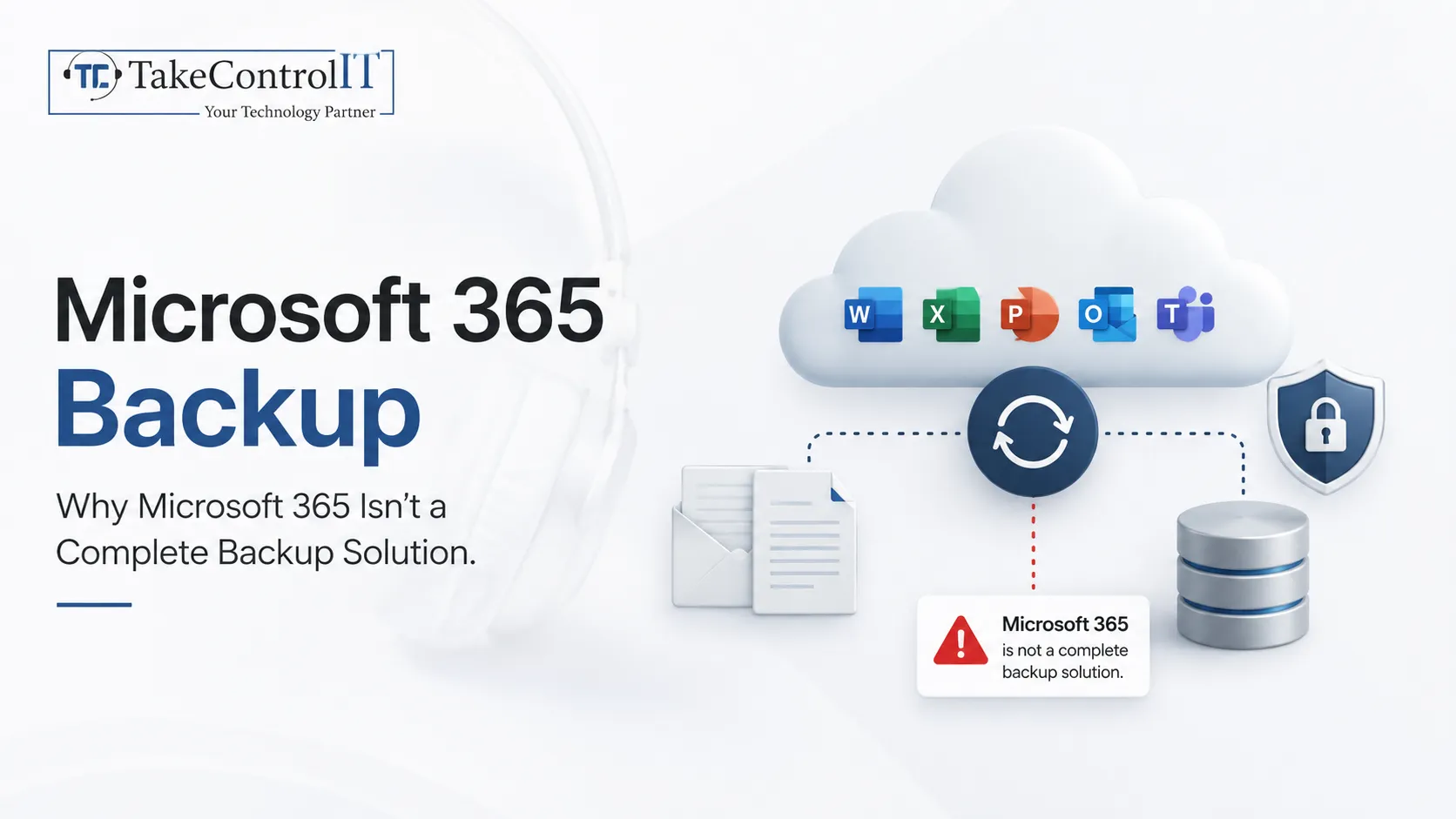
Microsoft 365 Backup: Why Microsoft 365 Isn’t a Complete Backup Solution

Most business owners assume Microsoft 365 backup happens automatically the moment they move to the cloud. That assumption is one of the most costly mistakes small businesses make. Microsoft keeps its platform running, but it does not promise to restore emails, files, or Teams chats once they are deleted, corrupted, or hit by ransomware. Take Control IT works with Kansas businesses that discover this gap only after data is already gone, and understanding Microsoft 365 backup now can prevent that outcome later.

Areas Microsoft 365 Backup Actually Covers

Microsoft’s shared responsibility model splits duties clearly. Microsoft handles the physical data centers, network uptime, and platform availability. Everything related to your actual data, including day-to-day protection and recovery, falls on the business.

Here is what that split looks like in practice:

  • Microsoft maintains servers, replication, and overall service uptime
  • Your business owns data protection, retention, and recovery decisions
  • Deleted items sit in a recycle bin for a limited window, often 14 to 93 days
  • Once that window closes, native recovery options disappear

This distinction matters because many owners confuse replication with backup. Replication keeps a copy running across data centers so the service stays online, but it does not protect against a deleted file, a corrupted mailbox, or a ransomware attack.

Reasons Why Native Tools Fall Short to a Full Microsoft 365 Backup Solution

Recycle bins, version history, and retention policies feel like enough protection on the surface, but they come with limits that a true backup solution is built to avoid.

  • Recovery windows are fixed and cannot be extended after the fact
  • Retention policies preserve data in place rather than a separate, restorable copy
  • A tenant-wide issue, like ransomware, can affect native retention along with everything else
  • Native tools rarely offer the granular, point-in-time recovery businesses need

Microsoft’s own service agreement recommends using third-party tools to protect content stored across its platform, which tells business owners most of what they need to know about Microsoft 365 backup.

Common Causes of Data Loss 

Small businesses lose Microsoft 365 data more often than most owners expect. A few scenarios show up again and again:

  • A shared folder or mailbox is accidentally deleted
  • A departing staff member’s account gets removed before data is preserved
  • Ransomware encrypts synched OneDrive or SharePoint files
  • A misconfigured retention policy erases content early

Choosing Reliable Microsoft 365 Backup Services  

Not every approach fits every business, but reliable backup services should include a few core capabilities regardless of company size.

  • Coverage across Exchange, SharePoint, OneDrive, and Teams
  • Independent storage, separate from the original Microsoft 365 tenant
  • Point-in-time restore options, not just recent deleted items
  • Regular, tested recovery drills rather than a set-and-forget approach

Microsoft has also introduced its own native add-on for select workloads. It offers useful protection, though it currently covers a limited scope and comes as a paid, per-gigabyte service. Pairing this with dedicated Microsoft 365 data backup through a managed provider closes the remaining gaps.

Microsoft 365 Backup and Recovery Services for Kansas Businesses

Kansas businesses face the same risks as companies anywhere else, often with fewer internal IT resources to handle them. A dependable approach to data backup and disaster recovery services​ in Kansas gives local businesses a real safety net instead of a false sense of security.

Take Control IT builds Microsoft 365 backup plans around how each business actually operates, rather than a generic template. Dependable Data backup and disaster recovery services in Kansas should include ongoing monitoring, tested restores and coverage across every workload your team relies on daily.

Practical Steps to Strengthen Microsoft 365 Backup

Business owners do not need a large IT department to close common gaps. A few consistent habits make a real difference:

  • Confirm exactly which workloads are currently backed up
  • Test a sample restore at least once a year
  • Extend coverage to Teams and SharePoint, not just email
  • Review retention settings whenever licensing or staff changes
  • Work with a managed provider to monitor backup health continuously

Partner With Take Control IT For Reliable Data Protection

Data loss rarely announces itself in advance, and recovering without a proper backup plan can cost far more time and stress than preventing the problem. Take Control IT helps Kansas businesses close Microsoft 365 backup gaps with practical, tested protection built around daily operations. 

Reach out today to review what your current setup actually covers.

Conclusion

Microsoft 365 backup is not something the platform handles for you automatically. Microsoft keeps the lights on, but protecting and recovering your own data is a responsibility every business shares. Recycle bins and retention policies offer short-term help, not lasting protection. Businesses that pair awareness with a tested backup plan put themselves in a far stronger position, and Take Control IT remains ready to help.

Frequently Asked Questions

Does Microsoft 365 include automatic backup?

No. Microsoft 365 includes short-term recycle bins and retention policies, but a true Microsoft 365 backup requires a separate, restorable copy of your data.

How long does Microsoft keep deleted data?

Retention windows vary by workload, often between 14 and 93 days. After that window closes, native tools generally cannot recover the deleted content.

What is the difference between replication and backup?

Replication keeps the platform running by copying data across servers. A dedicated backup solution creates an independent, restorable copy stored apart from the original tenant.

Can ransomware affect Microsoft 365 data?

Yes. Ransomware can encrypt synced OneDrive and SharePoint files, and it may also affect native retention, which is why independent data backup matters.

Do small businesses really need dedicated backup services?

Yes. Small businesses face the same deletion, corruption, and ransomware risks as larger companies, often with fewer resources to recover without backup services.

Does Microsoft recommend third-party backup?

Yes. Microsoft’s own service agreement recommends third-party tools for Microsoft 365 backup, since native retention is not designed to replace a full backup.

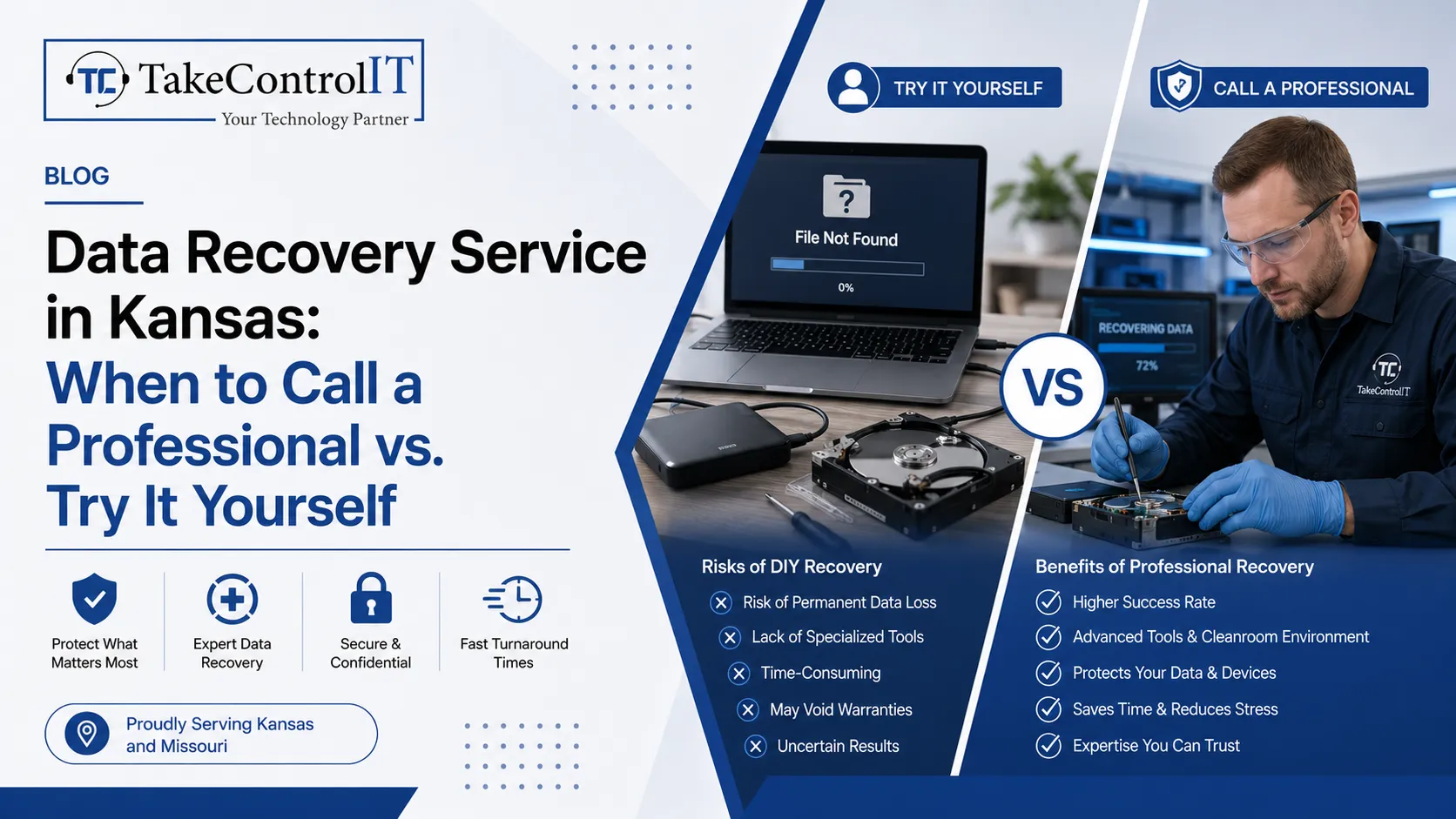
Data Recovery Service in Kansas: When to Call a Professional vs. Try It Yourself

Business data loss can happen without warning. A hard drive may fail suddenly. Files may get deleted accidentally. Malware and ransomware can also damage important systems. Because of this, many businesses now depend on a trusted Data recovery Service in Kansas to recover important files safely.

Some smaller data problems can be fixed internally. However, serious storage failures often require professional help. Reliable Data recovery services in Kansas help businesses recover files while reducing the risk of permanent damage.

An experienced Data recovery specialist in Kansas understands how to recover files from damaged devices, corrupted systems, and failed storage environments. Knowing when to try recovery yourself and when to call an expert can protect your business from larger operational problems.

Data Recovery Service in Kansas Helps Businesses Recover Important Files 

Modern businesses rely heavily on digital systems. Customer records, financial documents, employee information, and operational data all need secure storage.

When files disappear, businesses may face several problems, including:

  • Downtime and reduced productivity
  • Delayed customer communication
  • Lost operational data
  • Compliance concerns
  • Financial disruption

Professional Data recovery Service in Kansas providers help businesses recover files from different storage systems. This may include hard drives, SSDs, external drives, servers, and RAID environments.

Reliable Data recovery services in Kansas use advanced recovery methods designed to improve recovery success while protecting sensitive information.

Data Recovery Service in Kansas for Basic Recovery Situations 

Some file loss situations are relatively simple. Businesses can sometimes recover files without advanced technical support.

For example, recently deleted files may still exist in the recycle bin or cloud backup system. Temporary software problems may also block file access even though the data still exists safely.

Basic recovery methods may work when:

  • Files were deleted recently
  • Cloud backups are available
  • The storage device has no physical damage
  • Software problems are minor
  • The system still recognizes the drive

However, businesses should avoid repeated recovery attempts. Too many failed attempts can damage recoverable data permanently.

Professional Data recovery services in Kansas become important when recovery software fails or the storage device behaves abnormally.

A trusted Data recovery specialist in Kansas can inspect the issue safely before more damage occurs.

Data Recovery Specialist in Kansas Support for Physical Drive Damage 

Physical storage damage is far more serious than simple file deletion. Hard drives contain delicate components that can fail unexpectedly.

Common warning signs include:

  • Clicking or grinding sounds
  • Slow performance
  • Overheating devices
  • Missing drives
  • Repeated crashes
  • Burning smells

Businesses should stop using damaged devices immediately. Continued use may reduce the chances of successful recovery.

An experienced Data recovery specialist in Kansas uses specialized recovery tools and secure recovery environments to recover files safely.

Professional Data recovery services in Kansas can often recover information from damaged drives, failed servers, and corrupted storage systems that standard software cannot access.

Data Recovery Service in Kansas Reduces Recovery Risks 

Many businesses try free recovery software first. While some tools may help with small issues, serious recovery situations require professional handling.

DIY recovery becomes risky when:

  • The drive has physical damage
  • Ransomware affects the system
  • Important databases become corrupted
  • RAID systems fail
  • Sensitive business data is involved

Professional Data recovery Service in Kansas providers use advanced recovery procedures designed to protect important information during the recovery process.

In addition, a trusted Data recovery specialist in Kansas understands how to avoid accidental overwrites that may permanently destroy recoverable files.

Professional recovery also helps businesses maintain stronger confidentiality and security throughout the recovery process.

Data Recovery Services in Kansas Support Long-Term Business Protection 

Recovering lost files is important. However, preventing future data loss matters just as much.

Professional Data recovery services in Kansas often include long-term protection strategies such as backup management and disaster recovery planning.

Strong recovery planning helps businesses:

  • Reduce downtime
  • Improve backup reliability
  • Protect sensitive information
  • Improve recovery preparedness
  • Strengthen business continuity

An experienced Data recovery specialist in Kansas can also help businesses identify storage weaknesses before major failures happen.

With stronger recovery planning, businesses can improve both operational stability and long-term data security.

Take Control IT Provides Reliable Data Recovery Support 

Take Control IT helps businesses recover important files through dependable IT support and proactive recovery solutions.

The company provides professional Data recovery Service in Kansas support designed to help organizations recover lost data safely while improving long-term protection.

Businesses choose Take Control IT for:

  • Business data recovery
  • Backup management
  • Disaster recovery planning
  • Managed IT services
  • Cloud support
  • Business continuity solutions

Their experienced Data recovery specialist in Kansas team helps businesses reduce downtime and protect critical operational information.

Contact Take Control IT for Trusted Recovery Solutions 

Looking for dependable Data recovery Service in Kansas support for your business?

Take Control IT provides secure recovery solutions and proactive IT support designed to help businesses protect important data and reduce future risks. Contact their team today to strengthen your business recovery strategy.

Conclusion

Data loss can affect businesses at any time. While smaller recovery situations may sometimes be solved internally, serious storage failures often require professional expertise.

Working with a trusted Data recovery Service in Kansas helps businesses improve recovery success while reducing the risk of permanent file loss.

Professional Data recovery services in Kansas also support long-term business continuity through stronger backup planning and improved data protection strategies.

An experienced Data recovery specialist in Kansas can help businesses recover important files safely while improving future recovery readiness.

Frequently Asked Questions

How does a Data recovery Service in Kansas help businesses?

A professional Data recovery Service in Kansas helps businesses recover lost files from damaged drives, corrupted systems, and failed storage devices safely.

When should businesses contact a Data recovery specialist in Kansas?

Businesses should contact a Data recovery specialist in Kansas when drives fail, overheat, make unusual sounds, or contain inaccessible important files.

Can Data recovery services in Kansas recover deleted files?

Yes. Professional Data recovery services in Kansas can often recover deleted files if the storage system has not been heavily overwritten.

Is DIY data recovery safe for businesses?

DIY recovery may help with small deletion issues. However, damaged drives and serious corruption usually require professional recovery support.

What causes business data loss most often?

Common causes include hardware failure, accidental deletion, ransomware attacks, software corruption, and storage device damage.

How can businesses reduce future data loss risks?

Businesses can reduce risks through regular backups, cloud storage, cybersecurity protection, and proactive IT monitoring.