
Signs Your Small Business IT Support Has Outgrown Your Business Needs

As your business grows, as you handle more sensitive data and as your operations expand, the demands on your IT Every growing business eventually hits a wall with its current tech setup. If you rely on small business IT support that no longer keeps up with your pace, the impact shows up fast; in downtime, slow systems, and mounting security risks. Recognizing those signs early can save your business from serious setbacks.

This guide breaks down the clearest warning signs your IT support has outgrown your business and what steps you should consider next.

A Look at What Small Business IT Support Typically Covers

Basic small business IT support usually means a single technician, a break-fix model, or a part-time contractor handling day-to-day issues. It works well in the early stages, when your team is small, your systems are simple, and threats are easier to manage.

But businesses don’t stay simple forever. As your team environment grows too. At some point, a basic setup stops being a solution and starts becoming a liability.

Clear Signs Your Small Business IT Support Is No Longer Enough

1. Downtime Is Becoming a Regular Event

Occasional outages happen. But when downtime is frequent and disrupts daily operations, that’s a red flag. Basic small business IT support is typically reactive, someone fixes the problem after it occurs. Proactive managed IT services monitor your systems around the clock to catch issues before they cause disruption.

If your team is losing productive hours waiting for systems to come back online, you’ve likely already outgrown what your current setup can handle.

2. Cybersecurity Treated as an Afterthought

Cyber threats aren’t going away, they’re getting more sophisticated every year. According to the Verizon 2024 Data Breach Investigations Report, small and medium-sized businesses are increasingly targeted by ransomware and phishing attacks.

If your current IT setup lacks layered protection, endpoint monitoring, or a clear incident response plan, your business is exposed. Comprehensive business cybersecurity solutions are no longer optional, they’re essential for any business that handles customer data, financial records, or sensitive internal information.

3. Remote and Hybrid Work Exposing IT Gaps

Remote and hybrid work models are now standard across industries. If your team struggles with slow VPN connections, inaccessible files, or inconsistent communication tools, your IT infrastructure management isn’t keeping pace with how modern businesses operate.

Scaling to support a distributed workforce requires more than a basic router and shared drive. It demands secure, well-managed infrastructure that enables productivity from anywhere.

4. No Formal IT Strategy or Technology Roadmap

Growing businesses need technology that supports their goals, not just technology that works today. If your IT decisions are made on-the-fly or only in response to problems, that’s a sign you need more than basic small business IT support.

A structured IT roadmap ensures that your technology investments align with your business objectives, whether that means cloud migration, compliance readiness, or scaling your network infrastructure.

5. Employees Pulled Away From Core Work by IT Issues

This one is easy to overlook. When employees spend time troubleshooting slow computers, resetting passwords, or reconnecting to the network, that’s time pulled away from their actual responsibilities.

Dedicated outsourced IT support takes those burdens off your team’s plate. Instead of worrying about tech problems, your people can focus on what they do best.

6. Industry Compliance Requirements Left Unaddressed

Industries like healthcare, finance, and legal services face strict data compliance requirements; HIPAA, SOC 2, PCI-DSS, and others. If your business has started operating in a regulated space and your current IT provider isn’t equipped to help you meet those standards, the risk is significant.

Non-compliance can result in serious legal penalties. The right managed IT services provider will help you build a compliant, audit-ready environment.

Small Business IT Support Options Worth Considering

Once you recognize the signs, the next step is figuring out what kind of support your business actually needs. Here are the most effective options for businesses that have outgrown basic setups:

  • Managed IT Services: A fully managed approach where a dedicated provider handles monitoring, maintenance, security, and support under a predictable model.
  • Outsourced IT Support: Ideal for businesses that need expert help without the overhead of a full in-house IT department.
  • IT Infrastructure Management: Ensures your network, servers, cloud systems, and hardware are optimized, updated, and secure.
  • Business Cybersecurity Solutions: Layered security tools and strategies including endpoint protection, email security, and threat monitoring.

The right combination depends on your size, industry and growth goals.

Take the Next Step Toward Better Small Business IT Support

If these signs sound familiar, it may be time to move beyond a basic IT setup. TakeControl IT is a trusted managed IT services provider based in Shawnee, Kansas, serving small and mid-sized businesses across Kansas and Missouri.

From proactive IT infrastructure management and business cybersecurity solutions to fully outsourced IT support, TakeControl IT builds technology environments that are secure, scalable, and aligned with your business goals.

Contact TakeControl IT today at +1 913-238-2202 or visit [www.takecontrolit.com] to schedule a free consultation. Let’s build an IT environment your business can actually grow into.

Conclusion

Outgrowing your small business IT support isn’t a problem; it’s actually a sign your business is growing. The challenge is recognizing when to make the move to a more robust, managed approach before the gaps start costing you.

Frequent downtime, weak cybersecurity, lack of a clear IT strategy, and compliance pressure are all clear indicators that your current setup isn’t built to scale. Transitioning to managed IT services or structured outsourced IT support gives your business the foundation it needs to operate securely and grow confidently.

The sooner you identify the gap, the sooner you can close it.

Frequently Asked Questions

What is small business IT support?

Small business IT support refers to technical assistance, ranging from troubleshooting and maintenance to security and network management; customized to the scale and budget of smaller organizations.

When should a small business switch to managed IT services?

A small business should consider managed IT services when it experiences frequent downtime, growing cybersecurity risks, compliance requirements, or when IT issues are consistently disrupting daily operations.

What does outsourced IT support include?

Outsourced IT support typically includes help desk services, network monitoring, cybersecurity management, software updates, data backup, and strategic IT planning handled by an external provider.

How do business cybersecurity solutions protect small businesses?

Business cybersecurity solutions protect small businesses by deploying firewalls, endpoint protection, email filtering, threat monitoring, and employee security training to prevent data breaches and cyberattacks.

What is IT infrastructure management for small businesses?

IT infrastructure management involves overseeing hardware, software, networks, and cloud systems to ensure optimal performance, security, and reliability; so businesses can operate without interruption.

Is outsourced IT support better than hiring an in-house IT team?

For many small businesses, outsourced IT support offers broader expertise, 24/7 availability, and greater flexibility without the overhead costs of maintaining a full-time, in-house IT department.

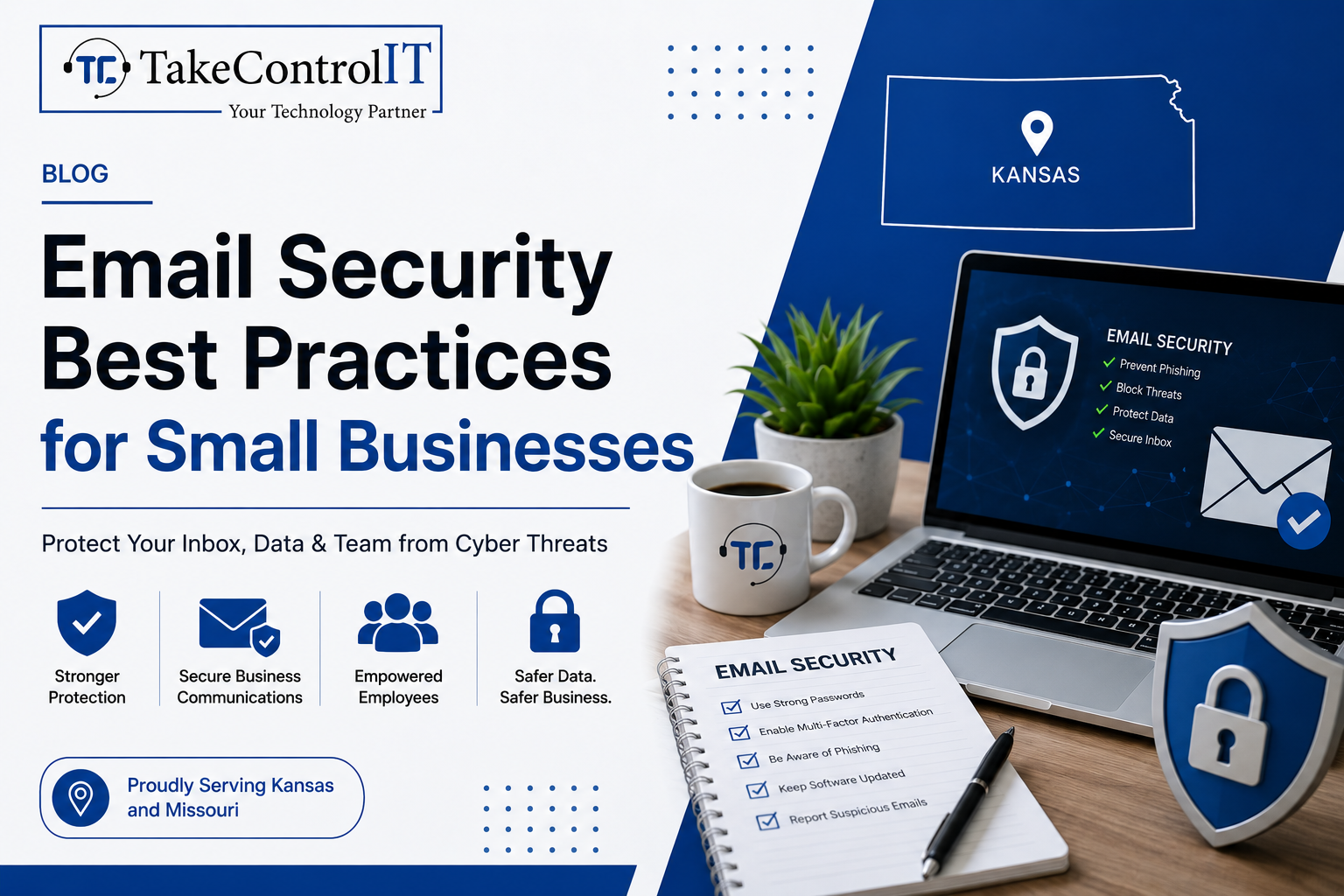
Email Security Best Practices for Small Businesses

Email remains the number one attack vector for cybercriminals targeting organizations of all sizes. For small businesses, the threat is especially serious. Improving email security for small businesses is no longer optional; it’s a core part of staying operational and protecting your customers.

According to the FBI’s 2023 Internet Crime Report, Business Email Compromise (BEC) caused over $2.9 billion in reported losses in the U.S. alone. Small businesses are frequently targeted because they often lack the layered defenses that larger enterprises have in place.

This guide covers the essential practices every small business should follow to protect its inbox, its team, and its data.

Email Security for Small Businesses and the Risks They Face

Small businesses are not too small to be targeted. In fact, they are often seen as easier marks. Many operate without dedicated IT staff, rely on basic email tools, and lack formal cybersecurity for small businesses policies.

Common email-based threats include:

  • Phishing attacks: Fraudulent emails designed to trick employees into sharing credentials or clicking malicious links.
  • Spear phishing: Highly targeted attacks that impersonate a known contact or trusted organization.
  • Business Email Compromise (BEC): Attackers impersonate executives or vendors to authorize fraudulent transfers or actions.
  • Malware delivery: Infected attachments or links that install ransomware or spyware on your systems.

Understanding the threat landscape is the first step toward building a stronger defense.

Essential Email Security Best Practices Every Small Business Needs

1. Enable Multi-Factor Authentication on All Email Accounts

Multi-factor authentication (MFA) adds a second layer of verification beyond just a password. Even if a credential is compromised, MFA blocks unauthorized access.

This is one of the most impactful steps in business email security and should be enforced across every account in your organization, not just executive-level ones.

2. Deploy Email Filtering and Anti-Phishing Tools

Robust email phishing protection tools scan incoming messages for suspicious links, spoofed domains, and malicious attachments before they ever reach your inbox.

Solutions like Microsoft Defender for Office 365 and similar enterprise-grade filters are now accessible to smaller organizations. These tools significantly reduce the volume of dangerous emails that reach your employees.

3. Set Up SPF, DKIM, and DMARC Records

These three DNS-based protocols work together to verify your email’s legitimacy and stop criminals from spoofing your domain.

  • SPF (Sender Policy Framework): Specifies which mail servers are authorized to send on behalf of your domain.
  • DKIM (DomainKeys Identified Mail): Adds a digital signature to outgoing emails to verify they haven’t been tampered with.
  • DMARC (Domain-based Message Authentication): Tells receiving servers what to do when an email fails SPF or DKIM checks.

Configuring all three is a critical step in phishing attack prevention and domain protection.

4. Train Employees to Spot Phishing Attempts

Technology alone isn’t enough. Human error remains a leading cause of successful cyberattacks. Regular training helps your staff recognize suspicious emails, spoofed sender addresses, and urgent requests designed to bypass critical thinking.

Simulated phishing campaigns are an effective way to test awareness and reinforce good habits without real risk. Making security training part of your culture, not just an annual checkbox, dramatically improves your email security for small businesses.

5. Encrypt Sensitive Email Communications

Email encryption ensures that messages containing sensitive data, financial details, client information, contracts, can only be read by the intended recipient.

Many businesses operating in regulated industries like healthcare or finance are required to use encryption. But even outside compliance requirements, it’s a strong practice for any business that values client trust.

6. Establish a Clear Email Security Policy

A written policy sets clear expectations for your team. It should cover password requirements, rules around sharing credentials, acceptable use of company email, and the process for reporting suspicious messages.

A documented policy also helps with compliance and gives your team a clear point of reference when something doesn’t feel right.

Managed Cybersecurity Services and Their Role in Email Protection

Implementing these practices takes more than good intentions; it takes consistent monitoring, proper configuration, and expert oversight. That’s where managed cybersecurity services make a real difference.

A managed security partner handles the technical setup, monitors threats in real time, keeps your filters and protocols updated, and responds when something goes wrong. This gives small businesses access to enterprise-level protection without the need to hire a full in-house security team.

TakeControl IT provides comprehensive cybersecurity for small businesses across Kansas and Missouri, including email security, endpoint protection, and proactive threat monitoring. Their team ensures your defenses are always up to date and working as intended.

Strengthen Your Email Security for Small Businesses Today

Your inbox is one of the most vulnerable entry points in your business. Taking a proactive approach to business email security today can prevent costly breaches tomorrow.

TakeControl IT offers tailored managed cybersecurity services designed to protect small businesses from phishing attacks, email compromise and evolving cyber threats. Based in Shawnee, Kansas, they work with businesses across Kansas and Missouri to build secure, resilient IT environments.

Call +1 913-238-2202 or visit  www.takecontrolit.com to schedule a free consultation and take control of your email security.

Conclusion

Email threats are constant, targeted, and increasingly sophisticated. But the right practices; MFA, filtering, DNS authentication, employee training, and encryption; can dramatically reduce your risk.

Solid email security for small businesses isn’t a one-time fix. It’s an ongoing commitment to protecting your team, your clients, and your reputation. The businesses that build strong foundations now will be far better positioned to handle the threats of tomorrow.

Don’t wait for a breach to take action. Start with one practice today and build from there.

Frequently Asked Questions

What are the most common email threats targeting small businesses?

Phishing, spear phishing, Business Email Compromise, and malware-laden attachments are the most frequent threats. These attacks exploit human error and weak security settings to gain unauthorized access.

What steps are involved in phishing attack prevention?

Effective phishing attack prevention includes enabling MFA, deploying email filters, configuring SPF/DKIM/DMARC records, and conducting regular employee security awareness training.

How is business email security different from basic email protection?

Business email security involves layered defenses including filtering, encryption, authentication protocols, and policy enforcement, going well beyond a standard spam filter or basic password protection.

What are the signs that a business email has been compromised?

Warning signs include unexpected password reset notices, emails sent without your knowledge, unfamiliar login locations, and contacts receiving messages you never sent.

How do managed cybersecurity services improve email security?

Managed cybersecurity services provide continuous monitoring, expert configuration, threat response, and regular updates, ensuring your email security defenses stay effective against evolving attack methods.

Why is email encryption important for small businesses?

Email encryption protects sensitive data in transit, prevents unauthorized interception, and helps businesses meet compliance requirements in regulated industries like healthcare and finance.